
Subtitles.app is a free online tool that transcribes video and audio to text, translates into 120 languages, and exports subtitle files or subtitled video.
About
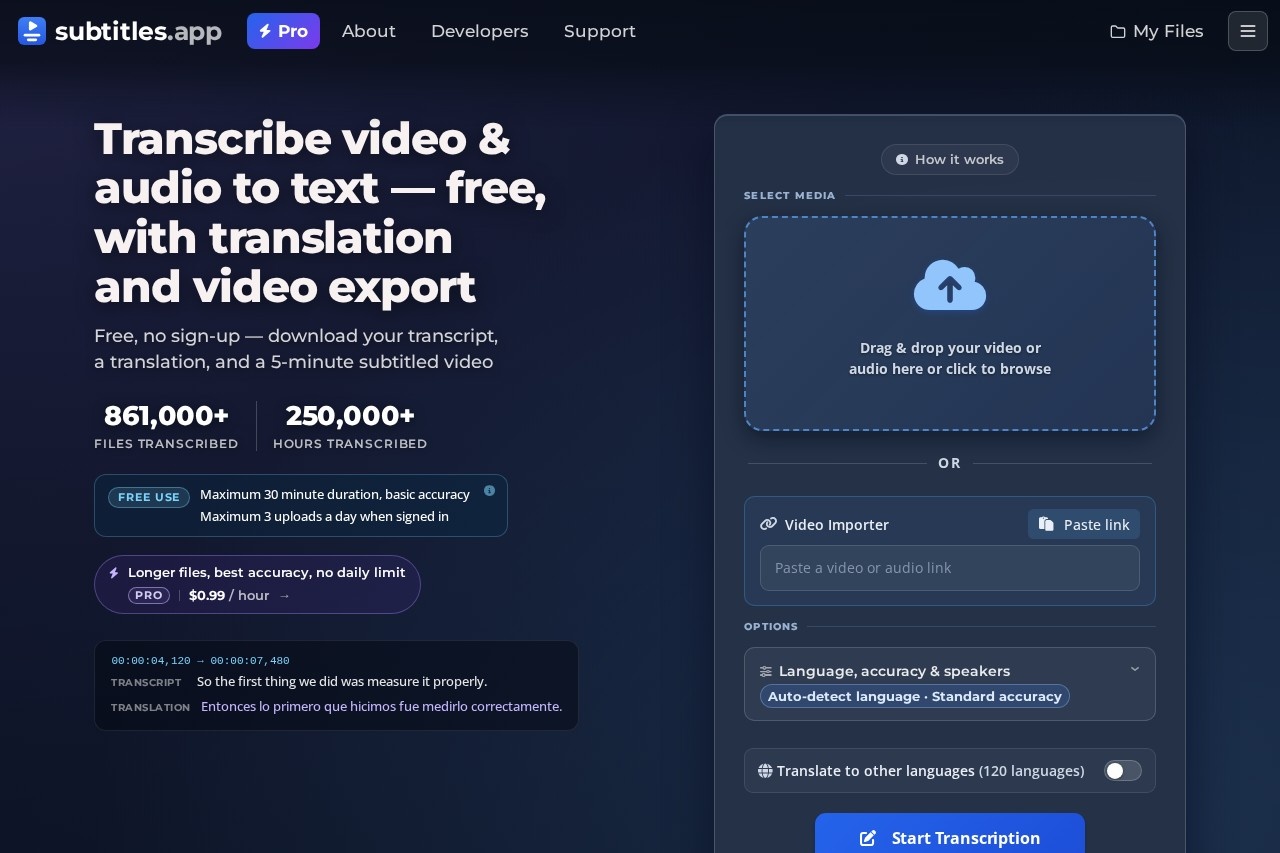
Subtitles.app is a web-based transcription and subtitling tool that converts video and audio files into text, translates the results into many languages, and produces downloadable subtitle files. It addresses a common bottleneck for anyone working with recorded media: turning long recordings into accurate, editable text and usable subtitles without desktop software. The site reports more than 861,000 files and 250,000 hours transcribed.
The workflow is short: a user drops in a file (MP4, MKV, MOV, MP3, WAV, or FLAC) or pastes a link from one of more than 1,100 supported sites, chooses options such as source language, accuracy tier, speaker identification, and translation languages, and presses Start Transcription. Results can be downloaded as SRT, VTT, or TXT files, opened in an online media player, or exported as a subtitled video clip. A free tier requires no sign-up, and a paid Pro tier charges by the hour of processed media.
Key Features
Pricing & Fees
- Pricing: Free Use costs nothing; Pro is $0.99 per hour of processed media, with no subscription, credit that never expires, and payment only for hours actually processed.
- Free tier limits: Anonymous users get one upload per day and 30-minute files; signed-in free users get three uploads per day, a 1 GB file size cap, and standard accuracy.
- Pro limits: No daily limit, no duration limit, 10 GB file size, highest-accuracy models, and parallel processing.
- Video importer: A URL can be pasted and the service fetches the media from more than 1,100 sites.
- "Ask this video": Free uploads include a limited number of questions answered directly from the file, so users can retrieve information without scrubbing through it.
Who It's For
Subtitles.app suits video creators and YouTube channel owners who need SRT or VTT captions quickly, podcasters producing transcripts for show notes, journalists and researchers reviewing recorded interviews, and educators or translators who need multilingual subtitle tracks. Developers can integrate transcription into their own applications through the Pro API, and casual users benefit from the no-sign-up free tier for one-off files such as lecture recordings or meeting audio.
FAQ
Is Subtitles.app free to use?Yes, the Free Use tier requires no sign-up and allows one upload per day (three with a free account), with files up to 30 minutes and 1 GB processed at standard accuracy.
How much does the Pro tier cost?Pro costs $0.99 per hour of media processed, with no subscription, no daily limit, and credit that never expires.
Which file formats and languages are supported?Uploads are accepted in MP4, MKV, MOV, MP3, WAV, and FLAC, transcription covers about 100 source languages with auto-detection, and translations are offered in 120 languages.
How is uploaded media handled for privacy?Free Use media and transcripts are deleted automatically roughly 30 minutes after processing, and users can delete everything immediately; with Pro, media is retained for up to one month and transcription files indefinitely unless deleted.
Can I export a video with the subtitles burned in?Yes, users can preview and adjust subtitles and export a clip; the free tier includes one watermarked clip of up to five minutes, while Pro removes the watermark for that clip and offers full-length 1080p exports using credit.
Related Tutorials
View all →
Related Tools
View all → Trancy Trancy is a browser extension and app for language learning that adds AI bilingual subtitles to YouTube, Netflix and other platforms and translates selected text or full web pages.
  HappyScribe HappyScribe is a European AI notetaker and transcription platform that records meetings, transcribes audio and video in 150+ languages, and produces summaries, subtitles and translations.
  SubEasy SubEasy is an AI platform for transcription, subtitle generation, translation, and dubbing in 100+ languages, built for video creators, educators, and multilingual businesses.
  AccurateScribe.ai AccurateScribe.ai is an online AI transcription service that converts audio and video files into text and subtitles in 134+ languages, with speaker detection and multiple export formats. Rev Rev is a speech-to-text platform offering AI and human transcription, captions, and subtitles for audio and video files, used by professionals who need accurate written records.