
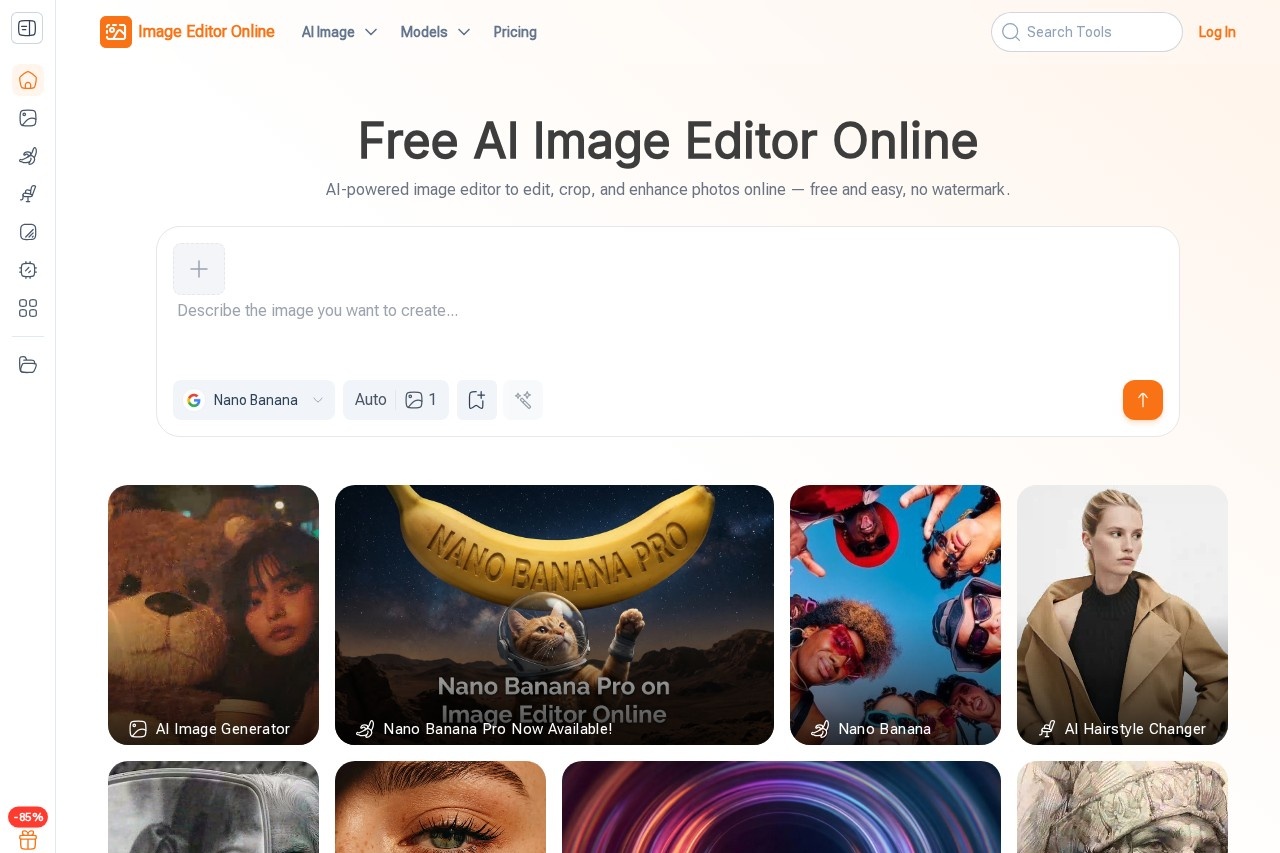
Image Editor Online is a free, browser-based AI photo editor that lets users edit, crop, and enhance images with text prompts and no watermark or sign-up required.
About
Image Editor Online is a web-based photo editing tool that uses AI to perform common editing tasks through plain-language instructions. It addresses a familiar frustration: traditional editors such as Photoshop rely on layered menus and long learning curves, so even simple jobs like background removal or color correction can take far longer than they should. Image Editor Online instead lets users describe the change they want in a sentence and lets the AI handle the work.
The product runs entirely in the browser, with no software installation, and the site states that users can start editing without signing up. Editing is organized around a choice of AI models — including Nano Banana, Flux Kontext, Seedream, and GPT — followed by an uploaded image and a text prompt or a preset template. Results can be refined through repeated editing rounds in one place and downloaded in high resolution without a watermark. The site also offers related tools such as an AI image generator, an image upscaler, and an AI hairstyle changer.
Key Features
Pricing & Fees
- Pricing: Not publicly listed on the pages we reviewed; check the official site for current plans. The site describes the core editor as free to use.
- Free tier: The site advertises free editing with high-resolution downloads and no watermark.
- Platform: Browser-based and accessible on the official site, imageeditor.online.
- Processing time: The site states that generation typically takes from a few seconds to about a minute per image.
Who It's For
Image Editor Online is aimed at people who need edited visuals but lack the time or training for professional editing software. Content creators and bloggers can polish photos for posts and social media; marketing managers can produce banners and promotional graphics; teachers can build diagrams and learning materials quickly; and e-commerce sellers can clean up product photos. Anyone comfortable writing a short text prompt — or simply clicking a preset — can use it, which makes it a practical option for beginners and non-designers.
FAQ
What is Image Editor Online?It is a free, browser-based AI photo editor that applies changes described in text prompts, covering tasks such as cropping, background removal, pose adjustment, clothing changes, and style transfer.
Is Image Editor Online free to use?The site states the editor is free, with high-resolution downloads and no watermark; any paid plans are not publicly listed on the pages reviewed, so users should check the official site.
Do I need to install software or create an account?No. The tool runs in a web browser and, according to the site, can be used without sign-up or installation.
Which AI models does it support?The site lists models including Nano Banana, Flux Kontext, Seedream, and GPT, each suited to different editing tasks.
Can it handle product photos for e-commerce?Yes. The site's FAQ identifies product photo editing for e-commerce as one of its supported use cases, alongside portraits, posters, and educational content.
Related Tutorials
View all →

Related Tools
View all → FireRed Image Edit A free AI photo editor that follows your text instructions — covering edits, text preservation, style transfer, photo restoration, and identity-preserving restyling. No sign-up required.
 Aftershoot Aftershoot is AI photo culling, editing, retouching, and client gallery software for professional photographers who need to speed up post-production.
 BeautyPlus BeautyPlus is a free AI photo and video editing platform from Pixocial offering retouching, filters, background removal, image enhancement, and a browser-based photo booth.
 Airbrush Studio Airbrush Studio is an AI-powered desktop photo editor for Windows and macOS that retouches portraits, removes objects, upscales images, and batch-edits hundreds of photos at once.
 BeFunky BeFunky is a browser-based creative platform that combines a photo editor, collage maker, graphic designer, and AI-assisted editing tools for everyday creators and small businesses.