
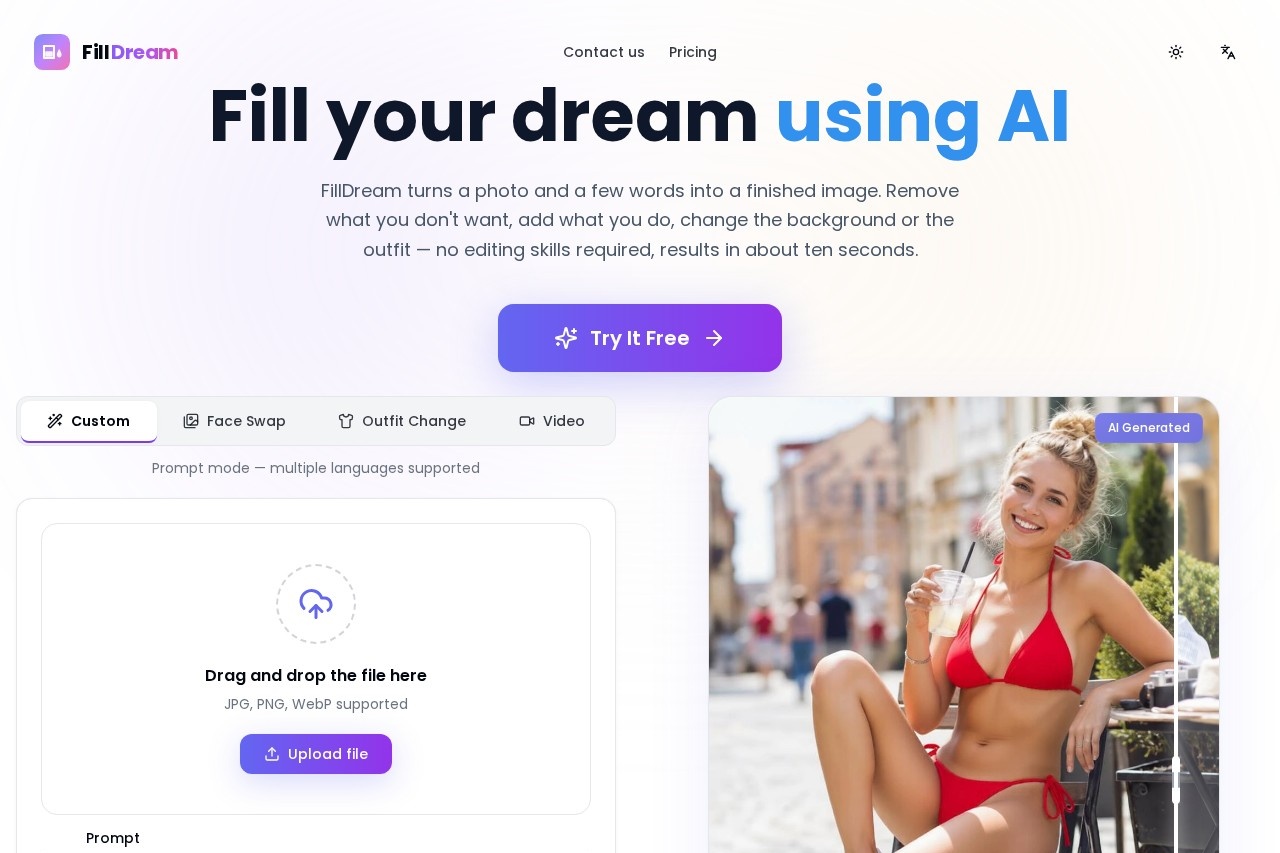
FillDream is a web-based AI inpainting tool that lets users remove objects, change backgrounds, restyle outfits, and expand photos using simple text prompts in any language.
About
FillDream is a browser-based AI image-fill, or inpainting, tool that edits photos from a plain text description instead of manual layer and mask work. It addresses a common frustration: traditional photo editing is slow and skill-heavy, while FillDream asks only that the user upload a picture and type what should change. The tool can erase unwanted elements, generate new backgrounds, swap clothing styles, or extend an image beyond its original borders.
Under the hood, FillDream is built on modern diffusion models that interpret the surrounding context of a picture, matching lighting, perspective, and texture so edited regions blend with the rest of the frame. The workflow has three steps: upload an image (or brush over the area to change), type a short prompt in any language, and generate. Most results render in roughly ten seconds, and users can produce variations until satisfied, then download the output in high resolution. Additional modes on the site include face swap, outfit change with a reference image, and image-to-video conversion.
Key Features
Pricing & Fees
- Pricing: Not publicly listed on the pages we reviewed; check the official site for current plans. The site advertises a free trial and describes its pricing as a one-time purchase.
- Speed: Most generations complete in about ten seconds, with unlimited variations until the desired result appears.
- No skills required: There are no layers, masks, or brushes to learn, though users can refine which area gets edited.
- Commercial use: Outputs are high resolution and may be downloaded and used, including for commercial projects.
- Privacy: Uploads and results stay tied to the user's session and account and are not shared publicly.
Who It's For
FillDream suits anyone who needs photo edits without a desktop editor. Product photographers and e-commerce sellers can clean up shots, remove logos, or swap backgrounds for listings. Portrait and social media creators can restyle outfits or place subjects in new scenes. Designers and marketers can expand compositions or generate scene extensions for campaigns. Hobbyists who simply want an object removed from a vacation photo also fit, since no editing experience is needed — only the ability to describe the desired result.
FAQ
What is FillDream?FillDream is an AI image-fill (inpainting) tool: users upload an image, mark or describe an area, and the AI fills it with whatever the prompt specifies, such as a new object, background, or style.
Is FillDream free to use?The tool is free to try, but full pricing details are not publicly listed on the pages reviewed; the official site should be consulted for current plans.
Do I need design or editing skills to use FillDream?No — describing the wanted change in one sentence is enough, although users can optionally refine the area they want changed.
How long does a generation take?Most fills complete in about ten seconds, and users can keep generating variations until the result looks right.
Are uploaded images private?Yes, uploads and results remain tied to the user's session and account and are not shared publicly, according to the official site.
Related Tutorials
View all →
Related Tools
View all → Cleanup.pictures Cleanup.pictures is a free AI inpainting tool that removes unwanted objects, people, text, logos, watermarks and blemishes from photos in seconds, with a Pro plan for high-resolution exports.
  AI Object Remover AI Object Remover is a browser-based photo cleanup tool: brush over any person, object, text
  WatermarkRemover.io WatermarkRemover.io is a free online AI tool that removes watermarks, text, and logos from images while preserving quality, aimed at photographers, designers, and content creators.
  Airbrush Studio Airbrush Studio is an AI-powered desktop photo editor for Windows and macOS that retouches portraits, removes objects, upscales images, and batch-edits hundreds of photos at once.
  SnapEdit SnapEdit is an AI photo editor for web and mobile that removes objects and people, erases backgrounds, enhances blurry photos, and restores old images.