
Cleanup.pictures is a free AI inpainting tool that removes unwanted objects, people, text, logos, watermarks and blemishes from photos in seconds, with a Pro plan for high-resolution exports.
About
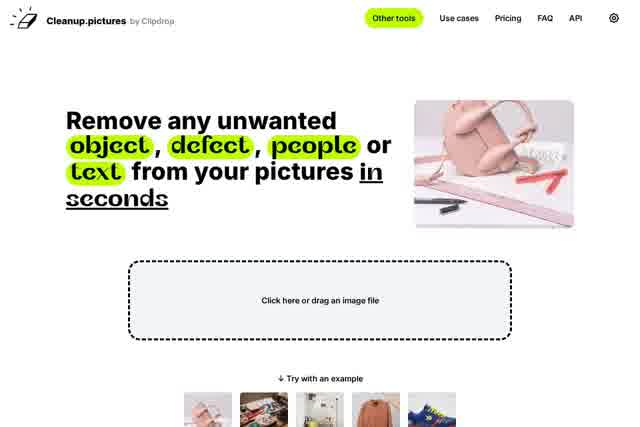
Cleanup.pictures is a web-based photo retouching tool that uses artificial intelligence to erase unwanted elements from images. Instead of manually cloning backgrounds with traditional editors such as Photoshop's clone stamp, users brush over the area they want cleaned and the AI reconstructs what was behind it.
The technique behind the product is called inpainting: reconstructing missing or covered regions of a photo so the result looks natural. Cleanup.pictures applies this automatically, so removing a tourist from a holiday shot, a timestamp from a scan, or a watermark from a product image takes a few clicks rather than layered manual editing. The service is part of the ClipDrop ecosystem, which also offers related tools such as background removal, background replacement, uncrop, and generative fill under a ClipDrop Pro plan. Cleanup.pictures itself can be used free in a browser, and an API is available for developers who want inpainting inside their own products.
Key Features
Pricing & Fees
- Pricing: The Free plan costs nothing with unlimited images capped at 720p export. The Pro plan is listed as starting from $3 per month ($36 per year, or $5 monthly), with unlimited images, unlimited resolution, and a higher-quality refiner. ClipDrop Pro starts from $11 and includes the wider ClipDrop toolset.
- Free tier: The free version places no limit on the number of images processed, only on export resolution.
- Trial and refunds: A free trial lets users test HD quality before paying; refunds are generally limited to cases such as technical difficulties, full within 14 days of purchase and prorated afterward.
- Single-user licenses: Each subscription is individual and limited to one user, and can be paused, edited, or cancelled from a subscription management page.
Who It's For
Cleanup.pictures is aimed at photographers who need to remove timestamps, tourists, or cracks before delivering prints, and at studios that retouch portraits. Real estate agents use it to depersonalize and tidy room, apartment, and house photos. E-commerce sellers clean up product shots for online stores and social media, while creative agencies use it to remix existing images and produce visuals quickly. Developers can also integrate the underlying inpainting model through the API.
FAQ
What is Cleanup.pictures?It is a free online AI retouching tool that removes unwanted objects, people, text, logos, watermarks, and defects from photos using inpainting technology.
How much does Cleanup.pictures cost?The free plan allows unlimited images with 720p exports; the Pro plan costs $5 per month or $36 per year (about $3 per month) for unlimited-resolution processing and higher-quality output.
Does Cleanup.pictures work on mobile?Yes, a subscription works on both mobile and desktop, and the tool runs in the browser without installation.
How does it differ from a clone stamp tool?Clone tools require a reference background, whereas Cleanup.pictures' AI predicts what was behind the unwanted element, which typically produces cleaner results with fewer clicks.
Is there an API for developers?Yes, the inpainting API can be used in environments such as Node.js, SwiftUI, and Kotlin, with documentation, a live demo, and samples available under usage-based pricing.
Related Tutorials
View all →

Related Tools
View all → FillDream FillDream is a web-based AI inpainting tool that lets users remove objects, change backgrounds, restyle outfits, and expand photos using simple text prompts in any language.
 remove.bg remove.bg is an online AI tool that removes image backgrounds automatically in seconds, producing transparent PNGs or clean cutouts for designers, sellers, and marketers.
 Fotor - Photo Editor Fotor offers powerful photo editing with AI tools. Enhance, retouch, and design easily.
 AI Object Remover AI Object Remover is a browser-based photo cleanup tool: brush over any person, object, text
 PFPMaker PFPMaker is a free AI profile picture maker and face-focused photo editor that turns a single selfie into professional headshots, lifestyle photos, and creative PFPs.