
Deploy and manage computer fleets for AI agents across Linux, Windows, macOS, and Android. Integrates with MCP/CLI for seamless automation.
About
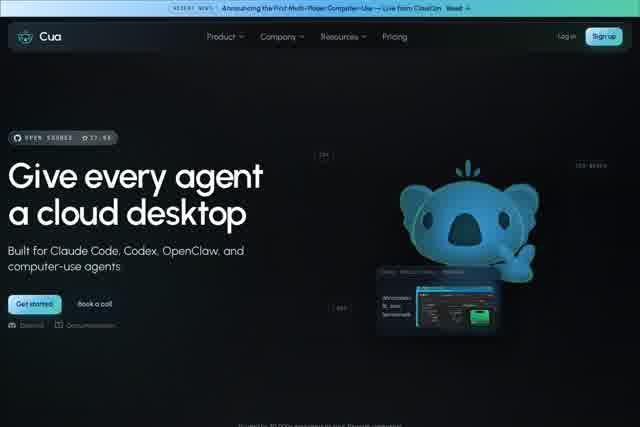
Cua is an open-source tool built for managing large-scale computer fleets, designed to help developers and operations teams efficiently schedule and control AI agents that operate in computer-use scenarios. Whether on Linux, Windows, macOS, or Android devices, Cua provides a unified interface that lets you manage thousands of machines as easily as if they were a single system. With support for MCP (Multi-Computer Protocol) and CLI (Command-Line Interface), Cua delivers the foundational infrastructure needed for automation tasks, distributed testing, and AI-driven computer interaction.
Key Features
Pricing & Fees
- Pricing: Cua Spaces offers a Free plan ($0), Pro at $18/month ($15/month billed yearly) for one person, and Teams at $30 per seat/month ($25 yearly), 1 to 100 seats.
- Free tier: Includes Spaces on every connected computer, Teleport, Space sharing with named people, up to 2 live sessions and 20 remote hours a month, with no account needed to start.
- Plan limits: Pro raises limits to 5 live sessions and 200 remote hours a month; each Teams seat adds 5 live sessions and 200 remote hours to a shared team pool. Exceeding limits does not cut service—an upgrade notice appears instead.
- Billing details: Yearly billing gives 2 months free (Pro saves $36/year; Teams saves $60 per seat/year), with a 14-day full refund window after the first yearly charge.
- Open source and platform availability: Cua Driver, Lume and the Cua SDK are open source; Cua Spaces is available for Mac, Windows (preview) and Linux, and runs on your own computers or cloud VMs.
Who It's For
DevOps engineers who need to manage mixed-OS clusters and want to integrate computer automation into their pipelines; AI application developers building intelligent agents that require remote computer control (such as browser automation, desktop app testing, or data collection bots); system administrators managing hundreds of Android devices or IoT endpoints who need centralized command dispatch and result collection; and research or educational institutions looking to set up distributed experiment environments or use Cua as a teaching and experimentation platform for computer-use agents.
Related Tutorials
View all →

Related Tools
View all → Yuxi - RAG Harness for AI Agents Yuxi provides a RAG harness to enhance AI agents with retrieval-augmented generation capabilities.
 omp - A Coding Agent with the IDE Wired In Oh My Pi (omp) is a coding agent that integrates with your IDE, leveraging LSP and DAP for seamless development. Built in Rust for performance.
 DeepEval by Confident AI - LLM Evaluation Framework Open-source LLM evaluation framework with 50+ plug-and-play metrics for AI agents, RAG, chatbots, and more.
 OmniRoute - Free AI Gateway for Multi-Provider LLMs Free, open-source AI router with auto-fallback. 236 providers, one endpoint, 95 MCP tools, 17 routing strategies, A2A protocol, auto-combo engine, semantic cache, memory & skills. Deploy anywhere.
 AgentsView - AI Agent Session Manager Local-first desktop and web app for managing AI agent sessions.