
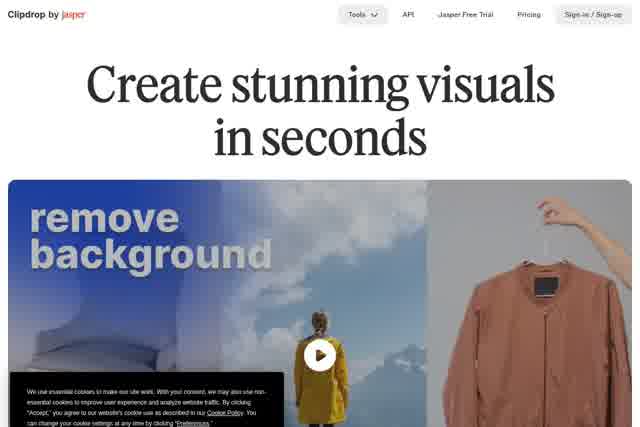
Clipdrop is a suite of AI image editing and generation tools, including background removal, object cleanup, upscaling and text-to-image, available on the web and via API.
About
Clipdrop is a web-based collection of AI tools for editing and generating images, built around everyday tasks such as removing backgrounds, erasing unwanted objects, enlarging photos and creating pictures from text descriptions. Instead of learning a full desktop editor, users visit a single page per task, upload an image or type a prompt, and download the result within seconds.
The platform grew out of InitML, a company founded in 2020 by Cyril Diagne, Jonathan Blanchet and Damien Henry, which participated in the Y Combinator Winter 2021 batch. InitML was acquired by Stability in February 2023 and then sold to Jasper in February 2024. Beyond the browser tools, Clipdrop offers an API, described on the site through Jasper's API documentation, that lets developers embed its AI image models directly into their own products.
Key Features
Pricing & Fees
- Pricing: Clipdrop uses a freemium model. The Free plan costs $0 and includes Text to image, Uncrop and background removal, with daily limits of 20 uses for most tools (50 for text removal). A Pro plan adds higher daily limits (1000 per 24 hours), queue skipping and high-resolution output, with a free trial of several days; exact Pro pricing is not publicly listed on the pages we reviewed; check the official site for current plans.
- API access: Developers can integrate Clipdrop's models into their own products through a usage-based API.
- Commercial use: Clipdrop's terms do not restrict using generated images commercially.
- Company history: Created by InitML (YC W2021), owned by Stability from February 2023, then acquired by Jasper in February 2024.
Who It's For
Clipdrop suits anyone who needs quick image edits without desktop software: social media managers resizing posts, e-commerce sellers placing products on clean or generated backgrounds, photographers cleaning up shots, and designers producing visuals from text prompts. The free tier makes it practical for casual users, while the API serves developers who want background removal or image generation inside their own applications. Its per-task web tools also appeal to office users who simply need a transparent image for a presentation.
FAQ
What is Clipdrop?Clipdrop is a suite of AI-powered image tools for background removal, object cleanup, upscaling, uncropping, relighting, text removal and text-to-image generation, available at clipdrop.co and through an API.
Is Clipdrop free to use?Yes, a free plan covers all main tools with daily limits (typically 20 uses per 24 hours, 50 for the text remover); a paid Pro plan raises limits to 1000 per 24 hours with high-resolution output.
Can I remove a background from an image for free?Yes, upload a picture at clipdrop.co/remove-background and the site removes the background, letting you download the HD result for free.
Can Clipdrop images be used commercially?Yes, Clipdrop's terms do not limit commercial use of images generated on the platform.
Does Clipdrop work with Photoshop or other software?Yes, Clipdrop offers desktop plugins for Photoshop, and images edited on the web can be downloaded and imported into PowerPoint or any other application.
Related Tutorials
View all →

Related Tools
View all → EzMaker AI EzMaker AI is a free online AI photo editor that removes backgrounds, erases objects, upscales and enhances images without sign-up.
 PxBee PxBee is a free browser-based AI photo editor that removes and replaces backgrounds, enhances image quality, and upscales photos for e-commerce and creative use.
 PhotoEditor.ai PhotoEditor.ai is a browser-based AI photo editor with 30+ single-purpose tools for cleanup, background removal, upscaling, restoration, and image generation. Free to start.
 remove.bg remove.bg is an online AI tool that removes image backgrounds automatically in seconds, producing transparent PNGs or clean cutouts for designers, sellers, and marketers.
 PicWish PicWish is an AI photo editor that removes backgrounds, enhances image quality, restores old photos, and generates AI backgrounds for e-commerce sellers, designers, and casual users.