
PhotoEditor.ai is a browser-based AI photo editor with 30+ single-purpose tools for cleanup, background removal, upscaling, restoration, and image generation. Free to start.
About
PhotoEditor.ai is a web-based AI photo editing suite that bundles more than 30 single-purpose tools — object cleanup, background removal, upscaling, photo restoration, and image generation — into one editor. It addresses a common frustration: people who need several AI editing tasks usually juggle separate apps with separate accounts and pricing.
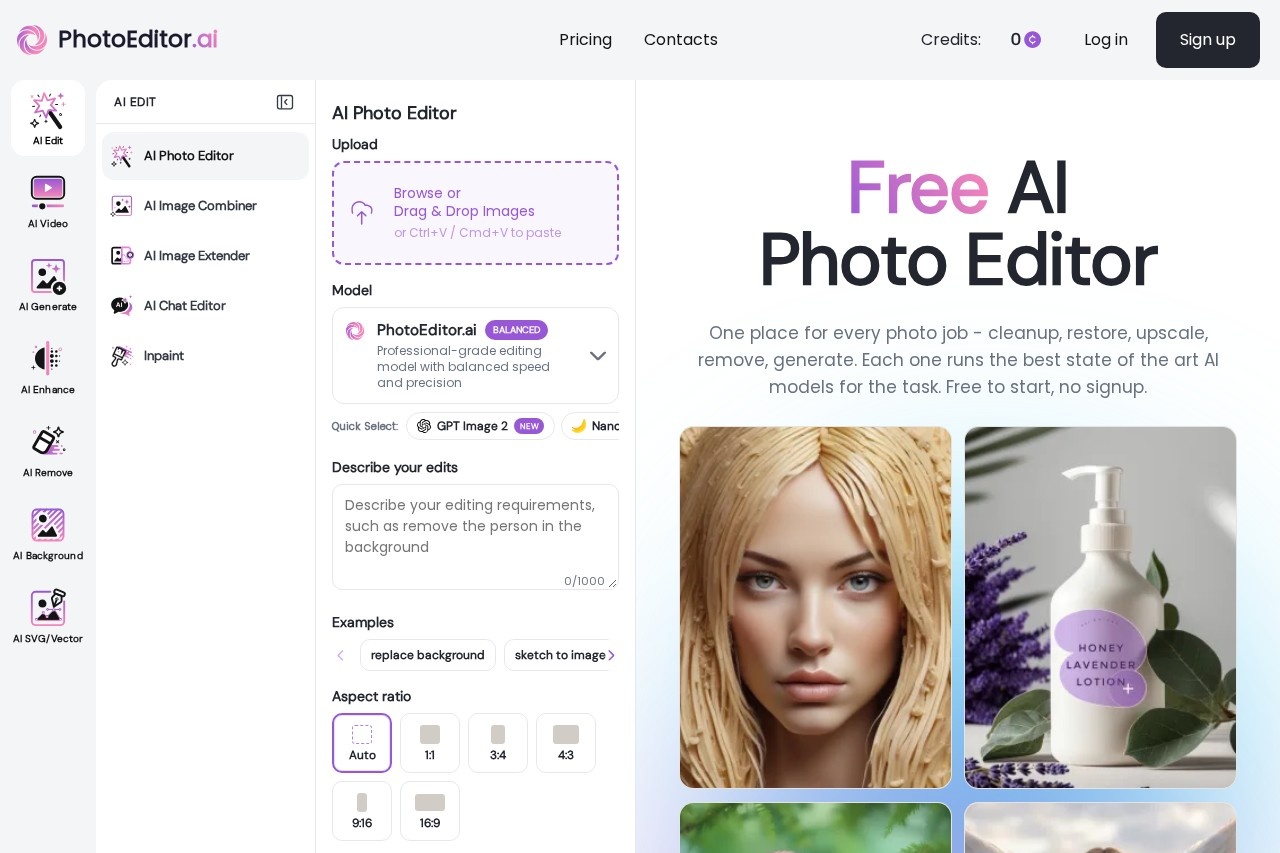
The site works entirely in a browser on desktop and mobile, with no app installation required. Users upload an image (JPG, PNG, HEIC, AVIF, or WEBP up to 15MB), pick the tool matching their task, and download the result. Each tool runs a model the vendor selected through internal benchmarks, drawing on options such as Nano Banana, Gemini, GPT Image, Seedream, Flux, and Ideogram, and users can switch models manually. Editing can be done by typing a prompt, brushing over an area, or supplying a reference image. Standard-quality output is free, with HD output reserved for paid plans.
Key Features
Pricing & Fees
- Pricing: Three monthly subscription tiers are listed: Starter at $9/month (150 credits), Pro at $15/month (600 credits, commercial license, full tool access), and Business at $35/month (1,700 credits, dedicated support). A 40% discount was advertised at the time of review; check the official site for current pricing.
- Free tier: Standard-quality output is free, and the site states no signup is required to start.
- Processing speed: Most edits such as cleanup, background removal, and enhancement finish in under 10 seconds; generation and 4K upscaling can take up to a minute.
- Commercial use: Paid Pro and Business plans include a commercial license for client work, product listings, prints, and ads; the Starter plan is personal use only.
- Privacy: Uploads are encrypted in transit, processed in isolated workers, and deleted within one hour, and are not used for model training or shared with third parties, according to the vendor.
Who It's For
PhotoEditor.ai suits freelance photographers who want fast retouching without manual clone-stamp work, e-commerce sellers cleaning up product shots and swapping backgrounds, marketers and creative agencies producing ad creatives and social assets, and designers needing quick logo or vector generation. It also serves personal users restoring scanned family photos or removing unwanted people and objects from snapshots. Because it runs in any browser, it fits workflows that move between desktop and phone.
FAQ
What is PhotoEditor.ai?PhotoEditor.ai is a browser-based AI photo editing suite offering more than 30 purpose-built tools for cleanup, background removal, enhancement, upscaling, restoration, and AI image generation.
Is PhotoEditor.ai free to use?Yes, standard-quality results are free and no signup is required to start; HD output and premium models require a paid subscription, with monthly plans starting at $9.
What platforms does PhotoEditor.ai work on?It runs in any modern browser on desktop, iPhone, and Android, with no app installation or app-store permissions needed.
Can the outputs be used commercially?Paid Pro and Business plans include a commercial use license for client deliverables, products, prints, and ads; users remain responsible for the rights to their source images.
What happens to uploaded photos?According to the vendor, uploads are encrypted in transit, processed in isolated workers, and deleted within one hour, and are never used for AI training or sold to third parties.
Related Tutorials
View all →
Related Tools
View all → Clipdrop Clipdrop is a suite of AI image editing and generation tools, including background removal, object cleanup, upscaling and text-to-image, available on the web and via API.
  EzMaker AI EzMaker AI is a free online AI photo editor that removes backgrounds, erases objects, upscales and enhances images without sign-up.
  PxBee PxBee is a free browser-based AI photo editor that removes and replaces backgrounds, enhances image quality, and upscales photos for e-commerce and creative use.
  remove.bg remove.bg is an online AI tool that removes image backgrounds automatically in seconds, producing transparent PNGs or clean cutouts for designers, sellers, and marketers.
  PicWish PicWish is an AI photo editor that removes backgrounds, enhances image quality, restores old photos, and generates AI backgrounds for e-commerce sellers, designers, and casual users.