
Chatclient is a platform for building custom AI chat agents trained on your website, documents, and company data, then embedding them on your site for support and lead capture.
About
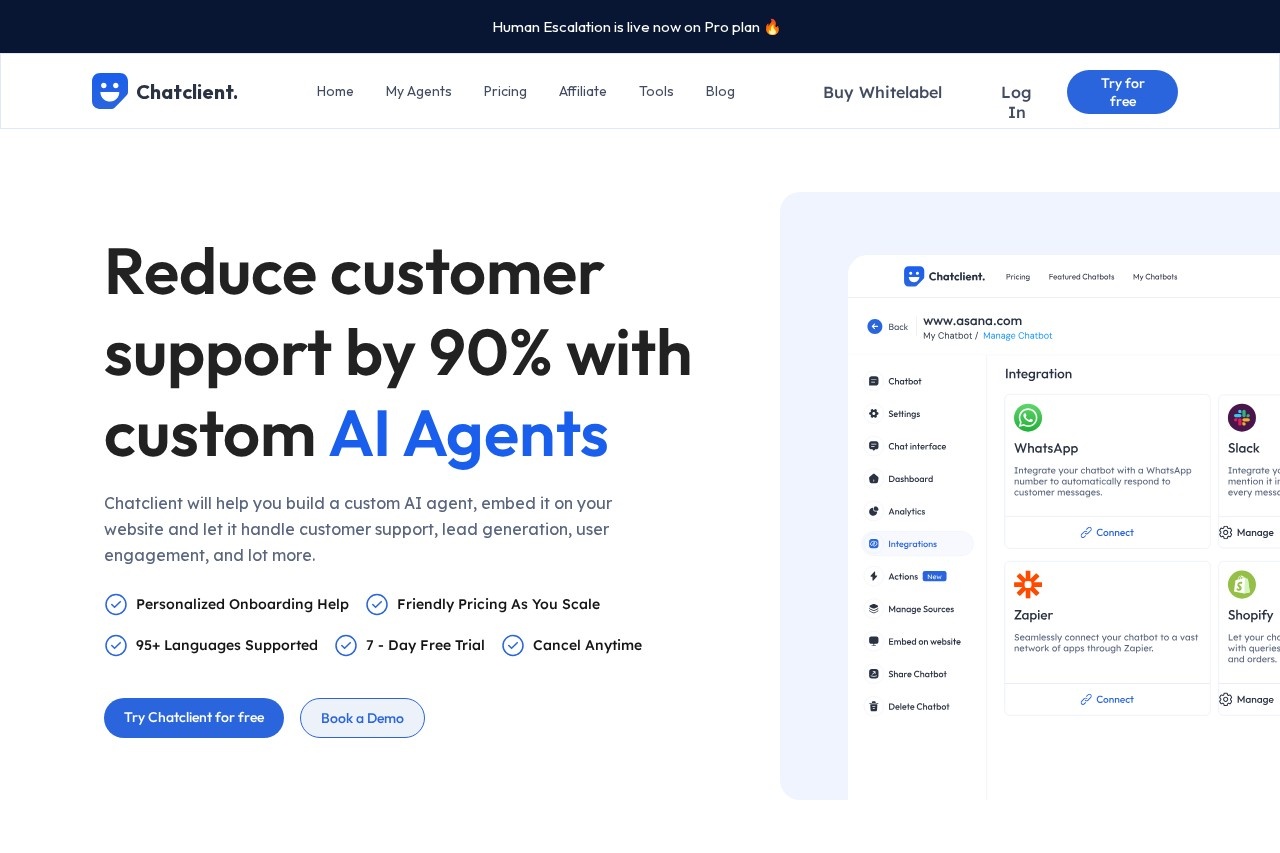
Chatclient is a web-based tool for building custom AI chat agents that are trained on a company's own material — website pages, PDFs, Word documents, CSVs, and pasted text. The problem it addresses is straightforward: generic chatbots cannot answer specific questions about a particular business. By training an agent on the business's own content, Chatclient produces an assistant that can handle customer questions, capture and qualify leads, and keep visitors engaged.
The workflow has three steps. First, a user imports data from one or more sources, including website URLs that the platform can crawl. Second, the agent's behavior and appearance are customized — name, personality, response instructions, and visual styling. Third, the agent is embedded on a website as an iframe or chat bubble, or connected elsewhere through an API and integrations such as Slack, WhatsApp, and Zapier. Agents can be set to retrain automatically so answers stay current, and conversations can escalate to a human support team when needed. Detailed plan prices are not publicly listed on the pages reviewed.
Key Features
Pricing & Fees
- Pricing: Not publicly listed on the pages we reviewed; check the official site for current plans.
- Free plan: Signing up includes a free plan with 15 message credits and 1 agent, enough to test the service.
- Free trial: A 7-day trial is offered and subscriptions can be cancelled at any time, with yearly billing giving two months free.
- Deployment options: Agents run as an embeddable iframe, a chat bubble, or through the API, and support integrations including Slack, WhatsApp, and Zapier.
- Data security: The vendor states that data is hosted on secure servers with encryption and access control.
Who It's For
Chatclient is aimed at teams that want a self-service chatbot without custom development. Typical users include support leads who need to deflect repetitive questions, marketing and growth teams that use the agent to capture and qualify leads, and site owners in SaaS or e-commerce who want an always-on assistant answering product questions. The whitelabel option and team features also make it a fit for agencies managing agents for several clients. Anyone needing multilingual coverage, since the tool supports roughly 95 languages, will find it suitable for international audiences.
FAQ
What is Chatclient?Chatclient is a custom AI agent builder that trains a chatbot on your own data and lets you add it to your website so it can answer questions about your content.
Is there a free plan?Yes, every account starts on a free plan with 15 message credits and 1 agent, and a 7-day trial is available for paid features.
How can the agent be added to a website?You can embed it as an iframe, add it as a chat bubble in the corner of your site, or connect through the API; integrations include Slack, WhatsApp, and Zapier.
What data formats does it accept?Training data can come from PDF, TXT, CSV, and DOCX files, pasted text, or links to website pages for scraping.
What happens if the AI cannot answer a customer?On the Pro plan, conversations can be escalated to a human support team so customers are not left without help.
Related Tutorials
View all →
Related Tools
View all → LiveX AI LiveX AI is a digital and physical AI agent platform that deploys conversational agents across websites, apps, voice, holograms, kiosks, and real-world venues for businesses.
  Gorgias Gorgias is a conversational AI and helpdesk platform for ecommerce brands, combining an AI agent with a unified inbox to automate support and turn conversations into sales.
  DocsBot AI DocsBot AI is a platform for building custom AI chatbots and agents trained on your documentation, delivering answers and taking actions for customers and internal teams.
  Chatbase Chatbase is an AI agent platform for customer experience that lets businesses build, deploy, and optimize no-code support, sales, and product guidance agents across chat, email, WhatsApp, Slack, and voice.
  ChatNode ChatNode is an AI customer support agent platform that trains chatbots on your website, files, and knowledge base to answer questions and complete tasks 24/7.