
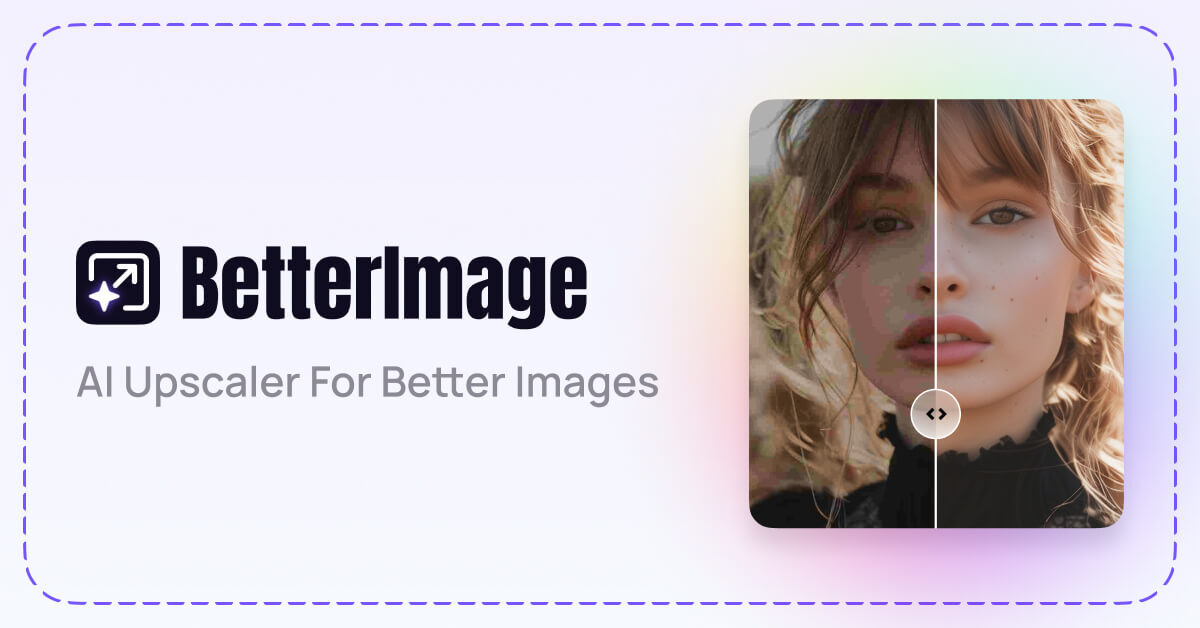
BetterImage.AI is a free online AI image upscaler that enlarges, sharpens, and denoises photos up to 4K resolution for photographers, sellers, and creators.
About
BetterImage.AI is an online image upscaler that uses artificial intelligence to increase the resolution of photos, fix blur, and reduce noise in older images. It addresses a common problem: low-resolution pictures that look soft or pixelated when enlarged for printing, product listings, or social media. The tool is offered free through a web interface at upscales.ai.
The workflow is simple and runs in the browser. A user uploads a photo by clicking the upload button, dragging and dropping a file, or pasting it from the clipboard, and the AI automatically enlarges the image and adds detail. The user then chooses between a 2x or 4x scale and downloads the result. The service runs on cloud infrastructure, so it works from any smart device with an internet connection, including iPhones, without installing software. Output quality can reach up to 24 megapixels (6000 pixels), with support for upscaling to 2K and 4K resolutions.
Key Features
Pricing & Fees
- Pricing: Not publicly listed on the pages we reviewed; check the official site for current plans.
- Free online tool: The site describes the upscaler as a free online tool for enhancing photos.
- Platform availability: Works in any modern browser on connected devices, including use from an iPhone, since processing happens in the cloud.
- Scale options: Users can choose 2x or 4x enlargement before downloading the result.
Who It's For
BetterImage.AI suits photographers who want to unblur shots or revive old artwork while keeping memories sharp. E-commerce sellers can use it to meet marketplace image-resolution requirements with crisper product photos. Content creators and social media managers can repurpose older, low-resolution material into graphics suitable for Facebook and Instagram. Print designers benefit from enlarging images and artwork for larger-format prints and displays. Anyone who needs a quick, no-installation way to enlarge a photo will find the browser workflow convenient.
FAQ
What is BetterImage.AI?BetterImage.AI is a free online AI image upscaler that increases photo resolution up to 4K, sharpens blurry images, and denoises old photos.
Is BetterImage.AI free to use?The site presents the tool as a free online photo enhancer, though complete pricing details are not publicly listed on the pages reviewed; check the official site for current plans.
Can I upscale an image to 4K resolution?Yes, the tool supports upscaling to 2K and 4K, with processed images saved at qualities of up to 24 megapixels (6000px).
How do I upscale an image on an iPhone?Because processing runs in the cloud, users can open the site in a browser on an iPhone or any smart device, upload the photo, let the AI process it, and download the 2x or 4x result.
How does processing work?The upscaler runs on a cloud computing platform, so images are processed remotely and results are delivered through the browser; no local software installation is required.
Related Tutorials
View all →
Related Tools
View all → Image Upscaler An online AI image upscaler and photo enhancement suite that enlarges images up to 4×, removes blur and JPEG artifacts, and serves bloggers, sellers, and designers.
  AI Photo Enhancer AI Photo Enhancer is a free online tool from AIEnhancer that sharpens blurry photos, removes noise, restores faded colors, and upscales images to 4K quality.
  ImgUpscaler ImgUpscaler is an online AI image upscaler that enlarges photos, anime, product shots, portraits, and old pictures by 2x or 4x for web, print, and creative work.
  VanceAI VanceAI is a web and desktop suite of AI tools for upscaling, sharpening, denoising, restoring, colorizing and editing photos and video, aimed at creators, e-commerce sellers and developers.
  UnblurImage AI UnblurImage AI is a free online tool that removes blur from photos, sharpens details, reduces noise, and upscales images up to 4K without requiring sign-up.