
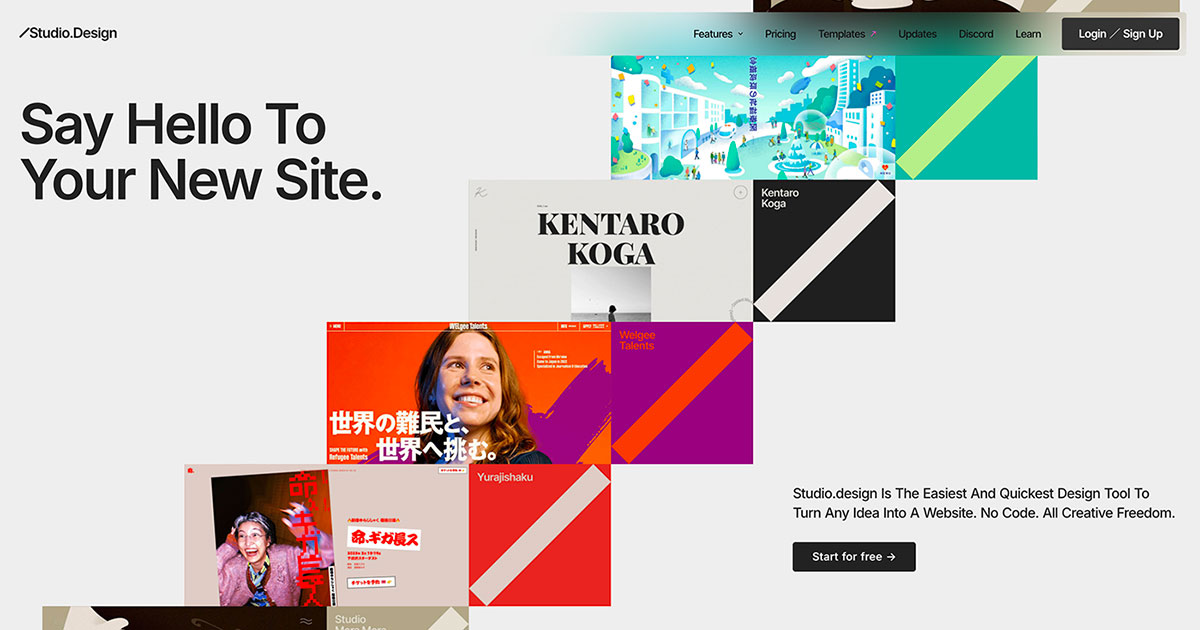
Studio (studio.design) is a no-code web design platform for visually building, publishing, and hosting portfolios, landing pages, and business websites.
About
Studio is a web design platform, developed by Studio Inc. and operated from Tokyo, that lets people design, publish, and operate complete websites without writing code. It addresses a common bottleneck for designers and small teams: turning visual design work into a functioning, hosted site without hiring developers or managing servers.
Users start with a blank canvas or a template, lay out pages in a visual design editor, manage content through a built-in CMS, and publish to live hosting with one click. The platform covers responsive layouts, forms, SEO settings, and Lottie animations, and it can import existing Figma designs with automatically generated breakpoints. Studio runs in the browser, offers Japanese and English interfaces, and provides a free tier alongside per-site paid plans, making it suitable for single-page projects, portfolios, and larger business sites. Template designers can also create and sell original templates through the Studio store.
Key Features
Pricing & Fees
- Pricing: Per-site plans billed monthly are Free, Mini at $5/mo (one-page sites, custom domain, 2 pages plus a 404 page), Personal at $10/mo (portfolios, 150 pages, password protection), Business at $25/mo (300 pages, unlimited analytics, redirects), and Business Plus at $80/mo (15,000 CMS items, 360-day version history, advanced permissions, activity logs). Annual billing saves 20% or more, and a Custom Proxy add-on is available at $290/mo. A separate Team workspace plan costs $14 per member per month.
- Free tier: A free plan includes the design tools, publishing to a studio.site subdomain, 50 pages, and a displayed Studio badge.
- Templates: Free and paid templates from designers worldwide are available in the Studio store, all customizable without code; designers can also sell their own templates.
Who It's For
Studio is aimed at graphic designers, UX designers, agencies, students building portfolios, and small businesses that need marketing sites or landing pages. Typical uses include portfolio websites, one-page landing sites, and multi-page business sites where the owner wants visual control without involving developers. The Figma import path also makes it practical for teams that already design in Figma and need to turn static mockups into live, hosted websites quickly.
FAQ
What is Studio (studio.design)?Studio is a no-code web design platform from Studio Inc. that lets users visually design websites, manage content with a built-in CMS, and publish to hosted live sites without writing code.
Does Studio have a free plan?Yes, the free plan includes the design tools and publishing to a studio.site subdomain with a Studio badge displayed; paid plans start at $5 per month (Mini) when billed monthly.
Can Studio import Figma designs?Yes, Studio supports importing existing Figma designs, automatically generating responsive breakpoints, and publishing them as live websites.
How much does a portfolio or business site cost on Studio?The Personal plan for portfolios costs $10 per month, and the Business plan for startups costs $25 per month on monthly billing, with annual billing discounts of 20% or more.
Does Studio handle hosting and SEO?Yes, Studio publishes sites to its own hosting with one click and provides per-content SEO settings and automatic sitemap generation.
Related Tutorials
View all →
Related Tools
View all → Aura Aura is a design-first AI website and landing page builder that turns prompts into polished pages, with visual editing, CMS, SEO controls, and HTML or Figma export.
  OpusWebsite - AI Tools OpusWebsite offers a collection of AI tools to enhance productivity and creativity.
  Readdy - AI Design Tool Readdy is an AI-powered design tool that simplifies the creative process. It enables users to generate stunning visuals and prototypes effortlessly. Durable Durable is an AI website builder for small businesses and solo entrepreneurs that generates a professional site in seconds, with built-in SEO, CRM, bookings, and invoicing.
  Framer Framer is an AI-assisted web design and publishing platform that lets designers, marketers, and teams build, manage, and host websites on a visual canvas.