
Movavi Video Editor is a beginner-friendly desktop video editing application with AI tools like auto subtitles, noise removal, and silence detection for everyday creators.
About
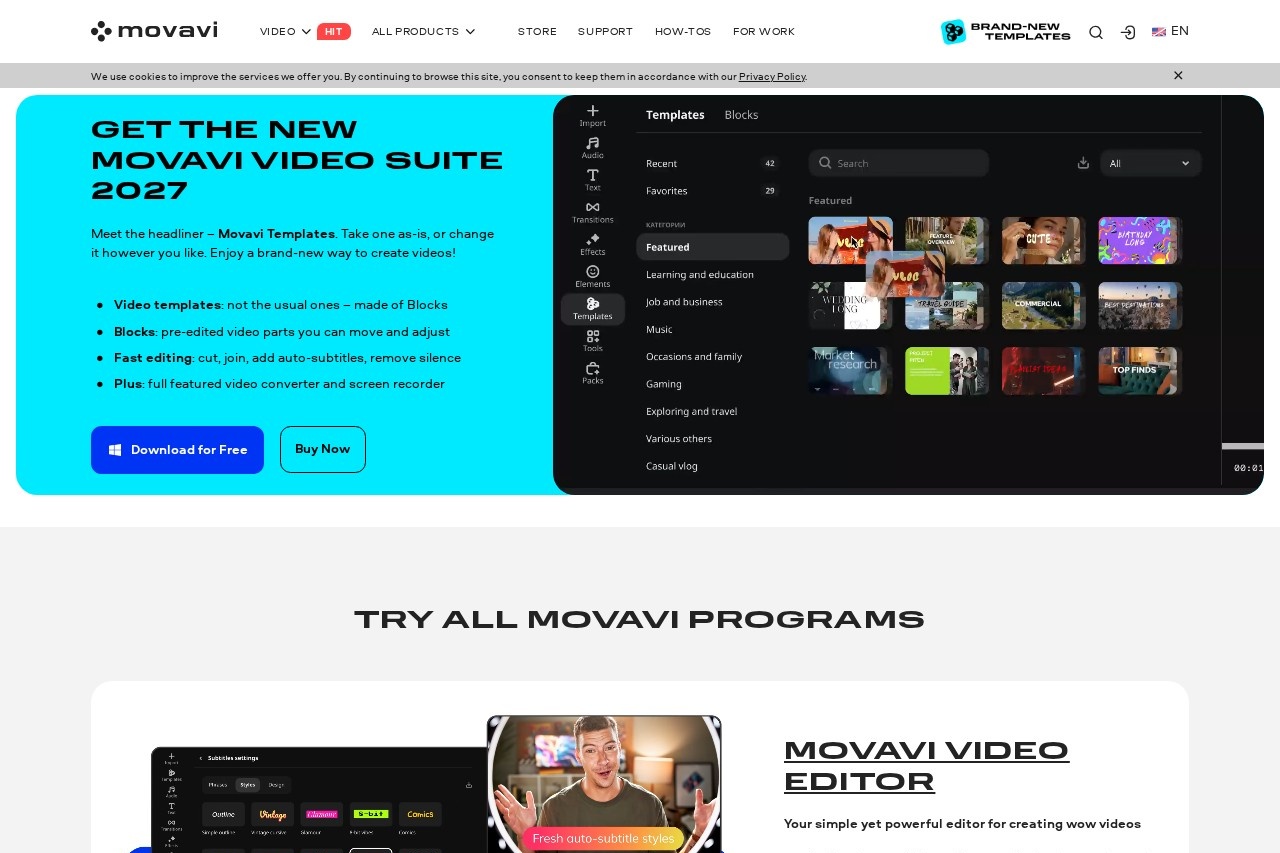
Movavi Video Editor is a desktop video editing program built for people who want to produce finished videos without learning a professional editing suite. It addresses the common problem that full-featured editors overwhelm newcomers, while basic apps lack the tools needed to make polished content. Movavi Video Editor sits in between, offering simple drag-and-drop workflows paired with automated helpers such as auto subtitles, noise removal, and silence removal.
The software is developed by Movavi, an international company that has served more than 70 million users across 190+ countries and ships over 25 updates per year. Editing centers on a timeline where users cut, crop, rotate, adjust colors and playback speed, and add titles, transitions, music, and sound effects. A newer addition is Movavi Templates, modular designs assembled from pre-edited segments called Blocks that can be rearranged and customized, so users can start from a structured foundation rather than a blank project. The company also publishes free weekly tutorials under the Movavi Ideas brand.
Key Features
Pricing & Fees
- Pricing: Movavi Templates is listed at $49.95 including VAT for a 1-month or 1-year option. Pricing for Movavi Video Editor itself is not publicly listed on the pages we reviewed; check the official site for current plans.
- Free download and trial: The official site offers a free download so users can try the software before buying.
- Large installed base: Movavi reports over 70 million users across more than 190 countries, with 25+ product updates per year.
- Part of a broader ecosystem: Movavi also sells Video Suite (editor, converter, and screen recorder bundled) and Movavi Unlimited, which adds every desktop program plus the full effects and music library.
Who It's For
Movavi Video Editor targets beginners and everyday creators rather than professional film editors. Typical users include vloggers and social content creators making daily posts, travel recaps, gaming clips, or cooking videos; families assembling birthday, wedding, and holiday videos; small businesses producing presentations, ads, and promo clips; and educators building tutorials and lessons with picture-in-picture layouts. Reviewers have noted that it prioritizes accessibility and speed rather than emulating high-end cinematic editing systems, which suits creators who want a streamlined workflow.
FAQ
What is Movavi Video Editor?It is a desktop video editing application for Windows and Mac from Movavi, offering timeline editing, AI-assisted tools such as auto subtitles and noise removal, and a library of effects and templates.
Is Movavi Video Editor free?The software can be downloaded for free from the official site as a trial, but a paid license is required for ongoing full use; complete pricing is not publicly listed on the pages reviewed, so check the official site.
Which platforms does Movavi Video Editor support?It is available for both Windows and Mac, and it is also included as the editing component of Movavi Video Suite.
Is Movavi Video Editor good for beginners?Yes, it is designed around drag-and-drop editing and modular templates, and multiple independent reviewers describe it as simple and well suited to first-time editors.
How much does Movavi Templates cost?The official site lists Movavi Templates at $49.95 including VAT for a 1-month or 1-year option.
Related Tutorials
View all →
Related Tools
View all → Clideo Clideo is a browser-based platform for editing videos, images, and GIFs, offering tools for compression, subtitles, resizing, translation, and conversion with a free plan.
  BIGVU BIGVU is an AI-assisted video creation platform that combines a teleprompter, automatic captions, and a built-in video editor for creators, marketers, and professionals recording talking-head video.
  Pixellot Pixellot provides AI-automated sports cameras, streaming, and analytics that let clubs, schools, leagues, and federations broadcast and monetize games without camera crews.
  Camtasia Camtasia is a screen recording and video editing suite from TechSmith for creating tutorials, training videos, and software demos with AI-assisted editing tools.
  Gemoo Gemoo is a software company behind FocuSee and other tools for screen recording, screenshots, and quick video and image editing for content creators and teams.