
FaceSwapVideo is a free online AI tool that swaps one face onto another in videos, photos, and GIFs, running entirely in the browser with no downloads required.
About
FaceSwapVideo is a web-based AI tool that replaces one person's face with another in videos, photos, and animated GIFs. It addresses a common creative need — producing face-swapped parodies, tributes, or joke edits — without requiring desktop editing software, plugins, or prior editing experience.
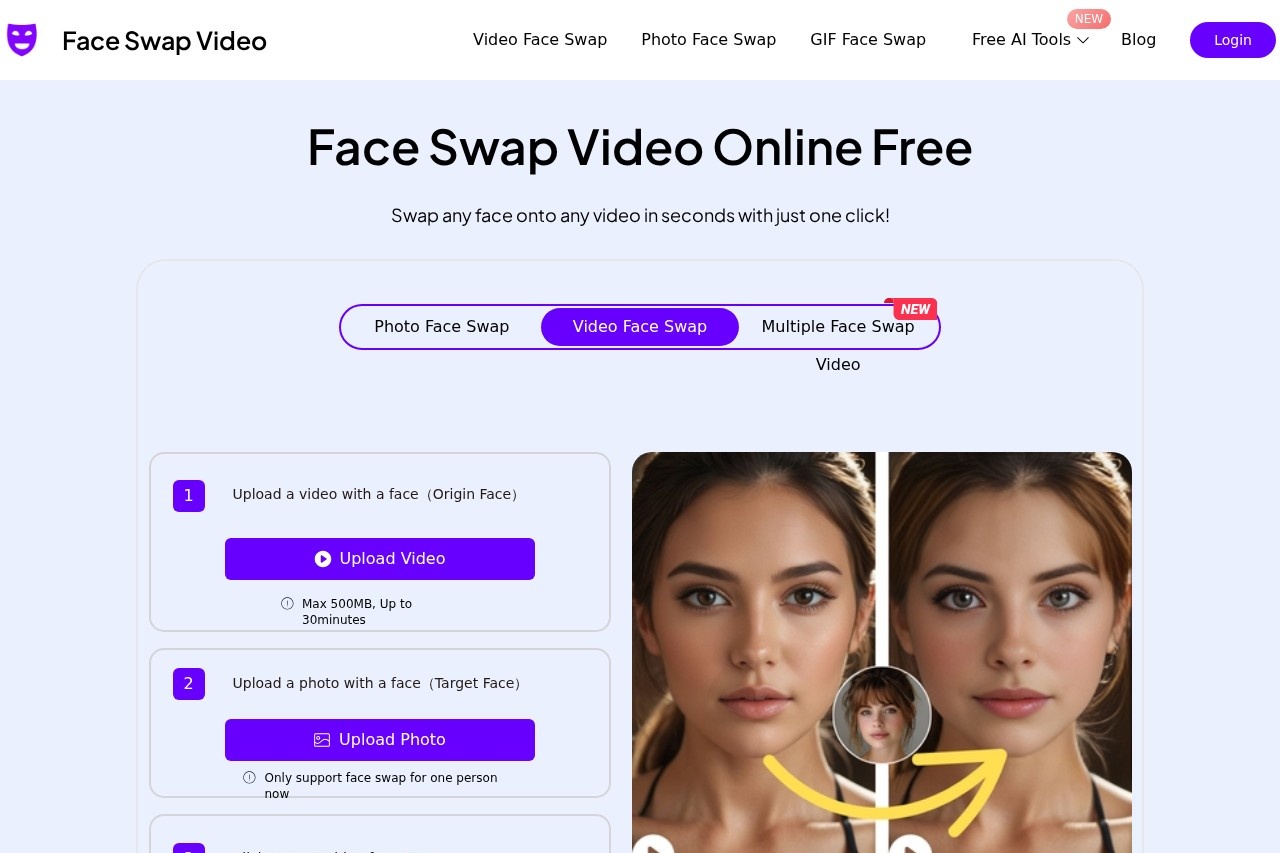
The service runs entirely in a browser: a user uploads a source video containing a face, uploads a photo of the target face, and starts the swap, with results typically ready in under a minute. The tool also supports face swaps in still images, GIFs, and multi-person scenes. According to the site, the video face swap service is free to use, operates online without downloads, and applies security measures intended to keep uploaded content private. Specific file limits include a maximum upload size of 500MB and video lengths up to 30 minutes, with single-person swaps currently supported.
Key Features
Pricing & Fees
- Pricing: The site presents the video face swap service as free, with no charges listed; no paid plans appear on the pages reviewed. Check the official site for current terms.
- Daily credits: Users can claim 1,000 credits per day, and there is no stated limit on video length beyond the 30-minute upload cap.
- Format support: The service accepts all major video formats, according to its FAQ.
- Current limitation: Face swapping supports only one person per swap at this time.
Who It's For
FaceSwapVideo suits casual creators who want quick, entertaining edits rather than professional post-production work. Typical users include social media hobbyists making parody clips, meme and GIF makers preparing shareable content for chats and feeds, friends creating joke videos from group footage, and anyone who wants to try face swapping without installing editing software. Its free, browser-only model makes it approachable for beginners, while the 30-minute video support and multiple-face options give more active creators room to experiment.
FAQ
Is FaceSwapVideo free to use?Yes, the service is presented as completely free, with a daily allocation of 1,000 credits and no stated cap on how many swaps a user can perform.
Do I need to install any software?No, the tool runs entirely in a web browser, and users upload files and receive results online.
How long does a video face swap take?The site states processing is nearly instant, with most videos ready in under a minute.
What file types and sizes are supported?All major video formats are accepted, with uploads capped at 500MB and videos up to 30 minutes long.
Is uploaded content kept private?The vendor says uploaded data is protected with security measures and that content remains private, though users should review the site's own privacy terms for details.
Related Tutorials
View all →
Related Tools
View all → PixNova Face Swap PixNova Face Swap is a free online AI tool that replaces faces in photos, videos, and GIFs without a sign-up or watermark, aimed at casual creators and social media users.
  AI Kirkify: Charlie Kirk Face Swap AI Kirkify is the ultimate Charlie Kirk face swap tool. Automatically detects and shrinks faces to create perfect memes. No Photoshop needed.
  Kirkify AI Images Generator Professional-grade online image generator for high-quality Charlie Kirk face swaps and face reduction effects. Create unique, ultra-realistic images easily.
  FaceSwapAI FaceSwapAI is a browser-based AI face swap tool for photos, group photos, videos, and GIFs — no software installation required. Verified accounts can try a free watermarked photo swap, with paid generations starting at $4.99 in credits.
  SwapFace SwapFace is a browser-based AI face swap tool that replaces faces in photos, videos, and GIFs, with extra utilities for clothes, hairstyles, age changes, and image enhancement.