
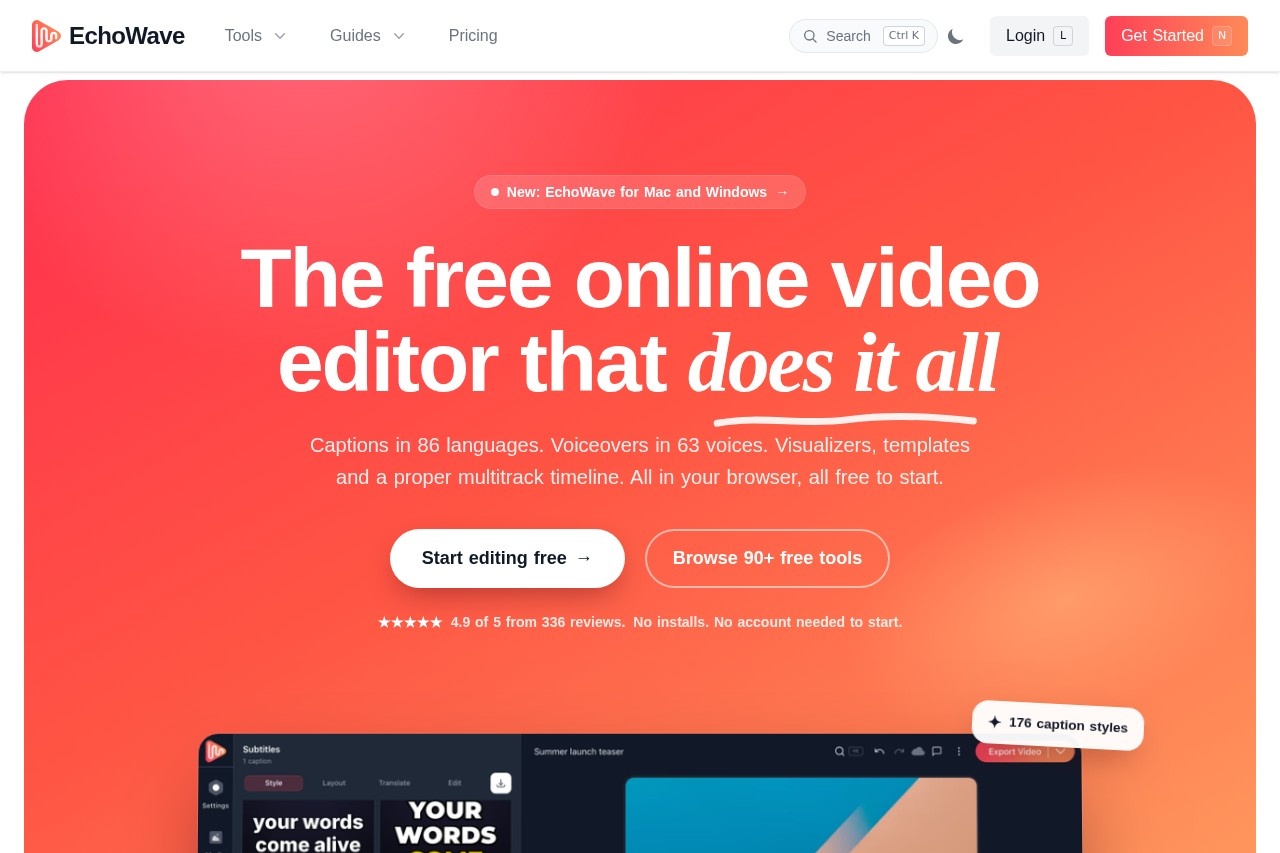
EchoWave is a browser-based video and audio editor offering auto subtitles in 86 languages, 63 AI voices, audio visualizers, templates and up to 8K export with no install required.
About
EchoWave is an online video and audio editor that runs entirely in a web browser, removing the need to install desktop software or create an account before starting work. It addresses the common friction of quick video production — captioning, voiceovers, resizing for social platforms, and format conversion — by combining more than 90 single-purpose tools with a multitrack timeline editor in one place.
The core workflow is drag-and-drop: users import media, apply edits and AI-assisted features such as automatic transcription, then export finished video. Beyond the web editor, EchoWave exposes its full capability set through a REST API and a Model Context Protocol (MCP) server, so the same actions — creating projects, adding segments, generating speech, translating subtitles, rendering MP4s — can be automated by software agents. The company also offers desktop apps for Mac and Windows. Exact pricing tiers and figures were not visible in the material reviewed.
Key Features
Pricing & Fees
- Pricing: Not publicly listed on the pages we reviewed; check the official site for current plans. The site describes the editor as free to start, indicating a freemium model.
- No install or signup to begin: Editing works in the browser with no account required to start; desktop apps for Mac and Windows are also offered.
- Team workspaces: Content is workspace-scoped, with roles and plans per member; a paid team seat enables paid features for that member, including watermark-free renders.
- Template batch rendering: Templates support automated personalized video, with batch rendering of up to 100 rows per job.
Who It's For
EchoWave suits podcasters turning audio into captioned video clips, social media creators repurposing long content into Shorts, Reels, and TikTok formats, and YouTubers who need subtitles, voiceovers, and quick edits without desktop software. Marketers can use batch templates for personalized video at scale, and developers can automate the entire pipeline through the API and MCP server. It also fits educators and teams transcribing lectures, interviews, and meetings.
FAQ
What is EchoWave?EchoWave is a browser-based video and audio editor with automatic subtitles in 86 languages, 63 AI voices, audio visualizers, templates, and exports up to 8K.
Is EchoWave free to use?EchoWave is free to start with no install or account required to begin editing; paid plans exist, but specific prices are not publicly listed on the pages reviewed.
Does EchoWave work on desktop or only in the browser?The editor runs in any modern browser, and EchoWave also offers desktop apps for Mac and Windows.
Can EchoWave be used programmatically?Yes, EchoWave provides a REST API and an MCP server covering projects, media, subtitles, text-to-speech, rendering, media tools, and batch template rendering.
Does EchoWave offer AI clip generation?Yes, its clips feature turns long videos such as podcasts or webinars into ranked short clips with captions, titles, and speaker-aware auto-reframing.
Related Tutorials
View all →
Related Tools
View all → Crayo Crayo is a web-based AI video editor for short-form content that auto-clips long videos, adds AI voiceovers and captions, and generates Reddit story and fake-text videos.
  Descript Descript is an AI audio and video editor that lets creators and teams record, transcribe, and edit content by editing text, then publish and repurpose it everywhere.
  SpeechGen.io SpeechGen.io is a browser-based AI text-to-speech and transcription platform with 5,000+ neural voices in 150+ languages, pay-as-you-go credits, and commercial licensing.
  Viblo Viblo is a browser-based AI video editor that auto-clips highlights, generates AI voiceovers and captions, and exports short-form videos for YouTube Shorts, TikTok and Instagram Reels.
  Camtasia Camtasia is a screen recording and video editing suite from TechSmith for creating tutorials, training videos, and software demos with AI-assisted editing tools.