
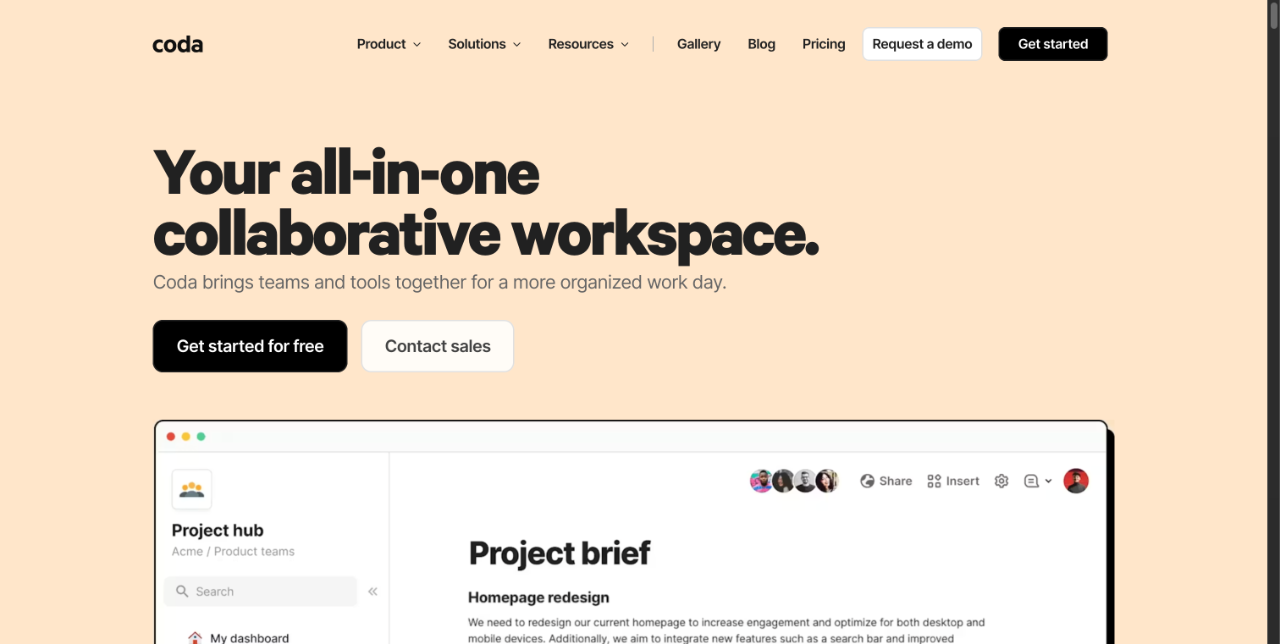
Coda is a collaborative workspace that combines documents, spreadsheets, applications, and AI so teams can centralize plans, trackers, and workflows in one place.
About
Coda is an all-in-one collaborative workspace that merges the flexibility of documents, the structure of spreadsheets, the functionality of lightweight applications, and AI assistance. It addresses a common team problem: work scattered across separate docs, spreadsheets, wikis, and niche apps. Coda consolidates that material into a single place where teams write, track, and automate together.
At its core, a Coda doc behaves like a familiar document, but it can contain live tables, interactive views, buttons, formulas, and automations, so a single page can serve as a wiki, tracker, or working app. Coda AI adds a connected assistant that answers questions, generates content, and processes table data at scale. The company reports that more than 50,000 teams use the platform, and it publishes a gallery of templates and solutions for product, sales, engineering, design, marketing, and HR teams. Coda is developed by Coda Project, Inc. and is accessible on the web at coda.io.
Key Features
Pricing & Fees
- Pricing: Not publicly listed on the pages we reviewed; check the official site for current plans.
- Free way to start: The site invites users to get started for free before contacting sales.
- Team templates: Dedicated template sets and handbooks exist for product, sales, engineering, design, marketing, and HR teams.
- Comparisons available: Coda publishes comparison pages against Notion, Confluence, Quip, and Airtable.
- Scale: More than 50,000 teams reportedly collaborate on Coda, with case studies such as one from Qualtrics.
Who It's For
Coda suits teams that want to replace a tangle of documents, spreadsheets, and single-purpose apps with one workspace. Product managers use it for roadmaps, decision docs, and OKR planning; sales teams for account hubs, mutual action plans, and lightweight CRMs; engineering teams for hubs and Jira dashboards. Designers run critique rituals and visual QA trackers, while marketing and HR teams organize planning and onboarding. It fits startups, small businesses, and enterprises that need shared structure without building custom software.
FAQ
What is Coda?Coda is an all-in-one collaborative workspace that blends documents, spreadsheet-style tables, small applications, and an AI assistant so teams can organize and automate their work in one place.
Is there a free version of Coda?Yes, the official site offers a way to get started for free; full plan details and paid tiers are listed on the pricing page at coda.io.
Which tools does Coda integrate with?Coda offers more than 600 integrations, including Google Calendar, Slack, Figma, and Jira, through its Packs system.
How does Coda compare with Notion or Airtable?Coda publishes its own comparison pages against Notion, Confluence, Quip, and Airtable, positioning itself as more app-like than docs tools and more flexible than database-first tools.
What does Coda AI do?Coda AI provides chat for questions and brainstorming, generates and summarizes content and tables, and applies AI to table columns so repetitive data work can be automated across rows.
Related Tutorials
View all →
Related Tools
View all → Flagos 2.0 Flagos 2.0 offers advanced features for enhanced productivity and collaboration.
  Notion Notion is an AI workspace that combines docs, wikis, project management, and custom AI agents so teams can capture knowledge, search connected apps, and automate routine work in one place.
  Superhuman: Docs, Mail, and AI That Work Everywhere Superhuman's AI-powered docs, mail, and productivity tools work everywhere, enhancing your workflow.
  Wisegrid Wisegrid is a spreadsheet-native work management platform for project-driven teams that need more structure without giving up the flexibility of a familiar grid. It combines rows, columns, formulas, hierarchies, and cross-sheet references with dashboards, Gantt, board and calendar views, forms, workflow automation, approvals, resource planning, and real-time reporting. AI-powered formulas also help teams classify information, extract key details, and summarize project data directly inside the workspace. Wisegrid can be used for project planning, budget tracking, resource allocation, request management, approval workflows, client reporting, and portfolio dashboards. It is especially useful for construction companies, engineering firms, professional services teams, agencies, and other spreadsheet-heavy businesses. The platform also supports reusable project blueprints, API and webhook integrations, Excel and CSV exports, and self-service Smartsheet migration. Wisegrid helps teams reduce manual reporting, standardize recurring processes, improve project visibility, and scale operations without adopting a complex enterprise system.
  Raycast Raycast is a keyboard-first, extendable launcher for macOS and Windows that combines productivity tools, extensions, and an integrated AI assistant in one app.