
Describe a scene, subject, action, camera movement, and lighting — AI turns your prompt into a complete video shot.
About
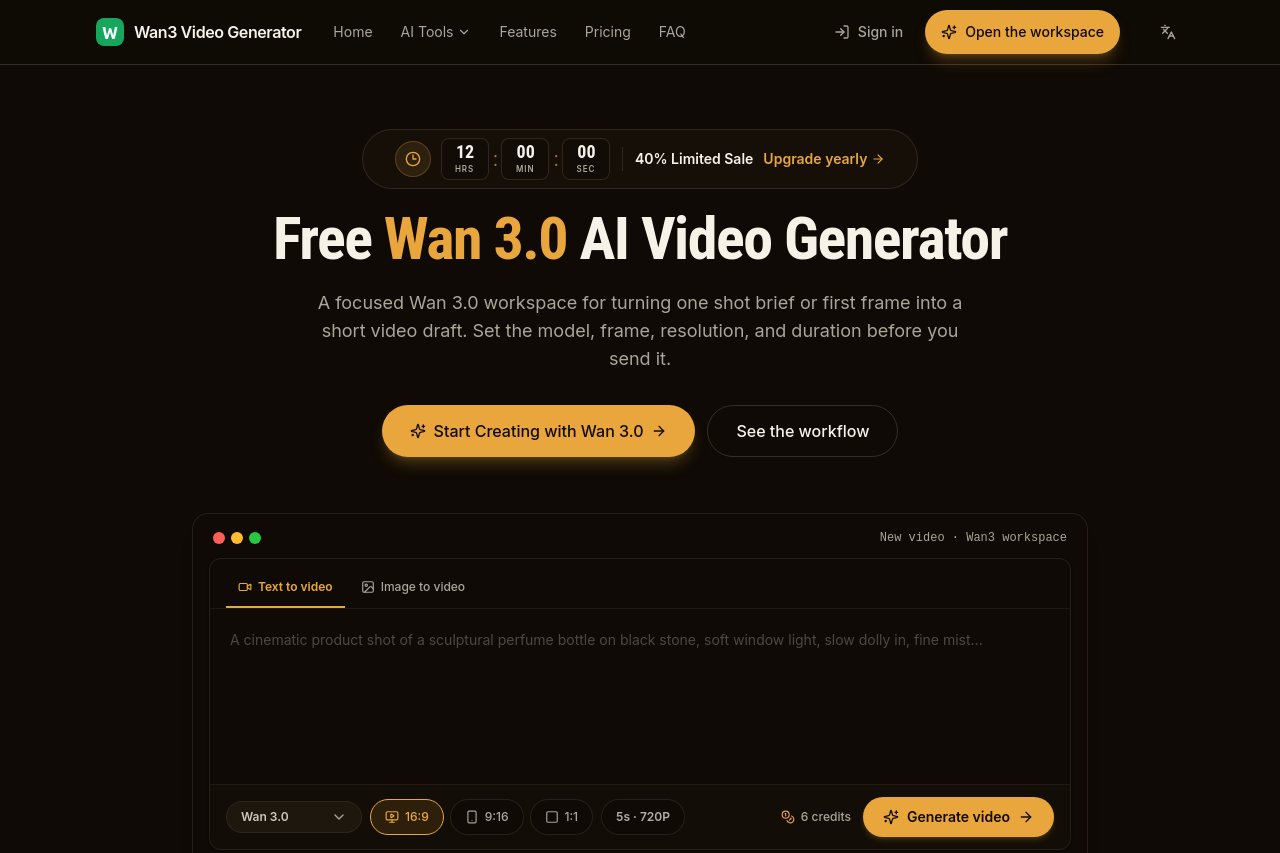
Wan 3.0 AI Video Generator turns written descriptions into finished video shots. You specify the scene, subject, action, camera movement, and lighting in a prompt, and the AI composes a complete video clip from it. It is a simple path to visual content for creators who need footage without cameras, actors, or traditional video production tools.
Key Features
Pricing & Fees
- Pricing: Three monthly plans are listed: Starter at $9.9/mo (80 credits, 1 project, email support), Pro at $29.9/mo (160 credits, unlimited projects, priority support), and Enterprise at $99.9/mo (600 credits, everything in Pro, dedicated support, custom integrations). Yearly and one-time billing options are also offered.
- Credit-based generation: Video generation is metered in credits; for example, the workspace shows a 5-second 720P clip costing 6 credits.
- Output options: Wan 3.0 and Wan 3.0 Prime models support 480P–1080P resolution, 2–15 second durations, and aspect ratios including 16:9, 9:16, and 1:1.
- Free workspace access: The site provides a free Wan 3.0 workspace for turning a text brief or first frame into a short video draft before committing to a paid plan.
Who It's For
Wan 3.0 is for content creators producing short-form video, marketers prototyping ad visuals, storytellers visualizing scenes, and social media teams that need custom footage without a production budget.
FAQ
What can I control in the prompt?Scene, subject, action, camera movement, and lighting.
Do I need video production tools?No — the complete shot is generated from your text description.
Is it good for social content?Yes — it is aimed at creators who need quick, usable footage.
Related Tutorials
View all →

Related Tools
View all → AI Studios AI Studios is DeepBrain AI's all-in-one platform for generating avatar-led videos from text, with 2,000+ AI avatars, 150+ languages of dubbing and text-to-speech, and interactive conversational agents.
 Gemini Omni Video - AI Video Generator Gemini Omni Video is the AI video generator that works like a creative conversation.
 All-in-One AI Video Generator Create videos with audio using Sora 2, Sora 2 Pro, Sora 2 Storyboard, Veo 3.1, Veo 3, Wan 2.5, Wan 2.2, Kling AI, Hailuo AI, Midjourney Video models.
 Sora 2 AI Video Generator AISora2 is a Sora 2 AI video generator that creates high-quality videos from text prompts, offering advanced features for professional content creation.
 Create Stunning Videos with AI in Seconds WAN 2.5 - AI Video Generator for Stunning Content