
A free online text to speech converter that turns written English text into natural AI voices with selectable emotions, speeds, and downloadable MP3 files.
About
Texttovoice.online is a web-based text to speech tool that converts written text into spoken audio using AI-generated voices. It addresses a common need among video creators, educators, and marketers who want professional narration without recording their own voice or hiring a voice actor.
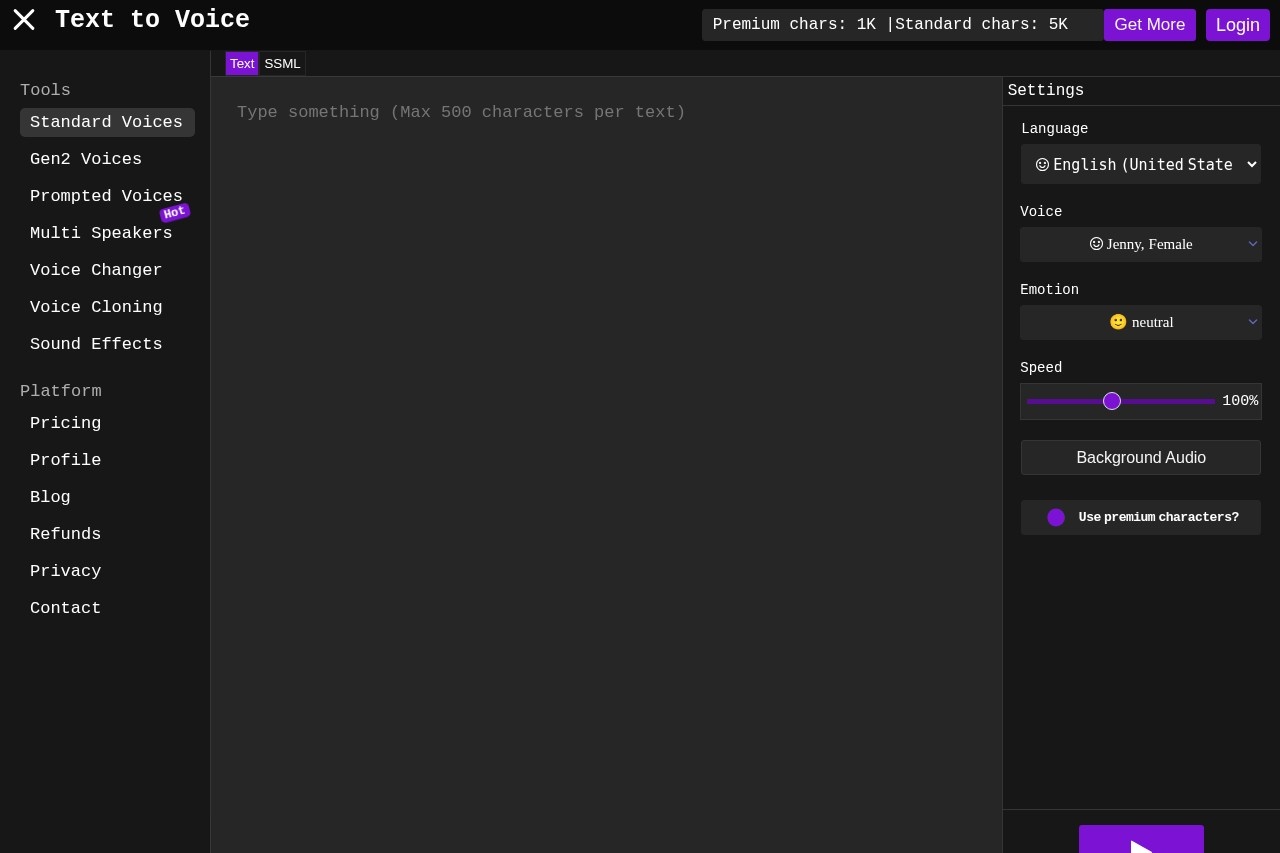
The service runs entirely in the browser: a user types or pastes text, picks a language, a voice, and an emotion or speech style, then plays the result and downloads it as an MP3 file. All processing happens on the provider's servers rather than on the user's computer, which keeps the tool lightweight and responsive even on slower internet connections. The site offers standard voices, a newer "Generation 2" set designed to sound more lifelike, and additional tools such as voice changing, voice cloning, multi-speaker generation, prompted voices, and sound effects.
Key Features
Pricing & Fees
- Pricing: Not publicly listed on the pages we reviewed; check the official site for current plans.
- Free tier: New accounts receive 5,000 standard characters and a daily allocation of 1,000 premium characters; additional characters can be purchased.
- Premium voices: An advanced algorithm option produces more realistic, less robotic output for supported languages and voices, marked with an icon in the lists.
- Emotion requirement: Voice emotions require more than 100,000 premium characters in the account.
- Cross-platform: As a browser-based tool, it works the same way on macOS and Windows.
Who It's For
Texttovoice.online is aimed at social media creators producing voiceovers for Instagram, Facebook, and TikTok, as well as YouTubers and educators who need clear narration for explainer or instructional videos. It also suits bloggers who want audio versions of written content, small businesses creating promotional material on a budget, and anyone who is not comfortable speaking on camera but still wants a professional-sounding voice track. The free character allowance and instant MP3 download make it practical for quick, one-off narration tasks as well as recurring content production.
FAQ
What is Texttovoice.online?It is a free online text to speech converter that uses AI to turn text into natural-sounding spoken audio in multiple languages, which can be downloaded as an MP3 file.
Is Texttovoice.online free to use?Yes, the core conversion and MP3 downloads are free; each account gets 5,000 standard characters and 1,000 premium characters per day, with paid upgrades available for more characters and features.
How do you convert text into speech with the tool?You type or paste text, choose a language, voice, and emotion or speech style, press play, and then download the finished audio as an MP3.
What platforms does the tool work on?Because it runs in the browser with server-side processing, it works on both macOS and Windows without installation, and performs well even on slower connections.
How does the service handle file privacy?Generated files are stored under random IDs in complex server paths and are deleted once the server queue cycles, and the provider states that only the owner can access them.
Related Tutorials
View all →
Related Tools
View all → LOVO - AI Voice Generator and Text to Speech LOVO offers 500+ voices in 100+ languages, making it easy to generate realistic AI voiceovers for any project.
  NaturalReader NaturalReader is an AI text-to-speech platform that converts documents, webpages and scanned text into natural-sounding audio for personal, commercial and educational use.
  WellSaid Labs WellSaid Labs offers high-quality AI voice generation for engaging and realistic audio content.
  TTSMaker TTSMaker is a free online text-to-speech and AI voice generator that converts text into spoken audio across 100+ languages and 600+ AI voices, with MP3 and WAV downloads.
  ttsMP3.com Free online text-to-speech converter that turns written text into natural spoken audio in 28+ languages and lets users download the result as an MP3 file.