
Pinokio is a free installer and launcher that lets anyone run open-source AI apps locally with one click, handling setup, dependencies, and updates automatically.
About
Pinokio is a desktop application, available at pinokio.computer, that installs and runs open-source AI software with a single click. Open-source AI projects are usually distributed as raw code repositories that require manual setup of Python environments, dependencies, and model files, which stops many non-programmers from using them. Pinokio removes that barrier by scripting the entire installation and launch process.
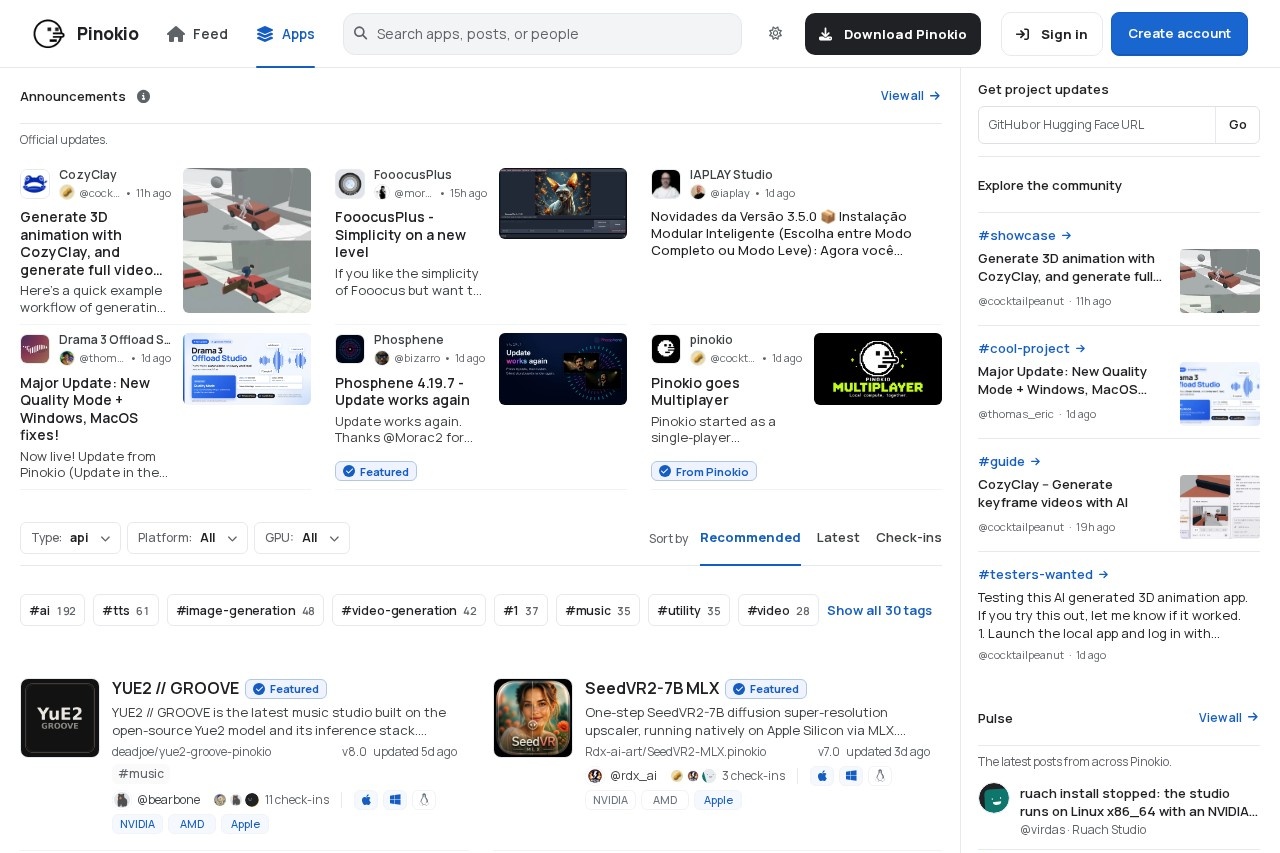
The application works as a browser-like hub for open-source apps: users browse a feed of community-published apps, install one with a click, and Pinokio handles downloads and configuration. Apps shared through the platform span image generation, music, video, and other creative AI categories, and the site also hosts announcements and community discussion. Anyone can create an account, publish apps, and follow project updates through the built-in feed.
Key Features
Pricing & Fees
- Pricing: Not publicly listed on the pages we reviewed; check the official site for current plans.
- Free download: The site offers a direct "Download Pinokio" link, and the tool is presented as free to download and use.
- Broad app catalog: Featured community apps cover image generation, 3D animation, video generation, and local music creation, illustrating the range of software the launcher supports.
- Account features: Users can sign in, create an account, and join the community to publish apps and receive project updates.
Who It's For
Pinokio is aimed at people who want to run open-source AI applications without technical setup work: hobbyists experimenting with image or music generation, creators who prefer local tools over cloud services, and developers who want a faster way to test community projects. It is especially useful for anyone intimidated by manual Python, Git, or dependency installation. Users with a capable GPU can run generative models for images, video, 3D, and music directly on their own machine, and app authors can use the platform to distribute their projects to a wider audience.
FAQ
What is Pinokio?Pinokio is a free desktop application that installs and launches open-source AI apps with one click, automating the setup steps that normally require command-line knowledge.
Is Pinokio free to use?The application is offered as a free download on its official site; no paid plans are described on the pages reviewed.
What kinds of apps can Pinokio run?Community apps listed on the platform cover image generation, video and 3D animation, local music creation, and other open-source AI tools.
How does Pinokio handle AI models and dependencies?Pinokio automates dependency installation and downloads required models, and compatible apps can share models through a common storage folder to avoid duplicate downloads.
Where can I get Pinokio and stay updated?It can be downloaded from the official site at pinokio.computer, where announcements and community posts document new apps and updates.
Related Tutorials
View all →
Related Tools
View all → Code Arena Code Arena is a platform for testing leading AI coding models by building web apps and websites in real time while comparing their accuracy and logic.
  8080.AI 8080.AI is an agentic software-building platform where teams of specialized AI agents turn a one-sentence idea into deployed, Kubernetes-hosted production applications. Enter Pro Enter Pro is an AI development platform from Converge.ai for building and deploying applications, websites, and AI agents without leaving a single workspace.
  AppDeploy AppDeploy is a chat-native deployment platform that turns apps built in ChatGPT, Claude, or coding agents into live, shareable web apps with a hosted URL.
  Angular Angular is Google's open-source TypeScript web application framework for building scalable, high-performance single-page apps, with official docs, tutorials, and tooling at angular.dev.