
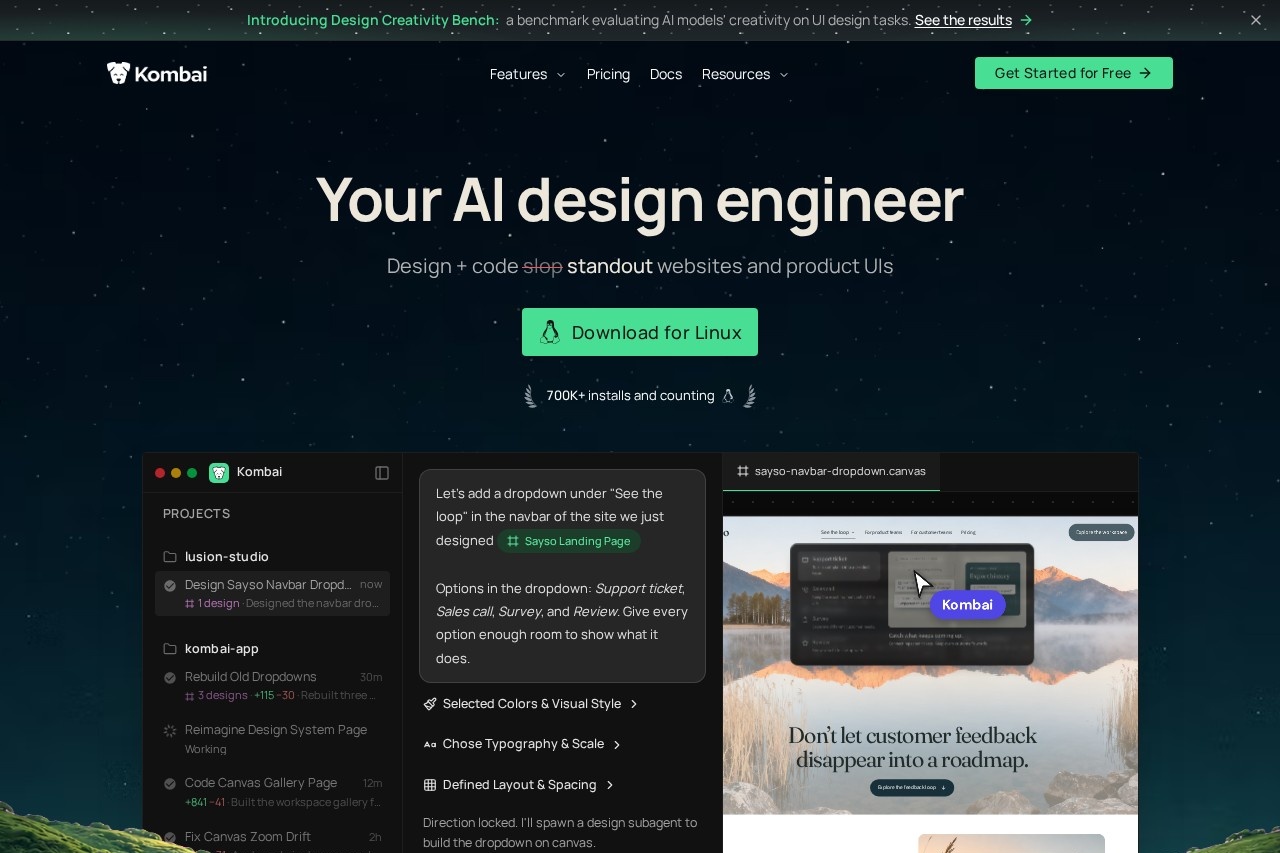
Kombai is an AI design engineer that designs distinctive websites and product UIs, then ships production-ready frontend code that reuses your existing components, tokens and design system.
About
Kombai is an AI design engineer for frontend work: it designs websites and product interfaces and then writes the production-ready code for them in the same workflow. It addresses a common complaint about AI-generated UI — that most models fall back on the same generic design patterns, producing interfaces that look alike — by making deliberate design decisions for each task rather than defaulting to familiar templates.
The product runs as a desktop app for macOS, Windows and Linux, and as an extension for popular IDEs including VS Code, Cursor, Antigravity, Trae and Kiro. Kombai combines an infinite design canvas for exploring ideas with a coding agent that works inside the user's real repository, reusing existing components, design tokens and hooks. It indexes the reusable code in a repo through its Context Graph feature, supports Figma import without MCP, and lets users pick from more than 50 AI models or rely on a built-in router to choose one per task. Kombai also publishes Kombai Gallery, a free library of over 20,000 curated UI designs usable with Kombai or other coding agents.
Key Features
Pricing & Fees
- Pricing: Free at $0/month (300 credits monthly — 150 at sign-up plus 50 daily); Pro at $20/month with 2,000 credits; Team at $40/user/month with a shared credit pool of 2,000–110,000; Enterprise at custom pricing. Annual billing saves 20%.
- Free tier: The Free plan includes 300 credits per month, the infinite canvas, and credit rollovers up to 0.5×, making it usable for small projects.
- Platform availability: Desktop apps for macOS (Apple Silicon), Windows 10/11 (x64) and Linux (.deb, .rpm, .AppImage), plus IDE extensions installable from extension marketplaces or the Open VSX Registry.
- Design creativity benchmark: Kombai's published Design Creativity Bench reports improvements of up to 13 percentage points in originality and 23 points in creative range when Kombai guides model output.
- Notable customers: Kombai names Adobe, Microsoft and Deloitte among its users.
Who It's For
Kombai is aimed at frontend developers, product designers and design engineers who build websites and product UIs and want AI output that fits an existing codebase rather than producing generic code. It suits solo builders on the free and Pro tiers, and teams up to 20 seats on the Team plan, with Enterprise options for larger organizations needing SSO, audit logs and custom credit allowances. It is a domain-specific frontend tool, not a general-purpose coding agent, and is useful for teams with established design systems, Storybook setups or Figma files they want converted into production code.
FAQ
What is Kombai?Kombai is an AI design engineer that designs standout websites and product UIs and writes the production frontend code for them, working from structured context such as your design system and repository components.
Does Kombai have a free plan?Yes, the Free plan costs $0 and includes 300 credits per month — 150 credits at sign-up plus 50 daily — with rollovers up to 0.5× the monthly allowance.
Which platforms does Kombai support?Kombai ships as a desktop app for macOS, Windows and Linux, and as an extension for VS Code, Cursor, Antigravity, Trae, Kiro and other compatible IDEs via the Open VSX Registry.
Can Kombai import Figma designs?Yes, Kombai's native Figma integration parses complex design files, fixes issues like messy grouping and invisible layers, and extracts icons and assets without requiring MCP.
Is your data used to train AI models?No AI training on customer data is included from the Pro plan upward, and SOC 2 compliance is included in Pro, Team and Enterprise plans.
Related Tutorials
View all →

Related Tools
View all → Variant Variant is a web-based design tool that turns a short idea for an app or website into a continuous stream of AI-generated design options you browse by scrolling.
 CodeBuddy - AI-Powered IDE for Efficient Coding CodeBuddy is an AI-driven IDE that boosts coding efficiency with intelligent assistance.
 DesignKit DesignKit provides a suite of AI-powered design tools to enhance creativity and efficiency, making design accessible to everyone.
 DeepSeek V4.1 Flash DeepSeek V4.1 Flash is DeepSeek's new-generation flagship: a 552B MoE with an asymmetric CED architecture offering native vision, 1M-token context and V4-Pro-beating performance at lower cost.
 Google Antigravity Google Antigravity is Google's agentic development platform that lets developers build, automate, and verify software with AI agents across an IDE, desktop app, CLI, and SDK.