
A free, no-login tool that converts images or text into AI art prompts optimized for Midjourney, DALL·E, Stable Diffusion, and Flux.
About
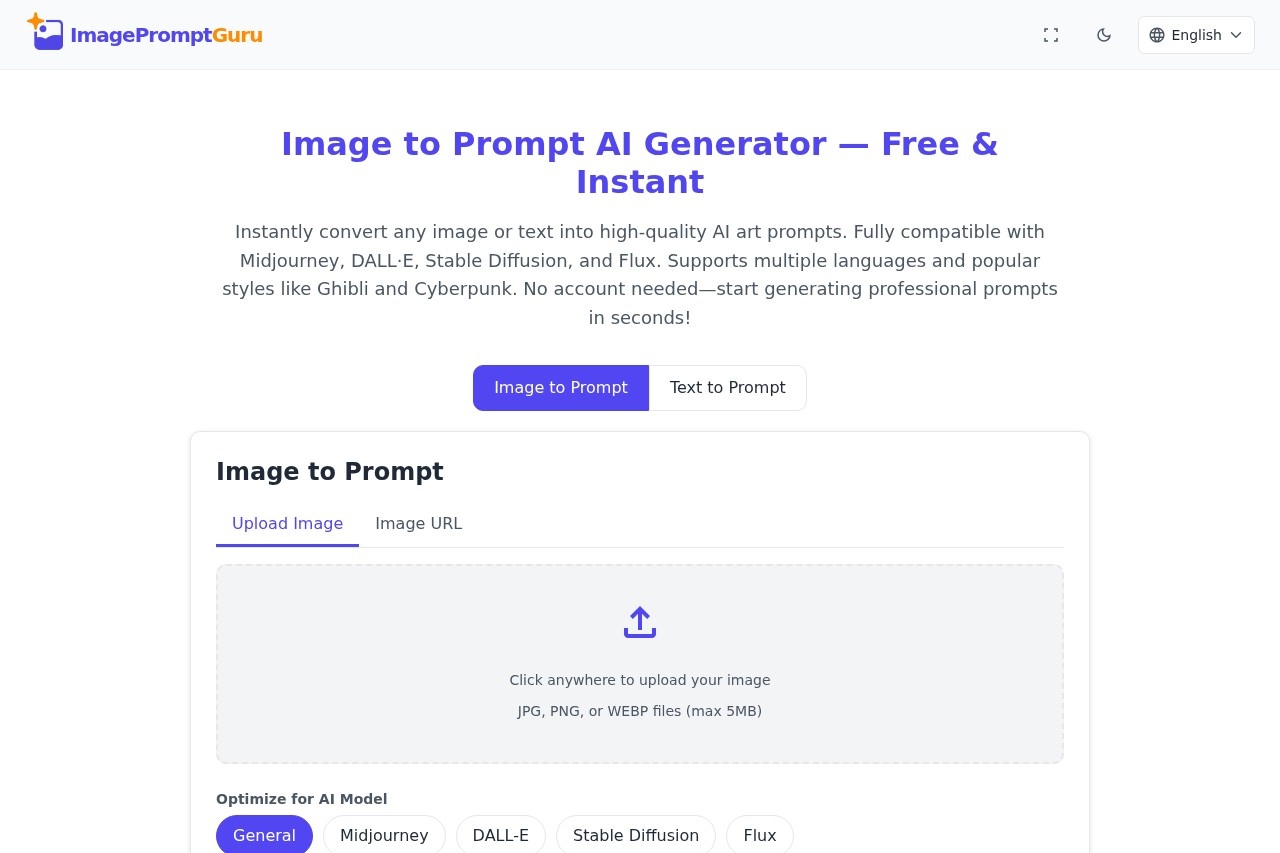
ImagePromptGuru is a free web-based prompt generator that turns an existing image or a short piece of text into a descriptive prompt suitable for AI image generators. Many people struggle to phrase prompts well enough to get useful results from tools like Midjourney or Stable Diffusion, and this site addresses that gap by analyzing a picture or a rough idea and rewriting it in the structured language those models respond to.
The service runs entirely in the browser at imagepromptguru.net and requires no account. Users upload a JPG, PNG, or WEBP file (up to 5MB) or paste an image URL for the Image to Prompt mode, or type a description for the Text to Prompt mode. In both cases they can pick a target model and one of 18 interface languages before generating. The tool is positioned as free to use without watermarks, subscriptions, or registration.
Key Features
Pricing & Fees
- Pricing: Free forever according to the site, with no subscriptions, watermarks, or hidden costs.
- Commercial use: Generated prompts belong to the user and can be used for personal, client, or commercial projects without restrictions.
- Upload limits: Image uploads accept JPG, PNG, or WEBP files up to 5MB, and an image URL input is offered as an alternative.
- Language support: 18 interface languages are available for input, with English prompt output.
Who It's For
ImagePromptGuru suits digital artists and designers who want to reverse-engineer prompts from reference images, hobbyists learning how to phrase prompts for Midjourney or Stable Diffusion, and content creators who need consistent visual styles for marketing or social media. It also fits educators and beginners exploring AI image generation without paying for prompt tools, and non-native English speakers who can describe an idea in their own language and receive a polished English prompt in return.
FAQ
What is ImagePromptGuru?It is a free website that converts images or text into AI art prompts optimized for generators such as Midjourney, DALL·E, Stable Diffusion, and Flux.
Is ImagePromptGuru free to use?Yes, the site states the service is 100% free with no subscriptions, watermarks, or hidden costs, and prompts can be used commercially.
Which AI image models does it support?Prompts can be optimized for Midjourney, DALL·E, Stable Diffusion, Flux, or a general format for other AI art models.
What is the difference between Image to Prompt and Text to Prompt?Image to Prompt analyzes an uploaded picture and writes a prompt describing it, while Text to Prompt enhances a written description using AI art best practices.
What happens to uploaded images?The site states images are processed in real time and immediately discarded, never stored, shared, or used for training, and prompt history is kept only in the user's browser.
Related Tutorials
View all →

Related Tools
View all → Image Prompt ImagePrompt.org is a suite of AI tools that generates, enhances, and reverse-engineers image prompts for models like Midjourney, Flux, and Stable Diffusion, plus AI image generation.
 Prompt123 - AI Prompt Library Curated AI prompts to boost creativity and productivity across various tasks.
 Img2Img Online Transform your ideas into high-quality, consistent 4K visuals in seconds using reference images and descriptive prompts.
 GenVideo AI Platform - AI Image Generation Explore creative AI image prompts like 'nano banana' and generate stunning visuals. Join our community to discover curated prompts, share creations, and unleash your imagination.
 PPT Master - AI Generates Natively Editable PPTX from Any Document Drop in a PDF, DOCX, URL, or Markdown and get a natively editable PowerPoint with real shapes, not images. Open source templates and live examples.