
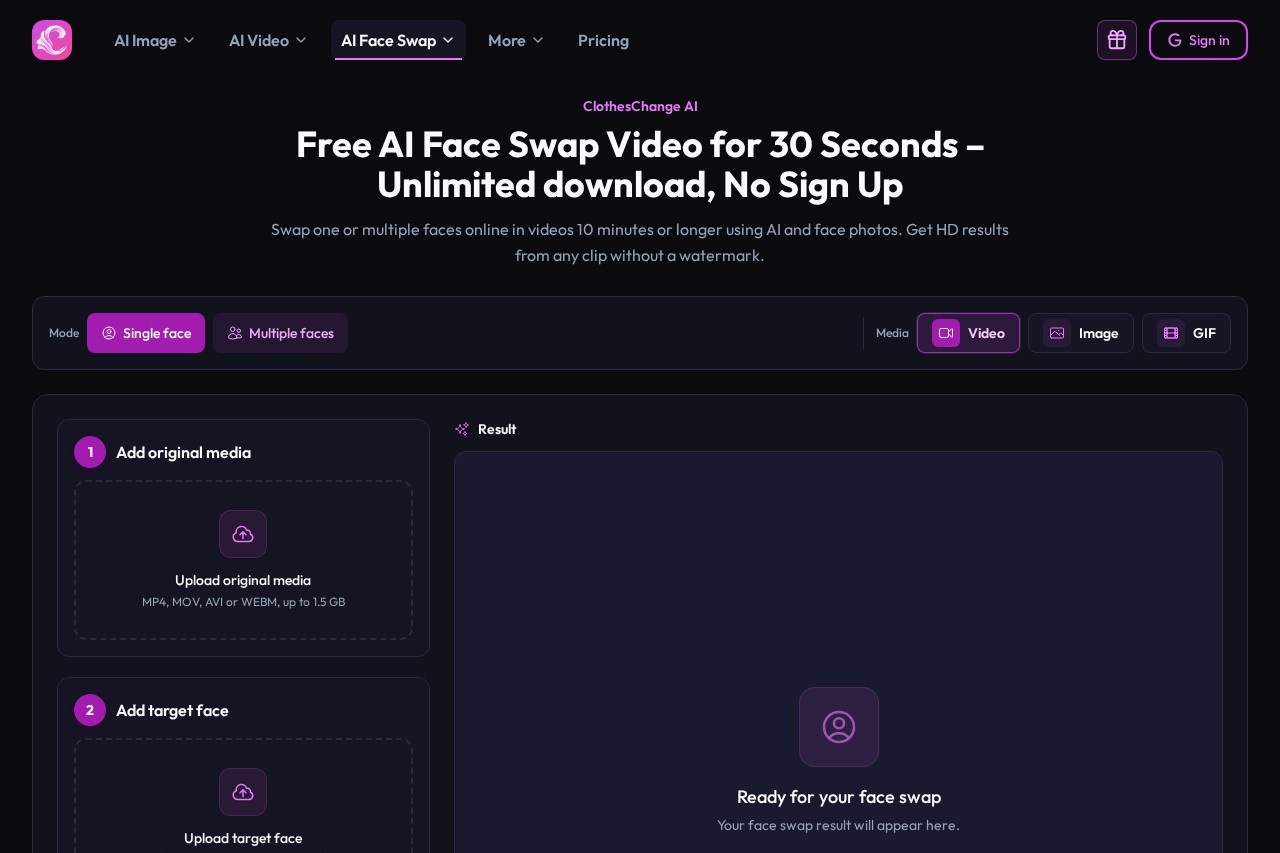
ClothesChange.ai is a browser-based AI video face swap tool that replaces one or multiple faces in clips, from short segments to 10-minute videos, with a free 30-second range.
About
ClothesChange.ai offers a free AI video face swap tool that runs entirely in the browser, letting users replace one or several faces in a video using only a reference photo. It addresses a common editing bottleneck: traditional face replacement in moving footage requires desktop software and manual work, while this tool compresses the process into an upload, a time-range selection, and a single processing step.
The workflow has three steps. A user uploads an original video in MP4, MOV, AVI, or WEBM format (up to 1.5 GB), adds a clear face photo in PNG, JPG, or WEBM format (up to 30 MB), then sets the range and starts the AI processing. The tool supports single-face and multi-face swaps, clips as short as one minute, and selected segments of videos 10 minutes or longer. Results can be downloaded without a watermark, and a free 30-second range is available without signing up. Uploaded files and generated results are automatically deleted after one day.
Key Features
Pricing & Fees
- Pricing: Not publicly listed on the pages we reviewed; check the official site for current plans. The site sells credits as one-time purchases that never expire, with charges based on face swap mode and media length, but specific per-second and per-image credit amounts were not shown.
- Free tier: A free 30-second processing range is available with no registration and no watermark on the output.
- Platform: Runs in a web browser with no software installation; supported input formats are MP4, MOV, AVI, and WEBM up to 1.5 GB for video and PNG, JPG, or WEBP up to 30 MB for face photos.
- Responsible-use guidance: The vendor states the tool should only be used for creative work and videos the user has permission to edit, that AI-edited media should be labeled where needed, and that results must not be used to impersonate, mislead, or harm anyone.
Who It's For
ClothesChange.ai is aimed at content creators and social media editors who want to try face replacement in short clips, group videos, or selected segments of longer footage without installing desktop editing software. It suits hobbyists testing deepfake-style effects for personal projects, marketers producing light creative edits, and anyone needing a quick, watermark-free result from a single reference photo. Users working with videos of up to 10 minutes or more, or with several people in one frame, can stay in the same workspace rather than switching tools.
FAQ
Is ClothesChange AI's video face swap really free?A free 30-second video range is available online with no sign-up required, and the result carries no watermark; longer or higher-definition processing draws on purchased credits.
Can it handle videos longer than 30 seconds?Yes. Users can upload and preview videos of one minute, five minutes, ten minutes, or longer, set exact start and end points, and process only the selected part.
Does it support swapping multiple faces in one video?Yes. In multi-face mode, the user chooses a frame where every target face is visible and matches a separate reference photo to each person, with the matches held consistent throughout the range.
What file types and sizes are accepted?Videos in MP4, MOV, AVI, or WEBM up to 1.5 GB are accepted, and face photos in PNG, JPG, or WEBP up to 30 MB.
What happens to uploaded files?Uploaded files and generated results are automatically deleted after one day, so users should download their results promptly.
Related Tutorials
View all →

Related Tools
View all → AI Kirkify: Charlie Kirk Face Swap AI Kirkify is the ultimate Charlie Kirk face swap tool. Automatically detects and shrinks faces to create perfect memes. No Photoshop needed.
 Kirkify AI Images Generator Professional-grade online image generator for high-quality Charlie Kirk face swaps and face reduction effects. Create unique, ultra-realistic images easily.
 FaceSwapAI FaceSwapAI is a browser-based AI face swap tool for photos, group photos, videos, and GIFs — no software installation required. Verified accounts can try a free watermarked photo swap, with paid generations starting at $4.99 in credits.
 Deepfakes Web Deepfakes Web is a browser-based AI deepfake generator that swaps a face from one photo into any video, producing 4K face-swap videos in minutes without software downloads.
 Reface Reface is a mobile app and AI studio for face-swapping in videos and GIFs, generating AI avatars, and running a family of creative AI apps with over 300 million downloads.