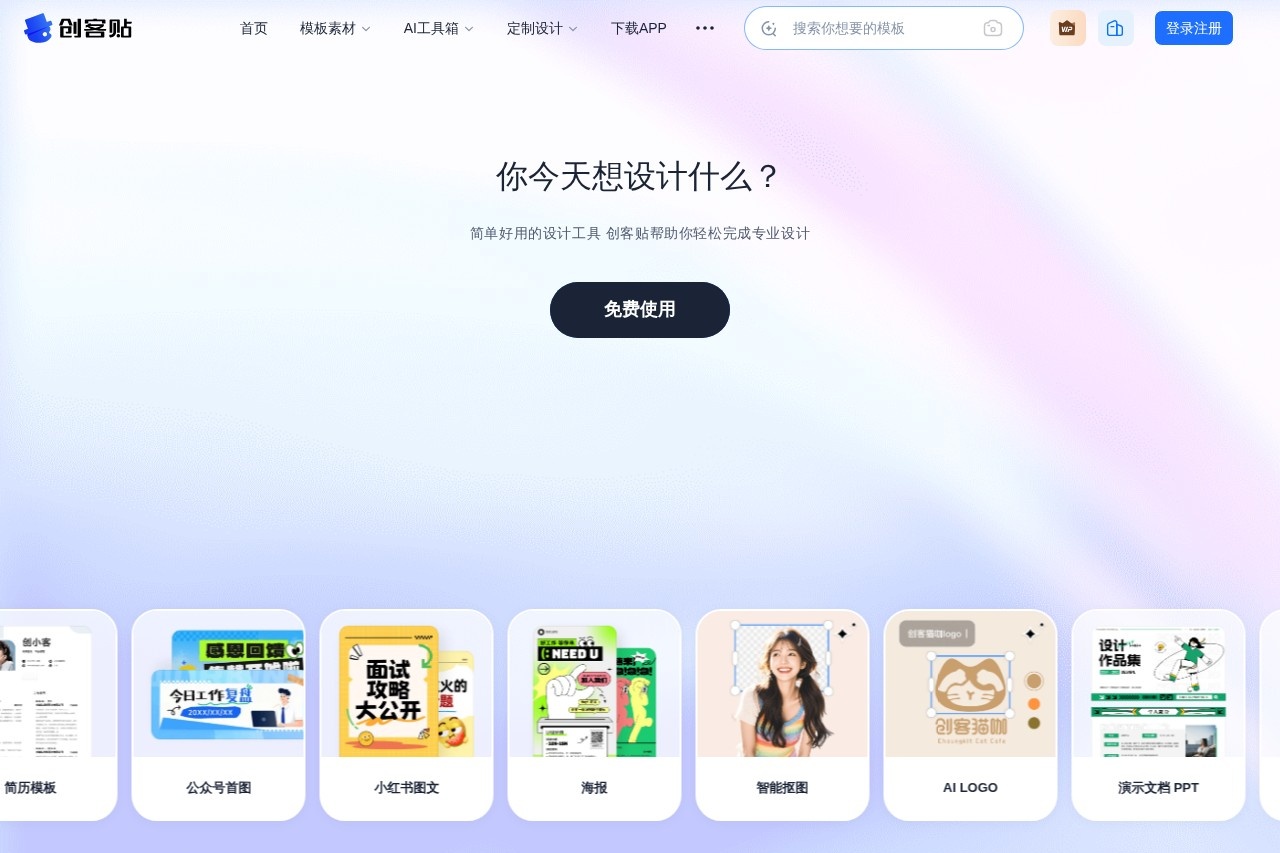
Online image and video editor with 80 million assets and automatic background removal, licensed for commercial use.
Last UpdatedNov 15, 2026
About
Chuangkit is a powerful online image and video editor dedicated to providing every user with a simple, easy-to-use design experience. Whether you are a seasoned professional designer or a complete beginner who has never touched design software, you can quickly produce high-quality design work with Chuangkit. The platform offers a massive library of licensed assets, along with practical features such as smart background removal and template customization, covering the entire creation process from concept to finished product. Even users without professional design skills can get started easily, making creative design truly accessible to everyone.
Key Features
80 Million+ Commercial Asset Library: Covers images, illustrations, fonts, videos, and various other design elements, with diverse styles and rich themes. Users can search for and use the assets they need directly during editing, without having to hunt across multiple stock asset websites, greatly saving preparation time. All assets are cleared for commercial use, so you can create with peace of mind.
Smart Background Removal Tool: Removes backgrounds automatically with one click, precisely identifying subject outlines—no need to manually trace paths or master professional photo editing skills. Simply upload an image to quickly get clean cutout results, making it especially suitable for common tasks such as product photos, portraits, and poster materials.
Multi-Scenario Templates: Offers templates for social media, e-commerce, print materials, and more, covering the most common design needs in daily work and life. Simply pick a suitable template, make personalized adjustments, and quickly complete your layout—even users with no design background can produce polished, professional-looking work.
Online Collaborative Editing: Supports real-time collaboration among team members on design projects. Members can co-edit within the same project and sync their progress, eliminating repeated file transfers and version confusion, making team communication smoother and output more efficient.
Multi-Format Export: Supports exporting in JPG, PNG, PDF, MP4, and other file formats. Whether for online social sharing, web display, or offline printing, you can choose the appropriate format to meet the publishing needs of different channels.
Who It's For
Chuangkit is suitable for all kinds of users with design needs:
Social media managers: Quickly create social media graphics, covers, and other content materials. With a rich library of templates and assets, you can consistently produce visual content, making account updates more efficient and eye-catching.
E-commerce sellers: Design product detail pages, promotional posters, and other e-commerce visual materials. Features like smart background removal help you process product images quickly, enhancing the professionalism and appeal of your pages.
Corporate marketing professionals: Create brand-related designs such as company promotional materials and event posters. Collaborate online with team members to complete projects together, ensuring efficient output and consistent styling.
Educators: Design courseware, teaching materials, and other educational resources. Even without a design background, you can create well-organized, polished teaching content that enhances classroom presentation.
Individual users: Create personalized works such as memory albums and invitations. With simple operations, capture life's moments and share your sentiments, making everyday creation easier and more fun.
More
Key Advantages
Pricing: The page we reviewed does not publicly list specific prices; please visit the official website for the latest plans. The official website offers a Free version (for personal experience and learning), a Standard version (for individual use, watermark-free HD downloads), a Collaboration version (teams of up to 10 people), and an Enterprise flagship version (demo booking required).
Free Version: A free plan is available, suitable for personal experience, learning, and online editing and design.
Platform Availability: Fully browser-based with no download or installation required; iOS/Android apps are also available, supporting cross-device collaboration.
Commercial Licensing: All templates and assets come with commercial licenses, including 1 million original templates and 100 million licensed assets.
API Access: An open-platform API/SDK is provided, making it easy for enterprises to integrate intelligent design capabilities into their own products.