
Browse AI is a no-code web scraping and website monitoring platform that turns any website into structured data, spreadsheets, or APIs without programming. Built for marketers, researchers, and data teams.
About
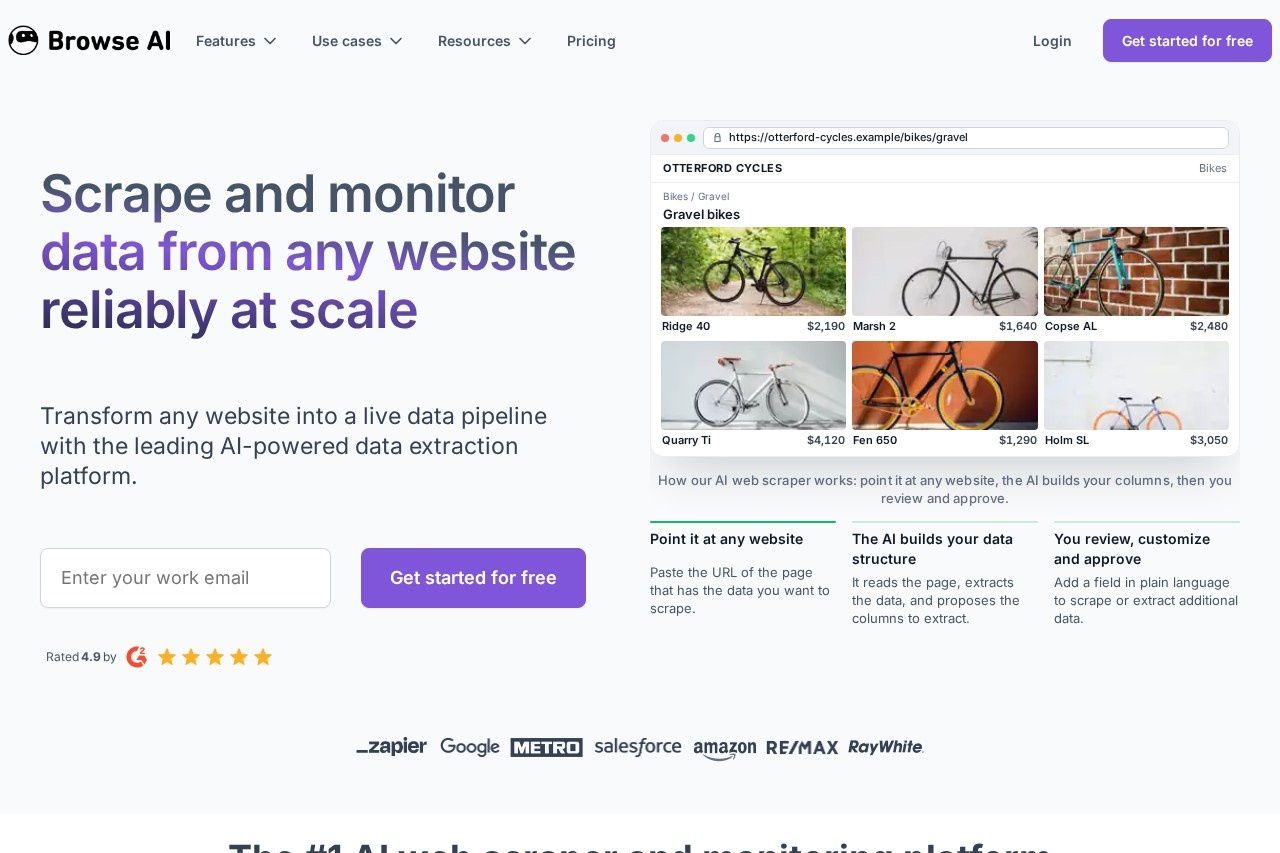
Browse AI is a no-code platform for extracting structured data from websites and monitoring those pages for changes over time. Traditional scrapers require programming skills and tend to break whenever a site's layout shifts; Browse AI addresses this with an AI-driven approach that reads a page, proposes the columns to extract, and adapts when the underlying site changes.
The workflow is deliberately simple. A user pastes the URL of a page containing the data they want, the system analyzes the page and suggests a data structure, and the user reviews, adjusts, and approves it — adding extra fields by describing them in plain language. The company reports more than 770,000 users, and the platform supports integrations with over 7,000 apps, Google Sheets, Airtable, webhooks, and APIs so the extracted data flows directly into existing tools and automated workflows.
Key Features
Pricing & Fees
- Pricing: Not publicly listed on the pages we reviewed; check the official site for current plans. A free plan is available for a first extraction project, and no credit card is required to sign up.
- First robot in minutes: The company says users can train their first scraping robot in about two minutes.
- Common use cases: Price monitoring, e-commerce product data, real estate listings, job postings, legal records, lead generation, and preparing datasets for large language models.
- Managed services: For complex or high-volume needs, Browse AI offers fully managed web scraping and enterprise services arranged through a sales consultation.
Who It's For
Browse AI suits anyone who needs recurring web data but cannot or does not want to write scraping code. Typical users include e-commerce and pricing teams tracking competitor prices and stock levels, real estate analysts monitoring listings, recruiters and HR teams scanning job boards, legal researchers following case data, and sales or marketing professionals building lead lists. It also serves data and engineering teams that want to turn websites into APIs or pipelines feeding spreadsheets, databases, or LLM-based applications, and enterprises with large-scale needs handled through its managed scraping services.
FAQ
What is Browse AI?Browse AI is a no-code web scraping and website monitoring platform that extracts structured data from websites, detects changes over time, and delivers the results to spreadsheets, APIs, or thousands of connected apps.
Does Browse AI have a free plan?Yes, Browse AI offers a free plan that lets users extract data from their first website without a credit card; full plan pricing is not publicly listed on the pages reviewed, so check browse.ai for details.
Can Browse AI scrape sites that require a login or use dynamic content?Yes, the platform handles password-protected pages and mimics human interactions such as dropdowns, search bars, and form fills to capture dynamic content, with built-in proxy management and automatic retries.
How does Browse AI handle websites that change their design?The platform monitors site layouts automatically and adapts extraction when pages change, which reduces the broken-scraping problem common with traditional tools.
Which tools can Browse AI send data to?Extracted data can go to Google Sheets, Airtable, a generated API, webhooks, or any of more than 7,000 integrated apps and tools.
Related Tutorials
View all →

Related Tools
View all → Lection Lection is a no-code AI web scraper Chrome extension that extracts structured data from any website and sends it to spreadsheets, databases, and automation tools on a schedule.
 Bright Data Bright Data is a web data platform that gives AI agents, scrapers, and LLM projects reliable access to live websites, structured datasets, and proxy infrastructure at scale.
 SmartProxy SmartProxy is a global residential proxy service offering 100M+ residential IPs across 200+ locations, built for web data collection, web scraping, and AI/LLM data pipelines.
 Apify Apify is a marketplace of ready-to-run cloud tools called Actors for web scraping, data extraction, lead generation, and AI agent automation.
 Chat4Data Chat4Data is an AI-powered Chrome extension that extracts structured web data from any webpage using natural language prompts, for researchers, marketers, and analysts.