
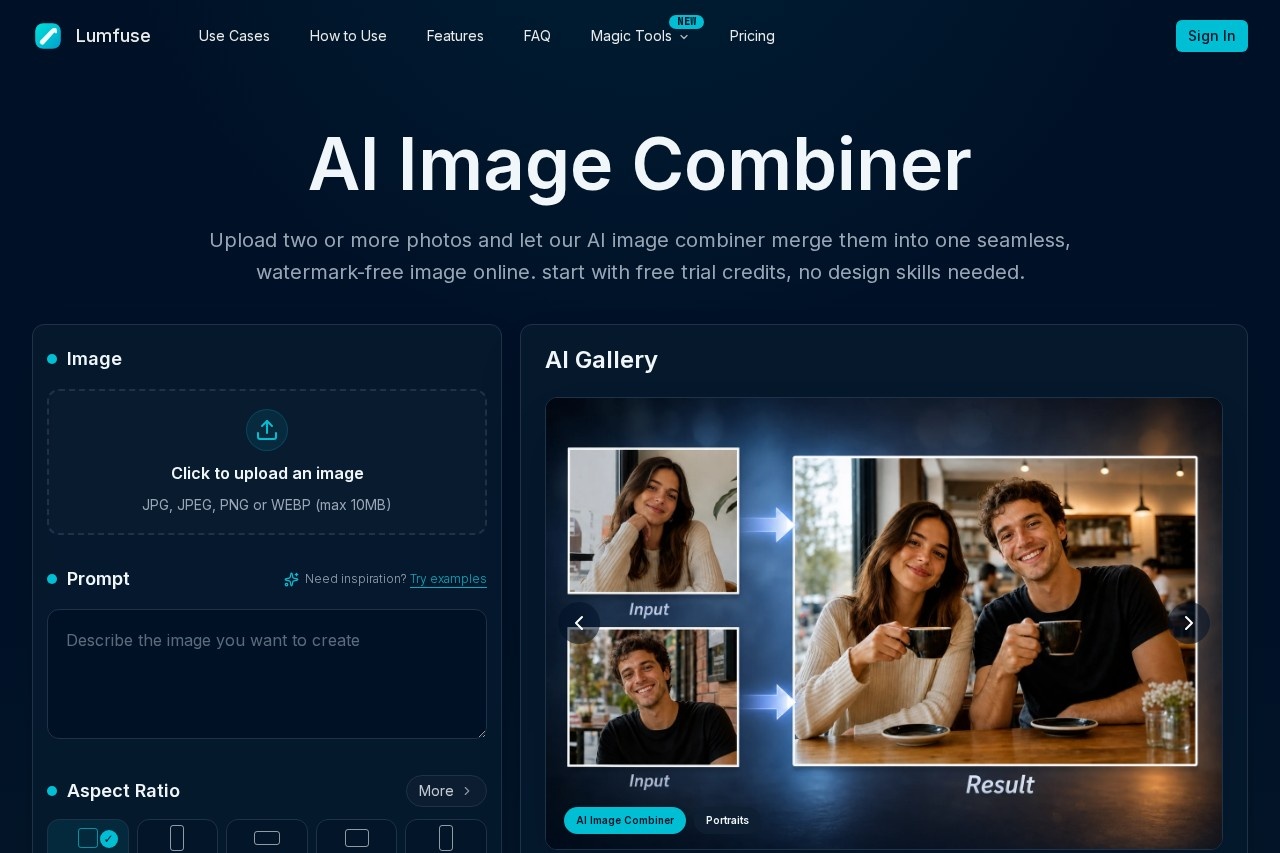
Merge two or more photos into one natural, seamless, watermark-free high-resolution image — style and composition controlled by prompt.
About
AI Image Combiner is an online tool that merges two or more photos into a single natural-looking, high-resolution image with no watermarks. Beyond simple merging, you can steer style and composition through prompts, and output is available in multiple aspect ratios including 1:1, 16:9, and 9:16. Typical uses include group-photo compositing, travel collages, brand visuals, and before/after comparisons — no design experience required.
Key Features
Pricing & Fees
- Pricing: Lumfuse AI Image Combiner offers a Free plan ($0), Plus at $8.39/month ($100.68/year billed yearly, 30% off), and Pro at $13.99/month ($167.88/year billed yearly, 30% off).
- Free tier: The Free plan includes 10 credits on sign up, combination of up to 2 images per generation, standard resolution output, a shared generation queue, 1 concurrent job, and personal use only.
- Plan limits: Each generation costs 6 credits. Plus includes 600 credits/month (up to 100 images), HD output, priority queue, 2 concurrent jobs, and a commercial use license; Pro raises this to 1500 credits/month (up to 250 images), top-priority queue, 4 concurrent jobs, and early access to new features.
- Billing: Annual billing saves 30%, unused credits roll over, and subscriptions can be cancelled at any time with no hidden fees. One-time payment options are also available.
- Platform: Runs entirely online, accepting JPG, JPEG, PNG, or WEBP uploads up to 10MB per image, with watermark-free output on paid tiers.
Who It's For
It is for marketers assembling composite brand visuals, sellers creating before/after images, travelers merging trip photos into single scenes, and social creators producing composite posts without design tools.
FAQ
How many photos can I combine?Two or more.
Can I control the composition?Yes — style and composition are guided through prompts.
Are there watermarks on the output?No — output is clean, high-resolution, and watermark-free.
Related Tutorials
View all →

Related Tools
View all → ImgUpscaler ImgUpscaler is an online AI image upscaler that enlarges photos, anime, product shots, portraits, and old pictures by 2x or 4x for web, print, and creative work.
 AI OCR Extract text from images and convert to editable Word documents with AI-powered OCR.
 AI Image Editor & Tools - EditAny AI EditAny AI offers powerful AI image editing and tools for all your creative needs.
 Nano Banana 2 - Advanced Photo Editor & Generator Nano Banana 2 is an AI-powered image editor and generator. Free online tool for advanced photo editing.
 Img2Img Online Transform your ideas into high-quality, consistent 4K visuals in seconds using reference images and descriptive prompts.