
Vivago AI is a multi-model AI video and image generation platform that turns text prompts and static images into videos using models like Sora 2, Kling, and Veo.
About
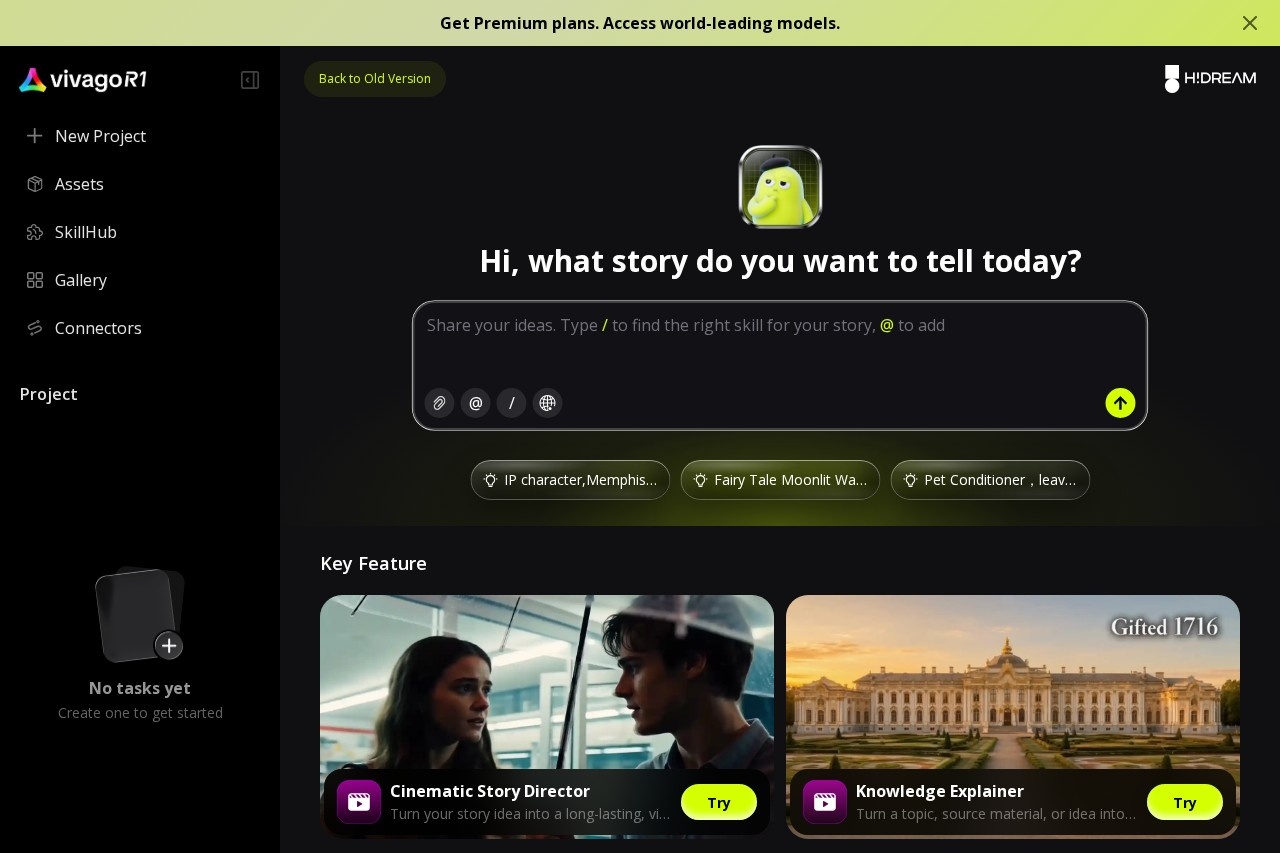
Vivago AI is a browser-based creative platform for generating videos and images with artificial intelligence. Instead of forcing users to master editing software, it lets them describe what they want in plain language or pick a ready-made template, and the platform handles the generation through a chat-style AI Agent interface.
The platform's defining characteristic is that it is multi-model: rather than relying on a single video engine, it integrates several, including OpenAI Sora 2, Kling v2.6 Pro, Google Veo 3 Fast, Google Veo 3.1, and Vivago AI 2.0, so users can choose the engine that suits a given project. Alongside text-to-video and image-to-video, Vivago AI offers text-to-image and image-to-image generation, a library of more than 1,000 templates and effects, audio synchronization, lip sync, and a set of editing utilities such as enhance, replace, eraser, expand, and brush tools. It is aimed at creators, marketers, and businesses that need to produce visual content quickly and at scale.
Key Features
Pricing & Fees
- Pricing: Not publicly listed on the pages we reviewed; check the official site for current plans.
- Access model: Vivago AI operates on a freemium basis, with free credits for initial generations and paid subscriptions for higher limits and advanced features; generation is credit-based.
- Interface: The product centers on a conversational AI Agent, so users create projects by describing the story they want rather than configuring settings manually.
- Extras beyond video: Lip sync, try-on, and 3D generation tools round out the core video and image workflow.
Who It's For
Vivago AI is built for content creators and influencers producing short-form video for TikTok, Instagram, and YouTube Shorts, marketing teams and advertisers making product ads and campaign creatives, and designers or digital artists generating visual assets. Educators and media professionals can use it for explanatory videos and presentations, while businesses use it when they need to produce visual content at volume without a dedicated production team.
FAQ
What is Vivago AI?Vivago AI is a multi-model platform for generating videos and images from text prompts, images, and templates, combining several leading AI video models in one workflow.
Is Vivago AI free to use?It uses a freemium model: new users receive free credits for initial generations, and paid subscriptions unlock advanced features and higher limits. Exact prices are not publicly listed on the pages reviewed.
Which AI models does Vivago AI use?The platform integrates OpenAI Sora 2, Kling v2.6 Pro, Google Veo 3 Fast, Google Veo 3.1, and its own Vivago AI 2.0 engine, letting users choose among them.
Can Vivago AI generate images as well as videos?Yes, it includes text-to-image and image-to-image generation plus editing tools such as enhance, replace, eraser, expand, and brush.
Do I need editing skills to use Vivago AI?No, the workflow is prompt-based and template-driven, so users can generate finished videos without prior editing experience.
Related Tutorials
View all →
Related Tools
View all → Wan 2.5 AI Video Generator Instantly create 1080P cinematic videos from text or images with native audio sync in just 3 minutes.
  Free Grok Video Generator - AI Video Creation | No Sign Up Required Grok video generator creates stunning videos from text and images. Fast AI video creation with natural language control. 2 free credits daily, no credit card needed. Try Grok Video now!
  Happy Horse AI Video | AI Video Generator for Text to Video and Image to Video Happy Horse AI Video is an AI video generator for cinematic text-to-video and image-to-video. Create ads, social launches, product demos, and commercial-ready clips with stronger motion quality. Sora Sora is OpenAI's text-to-video generation model that creates short video clips from written prompts, images, or existing videos for creators and marketers. Flow AI Flow AI is a web-based AI video generator that turns text prompts and images into cinematic video clips, aimed at creators, marketers, and filmmakers.