
VideoCompress is a free online video compressor that shrinks MP4, MOV, MKV, AVI, and WebM files with no watermark, offering target-size presets and cloud processing.
About
VideoCompress is a browser-based tool that reduces the size of video files without adding a watermark. It addresses a common problem: large videos are slow to upload, hard to email, and often exceed the size limits of platforms such as Discord, which caps free uploads at 10MB. The service processes more than 40 formats, including MP4, AVI, MKV, MOV, WebM, and WMV.
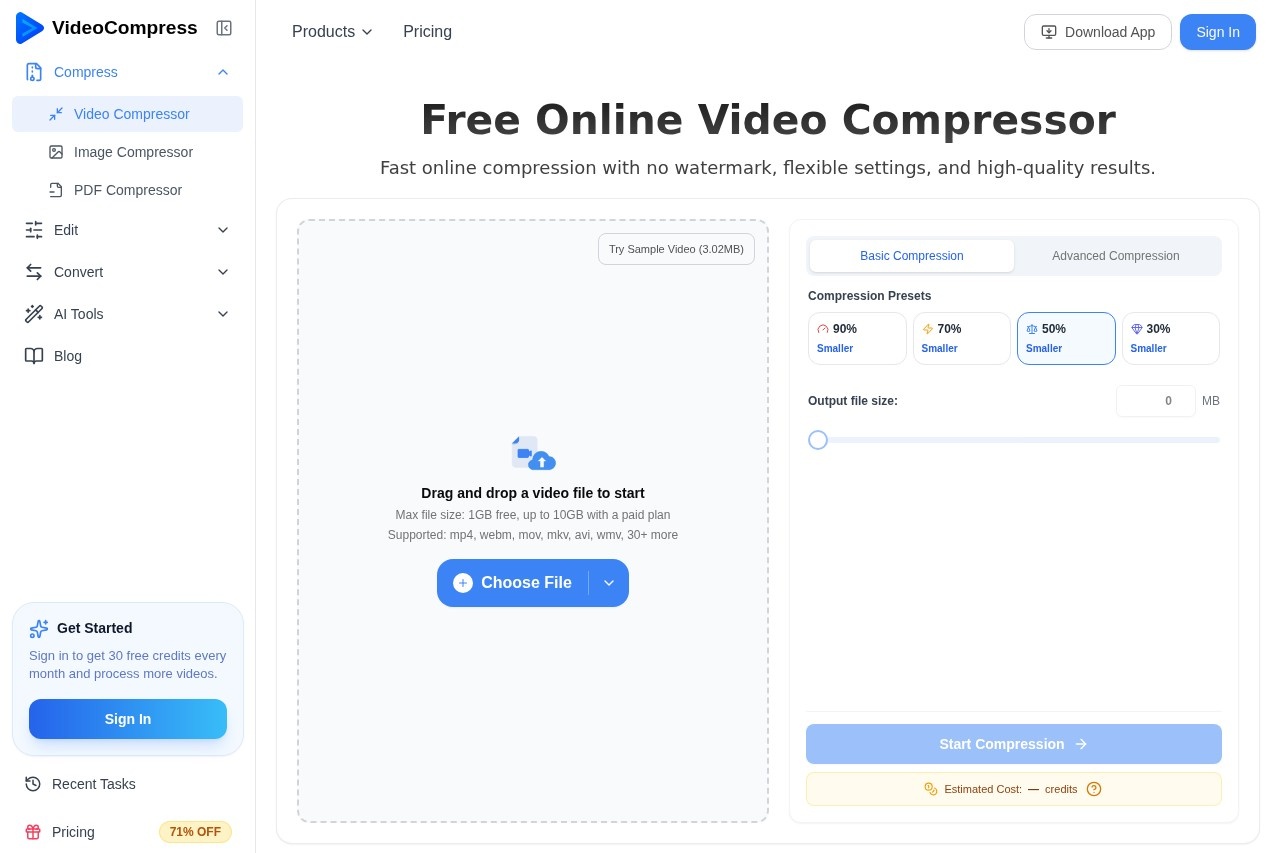
Compression happens in the cloud rather than on the user's device, so no software installation is required and local hardware is not heavily loaded. Users upload a file by dragging and dropping it, connecting Google Drive or Dropbox, pasting a URL, or browsing their device. They then pick a preset reduction (90%, 70%, 50%, or 30% smaller) or set a target file size, and download the result once processing finishes. Alongside compression, the vendor offers related tools such as a video cutter, audio cutter, video-to-MP3 converter, and transcription features.
Key Features
Pricing & Fees
- Pricing: A Free plan costs $0 with 30 credits per month and 1GB file limits; Basic is $9/mo (750 credits, 10GB files); Pro is $29/mo (5,000 credits); Premium is $59/mo (7,500 credits). Compressing a 5-minute 1080p video costs roughly 1 credit.
- Free tier: The free plan includes no watermark, 4K video support, private processing, secure file deletion, and up to 5 video edits per day.
- Paid plan extras: Paid tiers raise the file limit to 10GB, add priority processing, and provide unlimited video edits.
- Failure refunds: Credits spent on a failed compression task are automatically refunded.
- Cancel anytime: Monthly subscriptions renew automatically but can be cancelled at no extra fee; a failed renewal downgrades the account to the Free plan.
Who It's For
VideoCompress suits content creators who need to shrink large 4K recordings for social media, marketers preparing video assets for campaigns, and teams sharing product demos or training materials that would otherwise take hours to upload. It is also practical for everyday users who want to email a video attachment, fit a clip under Discord's 10MB limit for non-Nitro accounts, or free up space on crowded devices and cloud storage. Because it runs in a browser, it works for people on phones as well as desktops.
FAQ
Is VideoCompress free to use?Yes, a free plan provides 30 credits per month for compression and transcription, with files up to 1GB and no watermark; paid plans start at $9 per month for higher limits.
Do I need to install anything to use it?No, the tool runs entirely in the browser and processes files in the cloud, with no downloads required.
What is the maximum file size?Free accounts can compress files up to 1GB, while paid plans raise the limit to 10GB.
Can I compress a video to a specific size, such as 10MB for Discord?Yes, the tool lets users set a target output size or choose presets that reduce files by 30% to 90%, which helps meet platform-specific limits.
What happens to my uploaded videos?Uploaded video data is automatically deleted from the vendor's servers within 24 hours after compression finishes, according to the official site.
Related Tutorials
View all →
Related Tools
View all → Vanity AI Vanity AI is an AI-driven visual effects solution from Toronto VFX studio MARZ, built to deliver feature-film quality VFX for premium TV series on tight timelines and budgets.
  MindVideo AI MindVideo AI is an AI-powered video generation tool that creates videos from text or images, offering a seamless and creative video production experience.
  NextEnhancer - AI Image Enhancer to 4K NextEnhancer enhances images to HD and 4K quality using AI. Improve resolution and clarity effortlessly.
  AI Content Generator An AI-powered content generator that produces high-quality text for various purposes. It leverages AIGC to create engaging articles, posts, and more.
  Best Free AI Photo Editor & Video Generator Online | YouCam YouCam offers free AI-powered photo editing and video generation tools for creative projects.