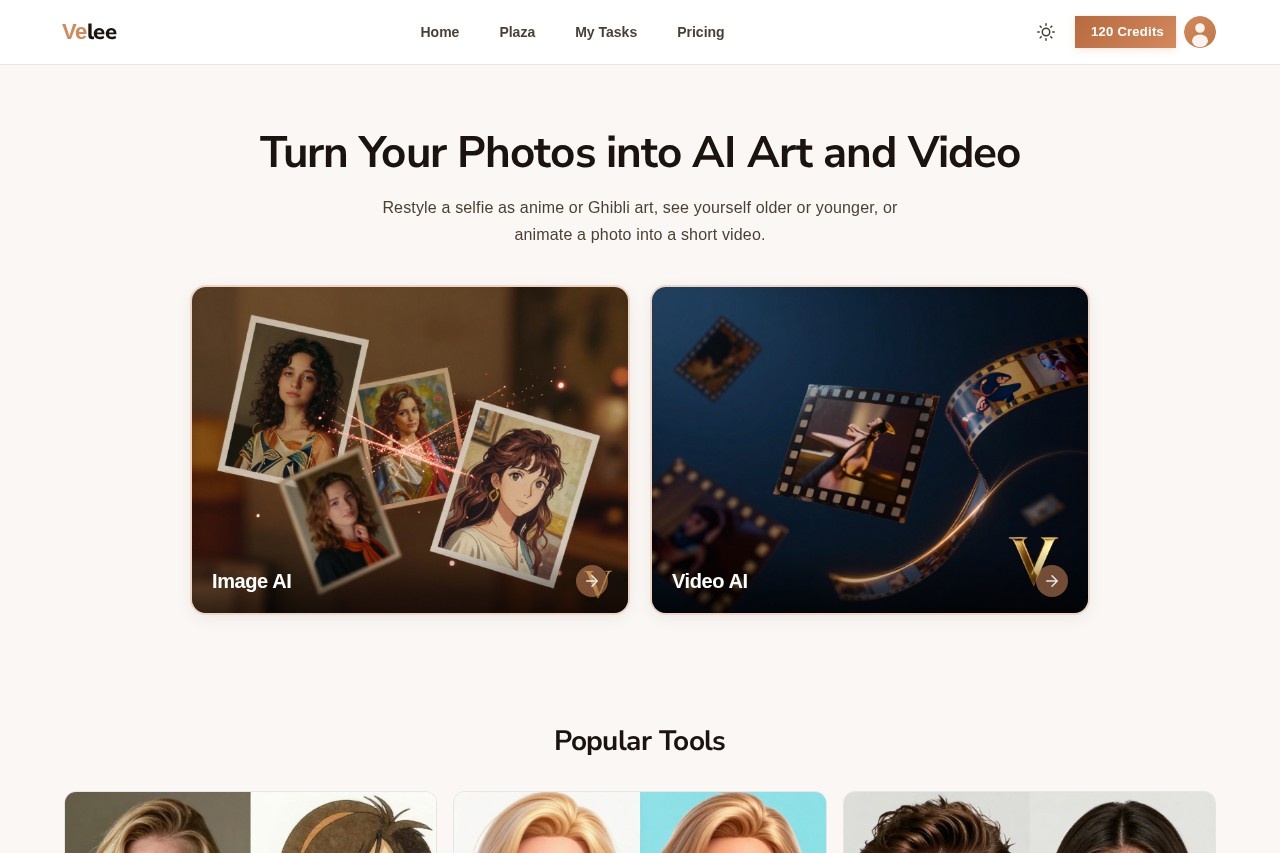
Velee AI is a web-based studio by Notech Limited that turns selfies into anime or Ghibli-style art, applies age and gender filters, and animates photos into short videos.
About
Velee AI is an online collection of AI photo and video tools that lets anyone restyle, transform, and animate pictures without editing skills or desktop software. Instead of learning a complex editor, a user uploads a photo, picks an effect, and downloads the finished image or short clip.
The service is operated by Notech Limited and is available in 21 languages, including English, Spanish, Portuguese, Japanese, Korean, German, French, and Arabic. Its toolset covers art-style restyling (anime, Ghibli, Pixar, sketch), face transformations such as age and gender filters, professional photo generators for headshots and passport pictures, and a video suite that animates a single still photo into a moving clip. Finished work can be shared to Plaza, a community feed where other users browse creations and reuse the same settings.
Key Features
Pricing & Fees
- Pricing: Velee AI uses a credit system. Purchased credits do not expire. Listed rates are 10 credits per AI image and 15 credits per second of AI video, with coin packs of $10, $20 (+5% bonus), $50 (+10%), and $100 (+15%); custom amounts are also accepted.
- Free credits for new users: Sign-up includes free credits, and additional credits can be earned through daily check-ins and friend referrals (+200 credits per invite).
- Supported formats: JPG, PNG, JPEG, and BMP files up to 15MB; images above 1980×1080 pixels are automatically resized.
- Languages: The site is available in 21 languages.
Who It's For
Velee AI suits casual users who want playful edits, such as seeing themselves at 70, as a zombie, or in a One Piece style, as well as social media creators looking for shareable anime and Ghibli-style art or short animated clips from stills. It also serves practical needs: job seekers can generate a LinkedIn headshot, and anyone needing identification photos can create a passport-style picture. People with old family photos can animate them, and pet owners can produce pet-themed videos and mashups.
FAQ
What is Velee AI?Velee AI is an online studio of AI photo and video tools where a user uploads a photo, picks an effect such as an anime filter, age filter, or photo-to-video style, and downloads the result.
Is Velee AI free to use?New users receive free credits, and more can be earned through daily check-ins or invitations; additional credits are purchased on the pricing page, with images at 10 credits each and video at 15 credits per second.
Can Velee AI turn a photo into a video?Yes — video tools such as Image to Video, Living Portrait, and Dance Video animate an uploaded photo into a short clip that can be downloaded.
Which file formats and photo types work best?The service accepts JPG, PNG, JPEG, and BMP files up to 15MB, and works best with clear, well-lit portrait photos; already-sharp images may show less dramatic enhancement.
Can I share what I create?Yes, finished images or videos can be shared to Plaza, the community feed, where other users can browse the work and apply the same settings.
Related Tutorials
View all →
Related Tools
View all → ClipMode ClipMode is an AI platform that trains a private model on your face to generate consistent photos and short video clips, aimed at creators, virtual influencers, and professionals.
  Filterly Filterly is an AI photo filter app that changes hairstyles, ages, outfits, and styles in selfies, plus generating professional headshots, pet portraits, and cartoon looks.
  MindVideo AI MindVideo AI is an AI-powered video generation tool that creates videos from text or images, offering a seamless and creative video production experience.
  NextEnhancer - AI Image Enhancer to 4K NextEnhancer enhances images to HD and 4K quality using AI. Improve resolution and clarity effortlessly.
  AI Convert Hub | Online File Converter Convert video, audio, and images between 200+ formats with AI-powered optimization. Fast, free, and no software installation needed.