
Use AI is a personal AI workspace that brings leading third-party AI models together in one place, with web research, file and image creation, and personalized responses.
About
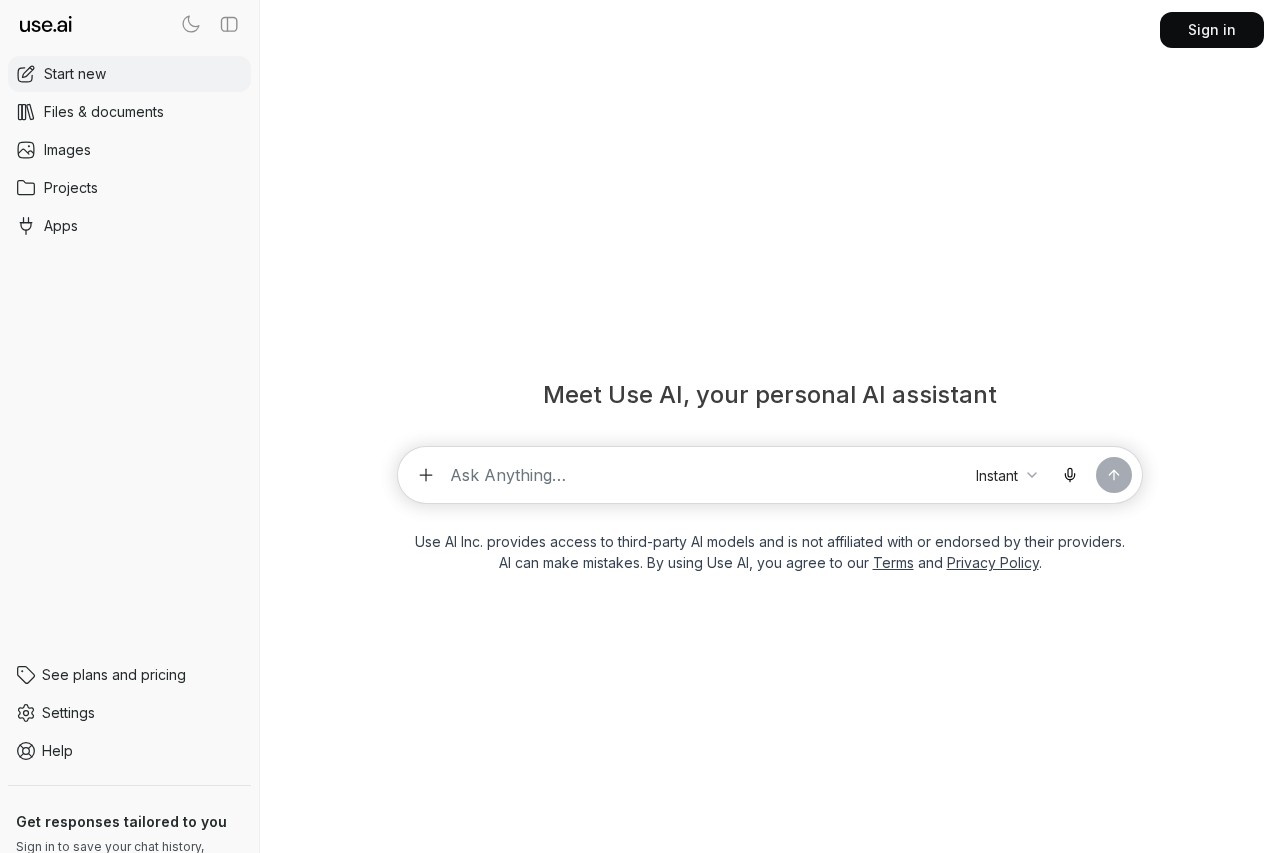
Use AI is a web-based AI workspace from Use AI Inc. that gives users a single place to work with multiple leading third-party AI models. Instead of juggling separate subscriptions and interfaces for each model, users can chat, research the web, and produce files, documents, and images inside one product.
The product presents itself as a personal AI assistant with an "Instant" mode for immediate use without sign-in, and additional capabilities such as saving chat history, creating files and images, and receiving responses tailored to the signed-in user. The workspace also includes sections for images, projects, and apps, along with settings and help. Use AI Inc. states clearly that it provides access to third-party AI models and is not affiliated with or endorsed by the providers of those models, and it reminds users that AI output can contain mistakes.
Key Features
Pricing & Fees
- Pricing: Not publicly listed on the pages we reviewed; check the official site for current plans. A "plans and pricing" option exists in the interface, but plan names and prices were not shown.
- Account options: Basic chat is available without signing in; signing in unlocks chat history, file and image creation, and personalized responses.
- Platform: Use AI is delivered as a web application accessible through a browser.
- Third-party models: Use AI Inc. is an independent provider of access to these models and is not affiliated with or endorsed by their creators.
Who It's For
Use AI is aimed at people who want one workspace instead of several separate AI tools: knowledge workers drafting documents, students and researchers who need web-informed answers, and creators who want text and image generation side by side. It also suits casual users who want to try an AI assistant instantly without registration, and anyone who values keeping chat history and generated files organized in projects within a single account.
FAQ
What is Use AI?Use AI is a web-based AI workspace from Use AI Inc. that provides access to leading third-party AI models, web research, and file and image creation in one place.
Is Use AI free to use?The product offers an instant chat mode without sign-in, but full pricing and plan details are not publicly listed on the pages reviewed; the official site should be checked for current plans.
Does Use AI require an account?No, users can start chatting immediately, but signing in is needed to save chat history, create files and images, and receive personalized responses.
Does Use AI develop its own AI models?No, Use AI Inc. provides access to third-party AI models and states it is not affiliated with or endorsed by those models' providers.
Can Use AI make mistakes?Yes, the product itself notes that AI can make mistakes, so users should verify important information in its output.
Related Tutorials
View all →
Related Tools
View all → Claude Claude is an AI assistant made by Anthropic that answers questions, writes and edits text, analyzes documents, and helps with coding through natural conversation.
  ChatWise - AI Chat Assistant Chat with ChatGPT, DeepSeek, Claude, Gemini, Llama, and other top AI models in one place.
  Openclaw (clawdbot) - Personal AI Assistant Moltbot-powered personal AI assistant that automates tasks and enhances productivity.
  Gemini Google's AI assistant that helps with writing, planning, brainstorming, learning, and coding, available on the web and mobile through a Google account.
  ChatGPT ChatGPT is an AI assistant from OpenAI that answers questions, writes and edits text, analyzes files, generates images, and helps with coding through a conversational chat interface.