
TinyWow is a free collection of 200+ browser-based tools for editing PDFs, images, videos, AI writing, and file conversion, aimed at students, office workers, and creators.
About
TinyWow is a free online toolbox that gathers more than 200 utilities for PDF editing, image editing, video processing, AI-assisted writing, and data file conversion into a single website. It addresses a common frustration: many of these tasks—merging PDFs, removing image backgrounds, rewriting sentences—normally require paid software subscriptions, while TinyWow offers them through a browser at no cost.
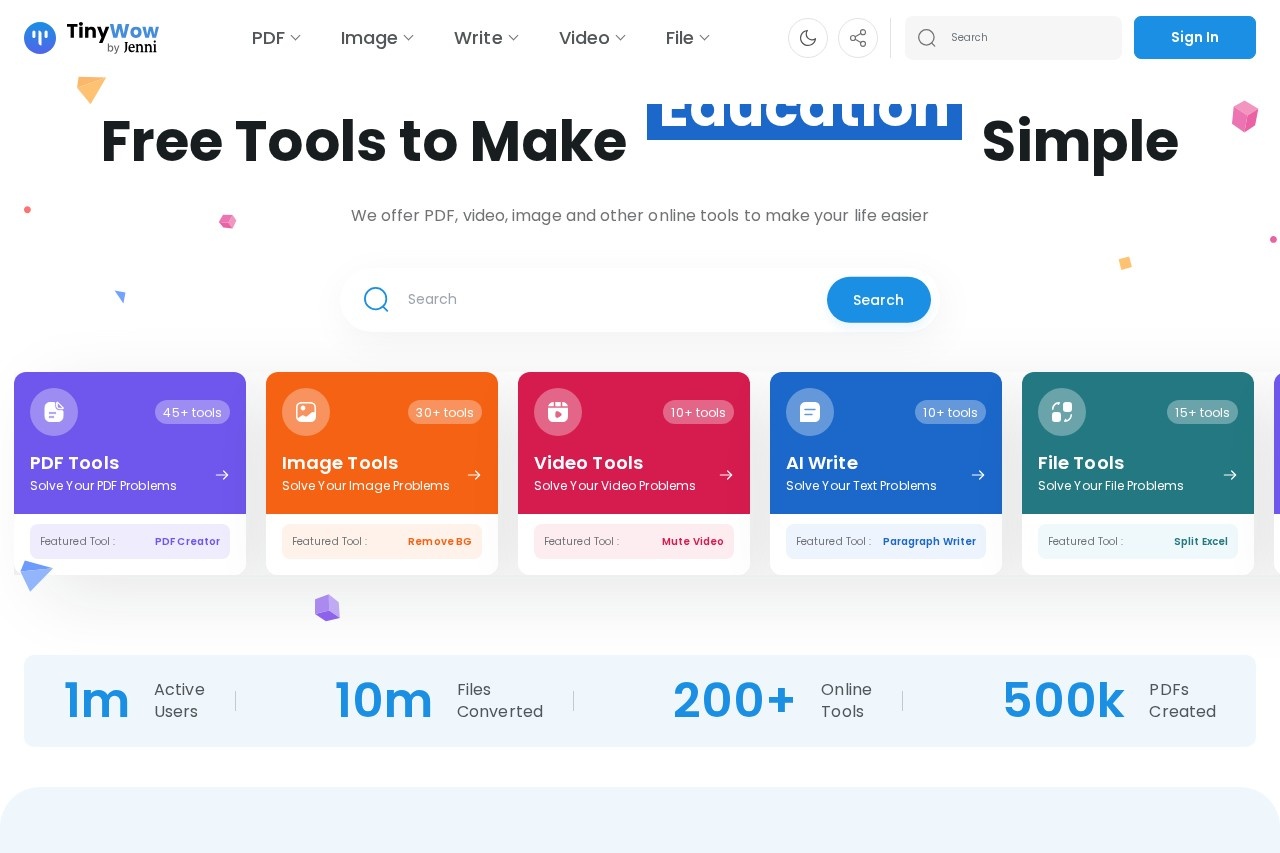
The site organizes its tools into five main categories: PDF, Image, Write (AI writing), Video, and File. Users pick a tool, upload their file or enter text, run the operation, and download the result. The company states figures such as around one million active users and ten million files converted on its homepage. Beyond the free tools, TinyWow promotes a paid "Upgrade to Unlimited" option with a 7-day free trial, available in annual and monthly billing, for users who want fewer limits.
Key Features
Pricing & Fees
- Pricing: Not publicly listed on the pages we reviewed; check the official site for current plans. The homepage shows a paid "Upgrade to Unlimited" tier with a 7-day free trial in annual and monthly options.
- Free access: The core pitch is free tools with no payment required for standard use.
- Scale: The site advertises 200+ online tools across five categories, with usage figures of roughly 1 million active users and 10 million files converted.
- Browser-based: Everything runs through the TinyWow website, so no desktop software installation is needed.
Who It's For
TinyWow suits students who need to merge PDFs, convert file formats, or draft essays and paragraphs with AI assistance. Office workers and small business owners can use it for spreadsheet conversions, e-signatures, and document editing without buying software licenses. Content creators and social media managers benefit from the caption generators, background removers, image resizers, and video trimming tools. Anyone with occasional file-conversion needs—HEIC photos, MP4 audio extraction, XML to JSON—can handle them quickly in a browser.
FAQ
What is TinyWow?TinyWow is a free website offering 200+ online tools for PDF editing, image editing, AI writing, video processing, and file conversion.
Is TinyWow free to use?Yes, the tools are presented as free; the site also offers a paid "Upgrade to Unlimited" plan with a 7-day free trial in monthly and annual billing.
What file conversions does TinyWow support?It converts PDF to Word, PDF to JPG, JPG to PDF, Word to PDF, MP4 to MP3, MOV and MKV to MP4, HEIC to JPG, and Excel, CSV, XML, and JSON into each other.
Does TinyWow include AI writing tools?Yes, it offers an Essay Writer, Paragraph Writer, Sentence Rewriter, Article Writer, Grammar Fixer, Content Improver, and generators for blog outlines, captions, and social posts.
Do I need to install software to use TinyWow?No, all tools run in a web browser; users upload a file or enter text and download the result.
Related Tutorials
View all →
Related Tools
View all → LivePhoto.video - Create Stunning Live Photos LivePhoto.video lets you create stunning live photos from videos or GIFs. Use AI to enhance and convert your media into captivating Live Photos for iPhone.
  Immersive Translate Immersive Translate offers bilingual web page translation and PDF translation. Enhance your reading experience with seamless language support.
  Prompt123 - AI Prompt Library Curated AI prompts to boost creativity and productivity across various tasks.
  AmyMind - AI Mind Map Generator Generate mind maps with AI, export to Markdown, PPT, PDF, and Word, and streamline your workflow.
  remove.bg remove.bg is an online AI tool that removes image backgrounds automatically in seconds, producing transparent PNGs or clean cutouts for designers, sellers, and marketers.