
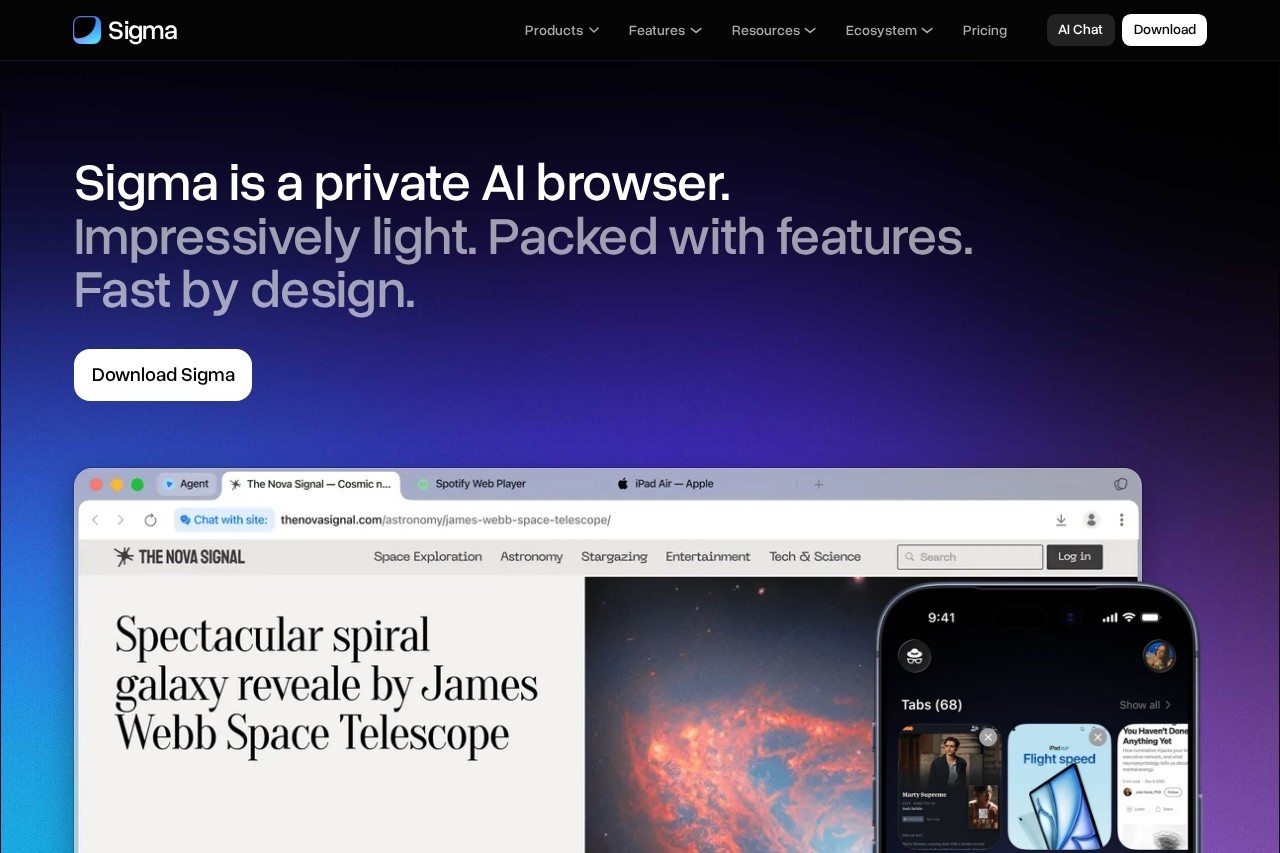
Sigma AI Browser is a Chromium-based private browser with a built-in AI agent, AI chat, deep research, and a local offline LLM, for users who want AI and privacy in one app.
About
Sigma AI Browser is an AI-first web browser built on Chromium that puts an AI agent, AI chat, deep research, and content generation tools directly inside the browsing experience. It addresses two problems at once: people increasingly rely on AI assistants for search, writing, and research, and they also want a browser that protects their data rather than harvesting it.
Sigma works by embedding AI capabilities natively, so no extensions or coding are needed. Its AI agent can interact with websites like a user would — clicking buttons, filling fields, submitting forms, and gathering data — to complete repeatable online tasks. AI Chat handles questions, research, image generation, and text creation, while a local language model called Eclipse runs entirely on the device for offline, private assistance. The browser is developed by Sigmabrowser OÜ, a company based in Tallinn, Estonia. The company also offers a broader ecosystem that includes Atomic VPN, Atomic Chat, Atomic Mail, Atomic Wallet, and Atomic Agent.
Key Features
Pricing & Fees
- Pricing: A Free plan costs $0; the Plus plan is $10 per month (or $8 per month billed annually, a 20% discount); the Pro plan is $75 per month (or $60 billed annually).
- Free tier: The Free plan includes chat on all platforms, text/image/file analysis, Chat with Page, and limited access to the AI Agent, image generation, deep research, and other AI tools.
- Platforms: Available for macOS, Windows, and iPhone; an Android version has a waitlist, and a Linux version is planned.
- Reported performance: The vendor's own Speedometer 3.0 tests on a MacBook Pro M4 (10 runs per browser) reported Sigma as 1.13x faster than Chrome and 1.32x faster than ChatGPT Atlas, and it used the least RAM (0.8 GB) among compared browsers with 10 identical tabs open.
- Compliance and openness: The browser code is open source, and the company states it complies with GDPR and CCPA.
Who It's For
Sigma AI Browser suits privacy-conscious users who want AI assistance without sending everything to the cloud, including the offline Eclipse model for local work. Researchers and analysts can use Deep Research and Chat with Page to summarize and synthesize content from multiple sources. Knowledge workers benefit from the AI agent automating repeatable tasks such as form filling, bookings, and data gathering. Web3 users get built-in wallet and decentralized app support. It also fits anyone seeking a Chromium browser with a familiar extension ecosystem plus integrated AI, translation, and ad blocking.
FAQ
What is Sigma AI Browser?Sigma AI Browser is an AI-first agentic browser built on Chromium that combines an AI agent, deep research, AI chat, and a local offline LLM to help users navigate, create, and automate tasks on the web.
Does Sigma AI Browser have a free plan?Yes. The Free plan costs $0 and includes chat across platforms, text, image, and file analysis, Chat with Page, and limited access to AI Agent, image generation, and Deep Research; paid Plus and Pro plans raise the usage limits.
What platforms does Sigma AI Browser support?It is available for macOS, Windows, and iPhone, with an Android version on a waitlist and a Linux version announced as coming soon.
How is Sigma's AI agent different from a chatbot?A chatbot answers questions, while Sigma's agent takes actions — clicking buttons, filling fields, submitting forms, and gathering data on websites to complete tasks such as bookings or form submissions end to end.
How does Sigma AI Browser handle privacy?Sensitive interaction data stays on the device, AI chats are end-to-end encrypted, credentials and task data are not stored after agent execution, the local Eclipse model requires no cloud processing, and the browser is open source and GDPR/CCPA compliant.
Related Tutorials
View all →
Related Tools
View all → OmniRoute - Free AI Gateway for Multi-Provider LLMs Free, open-source AI router with auto-fallback. 236 providers, one endpoint, 95 MCP tools, 17 routing strategies, A2A protocol, auto-combo engine, semantic cache, memory & skills. Deploy anywhere.
  wigolo - Local-First Web Intelligence for AI Agents wigolo provides local-first web intelligence for AI agents, covering 18+ data sources. It supports MCP, SDK, and REST APIs for seamless integration.
  ChatGPT Atlas - AI Tools ChatGPT Atlas is a directory of OpenAI-powered tools, featuring ChatGPT plugins and AI resources for various tasks.
  Open Generative AI - Free AI Image & Video Studio | Muapi Access 200+ AI models including Flux, Midjourney, Kling, Veo, Seedance, and more.
  Gemini CLI - Google's AI Coding Assistant An AI-powered coding assistant from Google that helps developers write code faster and more efficiently.