
Pokecut is a free online AI photo editor and image generator that removes backgrounds, enhances photos, retouches portraits, and generates images without sign-up.
About
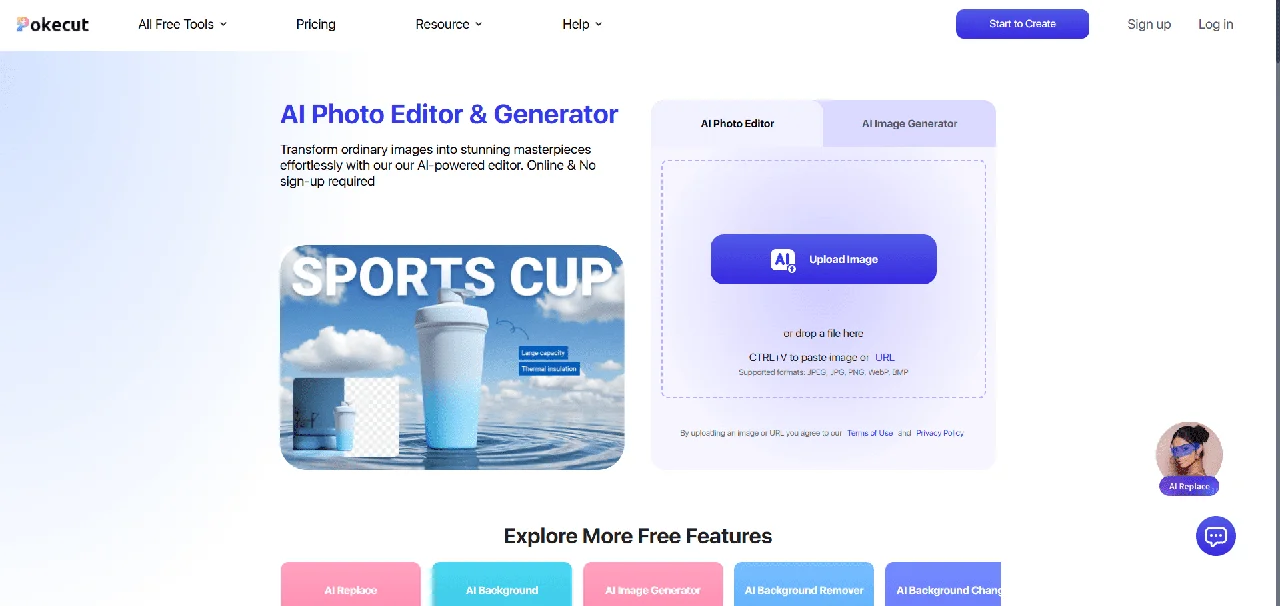
Pokecut is a browser-based AI photo editor and image generator that brings common editing tasks—background removal, photo enhancement, object replacement, and portrait retouching—into a single web application. It is aimed at people who need polished images for portraits, product listings, travel photos, and social content without installing desktop software or learning a traditional editor.
The workflow starts by uploading a photo or typing a text prompt into the AI generator; the user then picks a tool or template, previews the result, adjusts it in the built-in editor, and exports the finished image. Pokecut offers multiple AI models tuned for different outputs, a template library for portraits, products, and seasonal posts, and a batch mode that can process up to 50 images at once. Basic features can be used without creating an account.
Key Features
Pricing & Fees
- Pricing: A free tier with limited credits is available; paid plans include Ultra (1,500 credits/month), Pro (800 credits/month), and SE (300 credits/month), billed yearly, with Pro and SE offering 3-day free trials. Exact per-month prices are not shown in the text reviewed; check the official pricing page. Pay-as-you-go credit packs (300–5,000 credits) are also sold.
- No sign-up required: Basic editing and background removal can be used without registering an account.
- Browser-based: Runs entirely online with no downloads or installation.
- Commercial use permitted: Images produced by the AI editor and generator can be used commercially, subject to the site's terms regarding third-party assets.
Who It's For
Pokecut suits social media creators making thumbnails and posts, e-commerce sellers preparing product photos, and photographers retouching portraits or restoring old family pictures. It also works for casual users who want quick fixes—removing a background, sharpening text in a screenshot, or trying a new hairstyle—without desktop editing software. The batch editor and template library make it practical for anyone handling recurring image workflows, such as seasonal marketing content or catalog updates.
FAQ
What is Pokecut?Pokecut is an all-in-one online AI photo editing platform for portraits, product images, travel photos, and creative content, combining editing, enhancement, background removal, and AI image generation.
Is Pokecut free to use?Yes, a free tier with limited credits covers basic features such as photo enhancement and background removal; paid subscriptions and credit packs unlock higher resolutions and more edits.
Can I use Pokecut without an account?Yes, Pokecut can be used directly in the browser without signing up or logging in.
Can I use Pokecut images commercially?Yes, images generated by the AI editor and generator may be used for commercial purposes, though assets not supplied by Pokecut remain governed by their own rights.
Does Pokecut support batch editing?Yes, the batch editor can resize, enhance, change, or remove backgrounds for up to 50 images at once, though batch editing is limited to paid plans.
Related Tutorials
View all →
Related Tools
View all → Z-Image AI Image Generator & Editor | Z-Img Make photoreal images in seconds with Z-Image AI on Z-Img. Edit or upscale free with Turbo, Base, and Edit models.
  remove.bg remove.bg is an online AI tool that removes image backgrounds automatically in seconds, producing transparent PNGs or clean cutouts for designers, sellers, and marketers.
  PicWish PicWish is an AI photo editor that removes backgrounds, enhances image quality, restores old photos, and generates AI backgrounds for e-commerce sellers, designers, and casual users.
  Photoroom Photoroom is an AI photo editing and product photography platform that helps e-commerce sellers and creators remove backgrounds, generate product scenes, and produce listings at scale.
  Clipdrop Clipdrop is a suite of AI image editing and generation tools, including background removal, object cleanup, upscaling and text-to-image, available on the web and via API.