
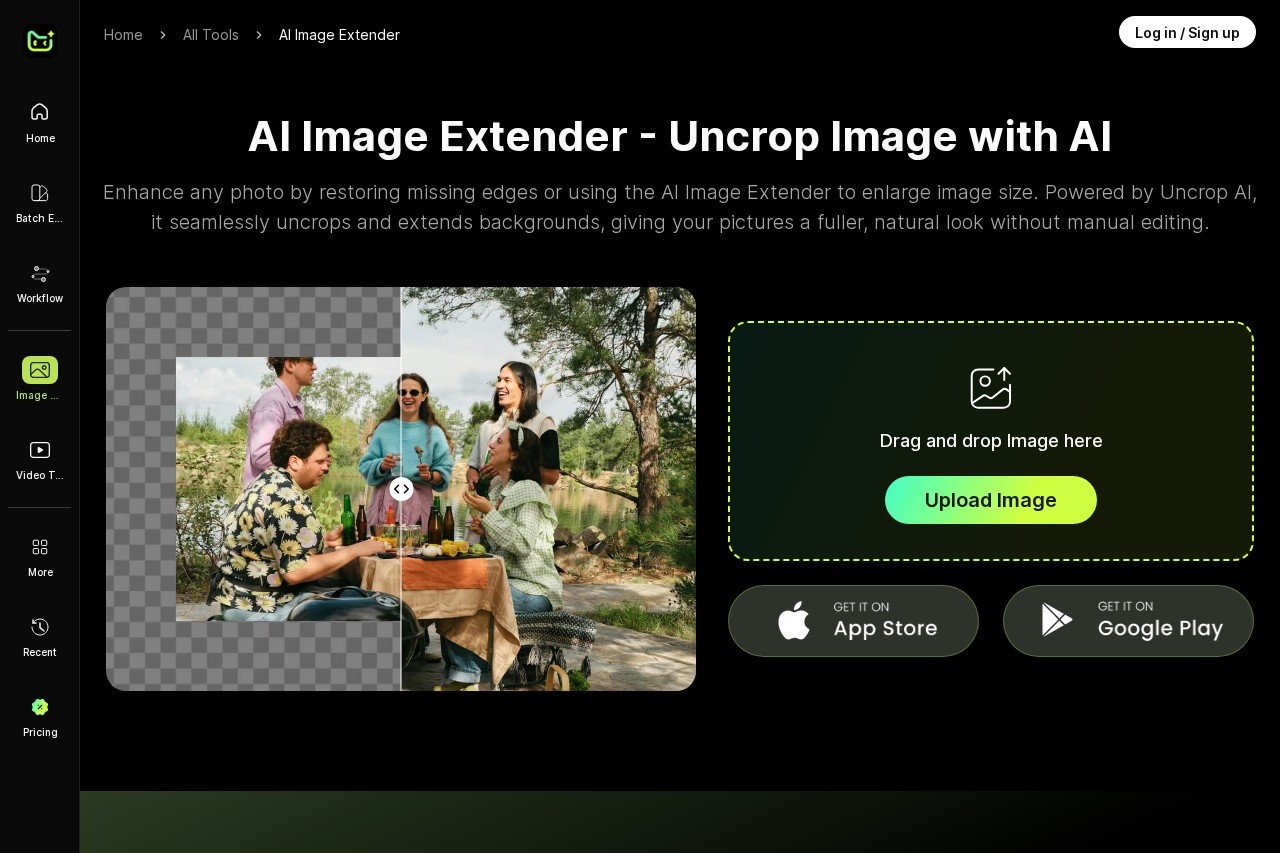
PhotoCat AI Image Extender is a free online tool that uses generative AI to uncrop photos and extend image backgrounds naturally for wider, better-framed pictures.
About
PhotoCat AI Image Extender is an online tool that expands photos beyond their original borders using generative AI, a technique often called outpainting or "uncropping." It addresses a common problem: photos that are cropped too tightly, have missing edges, or need a wider aspect ratio for a specific use such as a banner or social post. Instead of manually cloning and blending pixels, the tool generates new surrounding content that continues the scene.
The tool is part of the PhotoCat suite, a web-based AI photo editor from photocat.com that also includes image enhancement, object removal, background removal, face swap, and photo restoration tools. Users drag and drop an image into the browser-based interface, and the AI fills in and extends the background to produce a fuller, natural-looking frame. Because PhotoCat runs online, no desktop installation is required, and the same account works across the company's other image and video tools.
Key Features
Pricing & Fees
- Pricing: Freemium. Free accounts receive 5 credits ("Snacks") and each image edit costs 1 Snack; the Pro plan provides 100 Snacks per week at the same rate of 1 Snack per image edit.
- Subscription cancellation: Subscriptions are cancelled by emailing PhotoCat support with the registered account email.
- Free tier: Yes — the free plan includes 5 Snacks, which covers up to 5 image edits.
- Platform: Runs in a web browser through the PhotoCat website; PhotoCat also offers mobile apps for iOS and Android.
Who It's For
PhotoCat AI Image Extender suits anyone who needs to reframe or widen a photo after the fact. Social media managers can adapt square or portrait shots to new aspect ratios, e-commerce sellers can give product photos more breathing room, and designers can extend backgrounds for banners or layouts without reshooting. It is equally useful for casual users restoring family pictures with cropped-off edges, and for photographers who want more flexible framing from existing shots. Because it is browser-based and priced with a small free allowance, it is easy to try before committing to a paid plan.
FAQ
What is PhotoCat AI Image Extender?It is a free online tool on photocat.com that uses generative AI to uncrop photos and extend their backgrounds beyond the original borders, producing a wider, natural-looking result.
Does PhotoCat AI Image Extender have a free plan?Yes. Free accounts include 5 credits (called "Snacks"), and each image edit costs 1 Snack. The Pro plan offers 100 Snacks per week.
Do I need to install software to use it?No. The tool runs in a web browser with drag-and-drop uploads, and PhotoCat also offers iOS and Android apps for mobile editing.
How is it different from an image upscaler?An upscaler enlarges the existing pixels of a photo, while the Image Extender generates new content outside the original frame to widen the scene or restore cropped edges.
How do I cancel a PhotoCat subscription?Cancellations are handled by contacting PhotoCat support via email and including the registered account email address.
Related Tutorials
View all →
Related Tools
View all → iExPander Free AI image expander online. Instantly expand images seamlessly in high quality for social media, e-commerce, and creative projects. Try now!
  Adobe Firefly Adobe Firefly is Adobe's AI image generator. Generate creative assets with ease.
  Douhui AI | AI-Powered Content Creation Platform ??AI is an AIGC platform that offers a suite of AI tools for content generation, including text, image, and video creation. It simplifies the creative process for users of all skill levels.
  getimg.ai getimg.ai is a browser-based AI creative studio that generates and edits images, video, music, speech, and sound effects using multiple leading AI models in one workspace.
  AI Image Extender Free online AI image extender — uncrop and expand photos beyond their borders while preserving quality.