
Orca is a free, open-source Agent Development Environment that runs CLI coding agents like Claude Code, Codex, and Gemini in parallel across isolated git worktrees.
About
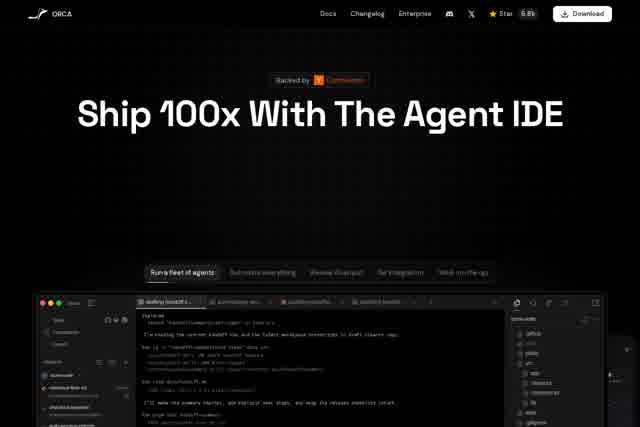
Orca is a free, open-source Agent Development Environment (ADE) designed for developers who ship software with AI coding agents. A conventional IDE assumes one human working in one checkout of a repository, which makes it awkward to run several agents at once. Orca addresses this by letting each agent work in its own isolated git worktree, so multiple CLI agents can operate side by side on the same project without interfering with each other.
The application bundles terminals, diff views, a browser, and a CLI into a single cross-platform app available on macOS (Apple Silicon and Intel), Windows, and Linux. Developers bring their own agents and subscriptions — Orca works with Claude Code, Codex, Gemini, Cursor CLI, Grok, OpenCode, and other command-line agents. A mobile companion app for iOS and Android lets users monitor agent status, check usage, and keep tasks moving away from the desk. The project's source code is publicly hosted on GitHub.
Key Features
Pricing & Fees
- Pricing: Free and open source; no paid plans are described on the pages we reviewed.
- Platform availability: Runs on macOS (Apple Silicon and Intel), Windows, and Linux, with mobile companion apps on iOS and via Android APK.
- Account Switcher & Usage Tracking: Built-in tools manage multiple accounts and track agent and subscription usage over time.
- Diff review tooling: Annotate AI Diffs lets developers comment on and review agent-generated code changes before merging.
- Design Mode and Rich Repo Previews: A design mode and repository previews support reviewing agent output visually rather than only through code.
Who It's For
Orca is aimed at software engineers and technical teams who already use CLI coding agents and want to run several of them in parallel on the same repository. Typical users include developers managing multiple feature branches at once, open-source maintainers triaging many small issues, and platform engineers who want agents running on remote machines over SSH. It also suits anyone who wants to keep an eye on agent runs and usage from a phone, or who uses multiple agent subscriptions such as Claude Code and Codex together in one workspace.
FAQ
What is Orca?Orca is a free, open-source Agent Development Environment that runs CLI coding agents in parallel, each inside its own isolated git worktree, alongside terminals, diffs, a browser, and a CLI in one app.
How is an ADE different from an IDE?An IDE is built around a single human editor, while an Agent Development Environment like Orca is designed for a human supervising multiple AI agents, with worktrees, terminals, and review tooling organized around agent-driven work.
How much does Orca cost?Orca is free and open source, with its code available on GitHub; no paid plans are mentioned on the site reviewed.
Which platforms and agents does it support?It runs on macOS, Windows, and Linux and works with CLI agents including Claude Code, Codex, Gemini, Cursor CLI, Grok, OpenCode, and many others, using existing subscriptions.
Can agents run on a remote machine?Yes, Orca's SSH Worktrees feature lets agents run on remote machines over SSH while being monitored from the local app or the mobile companion.
Related Tutorials
View all →


Related Tools
View all → Google Antigravity Google Antigravity is Google's agentic development platform that lets developers build, automate, and verify software with AI agents across an IDE, desktop app, CLI, and SDK.
 Taste Skill - Anti-Slop Frontend Framework for AI Agents Taste Skill is a frontend framework that prevents AI-generated slop. It integrates with Cursor, Claude Code, and Codex to produce high-quality UI.
 Cursor Cursor is an AI coding agent and development environment that turns ideas into working code, assisting software engineers and teams across desktop, terminal, and cloud workflows.
 CodeWhisperer CodeWhisperer is an AI-powered code generator that provides real-time suggestions and automates repetitive coding tasks, enhancing development efficiency.
 CodeFlicker CodeFlicker uses AI to enhance coding productivity with intelligent suggestions and automation.