
ImageMover is a free online AI image-to-video generator that turns static photos into short videos with motion, sound effects, and multiple AI models for creators and marketers.
About
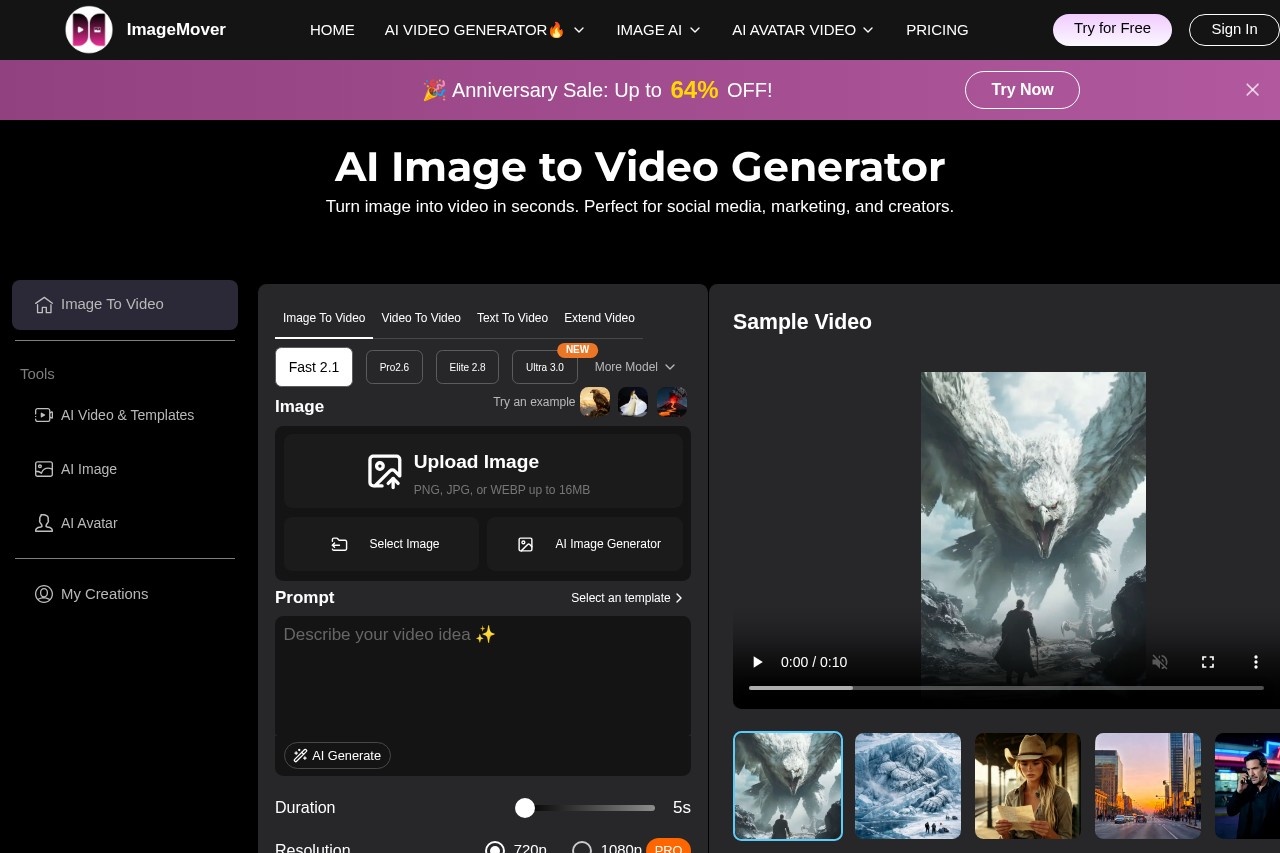
ImageMover is an online AI tool that converts still images into short videos, addressing a common need among creators who want moving content but lack video production skills or editing software. Instead of animating a photo manually, a user uploads an image and the service generates motion, transitions, and optional audio automatically.
The workflow has three steps: upload an image, adjust settings such as duration, resolution, and start/end frames, then preview, refine, and download the finished video. ImageMover offers several AI generation models to choose from — Fast 2.1, Pro 2.6, Sora 2, and Veo 3.1 — each balancing speed and output style differently. The site also publishes localized versions in nine languages, including Japanese, French, Spanish, German, and Korean, making the tool accessible to non-English users. Output is delivered as an MP4 file suitable for social platforms and websites.
Key Features
Pricing & Fees
- Pricing: Not publicly listed on the pages we reviewed; check the official site for current plans. A free tier is available for creating and testing videos, with paid upgrades for additional features and credits.
- Watermark-free exports: Generated videos download in high quality without watermarks, cleared for personal or commercial use.
- Template categories: The site showcases use cases such as birthday videos, product commercials, pet videos, action scenes, sci-fi clips, and talking avatars.
- Multilingual interface: Pages are offered in English plus Japanese, French, Spanish, German, Italian, Dutch, Korean, and Portuguese.
Who It's For
ImageMover suits social media creators producing TikTok clips and YouTube Shorts, marketers building product commercials and brand promotions, and e-commerce sellers turning static product photos into promotional video. It also fits individuals making personal content such as birthday greetings or animated pet photos, plus agencies that need quick draft videos for client campaigns without a full production pipeline.
FAQ
What is ImageMover?ImageMover is an AI image-to-video generator that turns a static photo into a video with motion and transitions, typically within minutes.
Is ImageMover free to use?Yes, a free tier lets users create and test AI-generated videos; paid upgrades add further features and credits, though detailed plan pricing is not publicly listed on the pages reviewed.
Which image and video formats does ImageMover support?Uploads are accepted in PNG, JPG, and WEBP up to 16MB, and finished videos are exported as MP4 files.
Do users need to write prompts themselves?No, the tool includes an AI prompt generation feature that suggests a creative prompt automatically from the uploaded image.
Does ImageMover add watermarks to videos?No, videos are exported without watermarks and can be used for personal or commercial purposes.
Related Tutorials
View all →
Related Tools
View all → VayoVideo - AI Video Generator | Create Videos from Text VayoVideo is an AI-powered video generator that turns text into engaging videos. Create professional videos quickly and easily with advanced AI technology.
  Sora 2 Powered AI Video Generator Soar2 AI is a video generator powered by Sora 2, enabling users to create high-quality videos from text prompts with advanced AI.
  Wan 2.5 AI Video Generator Instantly create 1080P cinematic videos from text or images with native audio sync in just 3 minutes.
  Free Grok Video Generator - AI Video Creation | No Sign Up Required Grok video generator creates stunning videos from text and images. Fast AI video creation with natural language control. 2 free credits daily, no credit card needed. Try Grok Video now!
  Runway Runway is an AI research and product company offering a cloud creative suite, a developer API platform, and a robotics toolkit built on its Real-World Intelligence and General World Models.