
HandtextAI converts typed or pasted text into realistic handwritten pages you can download as printable PDFs or notebook-style photos, with custom fonts and an API.
About
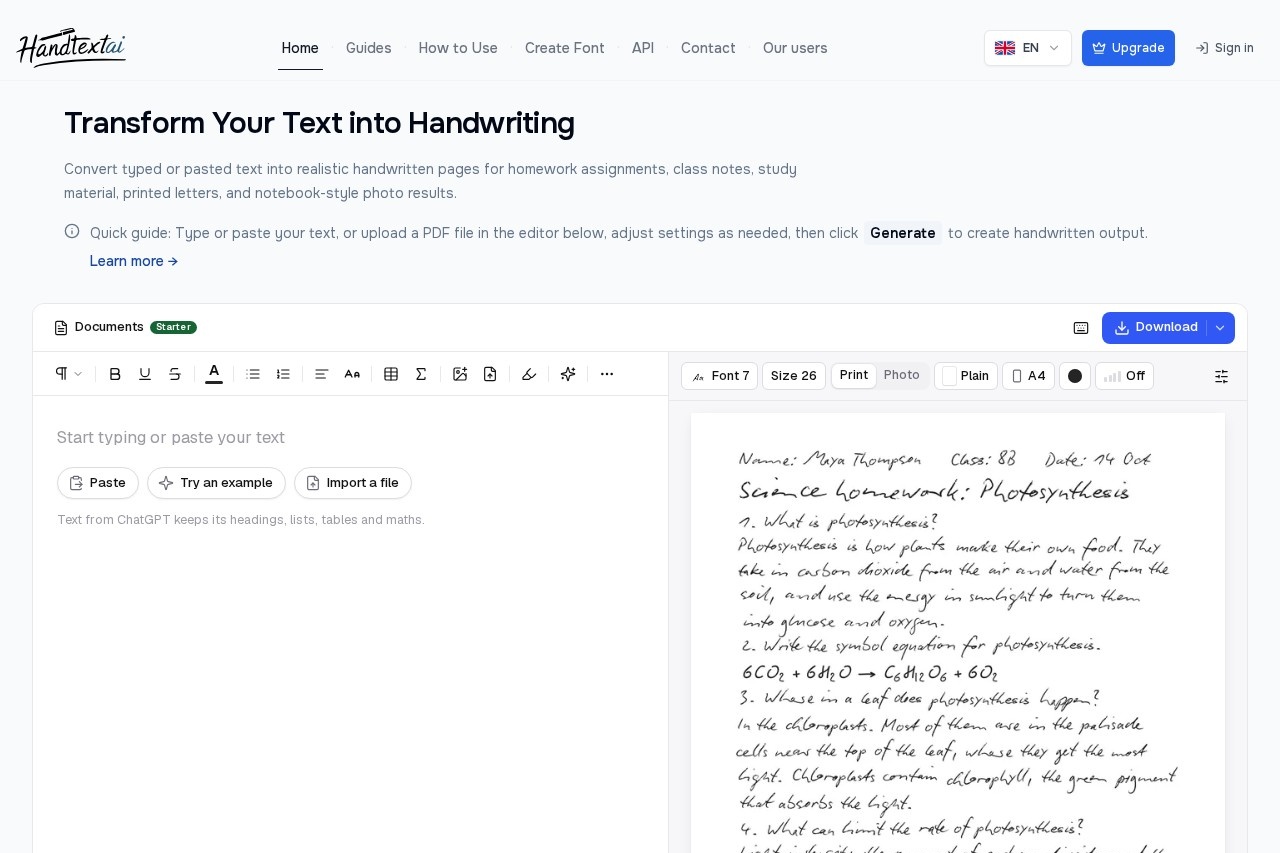
HandtextAI is an online tool that turns typed or pasted text into pages that look realistically handwritten. It addresses a simple but common need: a person already has the text — an assignment, class notes, a letter, study material — and wants it rendered in handwriting, ready to print or share as a notebook-style photo.
The workflow has four steps. A user types or pastes text into the browser editor (or imports a file such as PDF or DOCX), picks a handwriting font and paper style, previews the generated pages, and downloads the result as a printable document or an image. Two output modes are available: Print mode for clean pages and Photo mode for notebook-scene images. HandtextAI also offers a developer API for business print workflows, and its site is available in English, German, Russian, Spanish, and French.
Key Features
Pricing & Fees
- Pricing: Not publicly listed on the pages we reviewed; check the official site for current plans.
- Free to try: The homepage states the tool is free to try, with paid plans unlocking features such as custom handwriting fonts and certain export formats.
- Document limits: The web editor accepts up to 1,000,000 characters of document text; PDF downloads support up to 500 pages, with each page image up to 20 MB and each PDF download up to 120 MB total.
- Export formats: ZIP export is available to everyone; JPEG, PNG, and PDF availability depends on the plan, and the editor marks locked options with plan badges.
- Ready-made templates: Example templates (assignment, business note, math notes) can be opened with preset fonts, page formats, and paper styles.
Who It's For
HandtextAI is aimed at everyday users who need text to look handwritten: students preparing assignments and class notes, learners making study material or practicing languages, and anyone producing handwritten-style letters or printable pages. It also serves professionals and small businesses that want personalized printed items such as postcards, customer notes, and envelopes. Developers and print businesses can use the API for batch, variable-driven generation. The site notes that users include people from company and university email domains.
FAQ
What does HandtextAI do?HandtextAI converts typed or pasted text into pages that look realistically handwritten, delivered as printable pages or notebook-style photos.
Is HandtextAI free to use?It is free to try, with paid plans gating some exports, paper and font options, and the custom handwriting font feature; exact plan prices are not publicly listed on the pages reviewed.
How do I convert typed text to handwriting?Paste text into the editor, choose a handwriting font and paper style, select Print or Photo mode, generate a preview, and download the result.
What are the tool's limits?Documents are capped at 1,000,000 characters, PDF downloads at 500 pages (20 MB per page image, 120 MB per PDF), and longer documents should be split before generating.
Is there an API?Yes, the HandtextAI API is separate from the web editor and supports programmatic PNG and PDF generation for approved business print workflows such as postcards, letters, and batch personalization.
Related Tutorials
View all →
Related Tools
View all → Refont Refont is an AI font generator that creates calligraphy, signatures, handwriting, tattoo lettering, and fancy text styles for designers, students, and creators.
  Flux Kontext AI Flux Kontext AI provides context-aware solutions for enhanced image generation and editing, offering precise control and creative flexibility.
  Graffiti Generator - Free Online Graffiti Text Maker Create unique graffiti-style text for free with this online generator.
  Voicenotes - AI Voice Notes Capture and transcribe voice notes with AI, turning spoken words into organized, searchable text in over 100 languages.
  AI Text to Meme Converter Convert text to memes with AI, generating funny images via API for easy integration.