
A terminal built for multitasking, integrating with Ghostty, macOS, Claude Code, Codex, and CLI tools via Socket API.
About
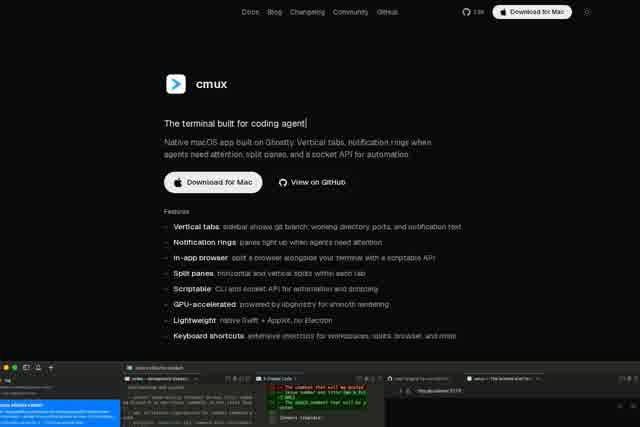
cmux is a native multitasking terminal built specifically for macOS, powered by the high-performance Ghostty engine. It goes beyond being just a terminal emulator—it's a workflow management tool designed for modern developers. With deep integration for Claude Code, Codex, and other popular CLI tools, cmux lets you manage multiple tasks in a single window using vertical tabs, a notification ring, split-screen panels, and a Socket API. Say goodbye to constant window switching and keep everything in one place.
Key Features
Pricing & Fees
- Pricing: Free plan at $0; Pro at $40/mo, Max at $160/mo, Team at $60/user/mo, and custom Enterprise pricing (yearly/monthly billing; a comparison table shows Pro at $50/mo and Max at $200/mo, likely reflecting monthly billing).
- Free tier: The macOS terminal app is open source (GPL) and free forever, including local CLI agents run with your own API keys, vertical tabs, split panes, browser panels, socket API, and community support.
- Plan limits: Pro and Max include up to 5 Cloud VMs; Pro shares 20 vCPUs and 40 GB RAM (largest VM 16 GB RAM / 8 vCPU), while Max shares 80 vCPUs and 160 GB RAM (up to 64 GB RAM / 32 vCPU per VM).
- Team & Enterprise: Team adds per-seat Cloud VM allocation, centralized billing, and priority support; Enterprise adds self-hosted/air-gapped execution, SSO/SAML, audit logs, SOC 2, and an SLA.
- iOS app: The companion iOS app (TestFlight beta) is included with Pro, Max, and Founder's Edition; the free plan does not include it.
Who It's For
cmux is built for full-stack developers juggling frontend builds, backend services, database queries, and Git operations—where split panels and vertical tabs make a real difference. It's also a great fit for AI-assisted coders who rely on Claude Code or Codex and want smoother integration, plus DevOps engineers managing multiple servers or monitoring log streams without missing critical alerts. And if you're a macOS user who simply wants fewer window switches and more focused command-line work, cmux is designed with you in mind.
Related Tutorials
View all →
Related Tools
View all → DeepSeek V4.1 Flash DeepSeek V4.1 Flash is DeepSeek's new-generation flagship: a 552B MoE with an asymmetric CED architecture offering native vision, 1M-token context and V4-Pro-beating performance at lower cost.
  AGENTMEMORY - Persistent Memory for AI Coding Agents The memory layer for coding agents with 95.2% retrieval R@5, 92% fewer tokens, and no external databases.
  Master Claude Code in a Weekend - How-To Guide A comprehensive guide to mastering Claude Code.
  CodexBar - Every AI Coding Limit, in Your Menu Bar Track all your AI coding limits across 56+ AI tools directly from your macOS menu bar. Supports Codex, OpenAI, Claude, and more.
  Kiro: Agentic AI Development Kiro enables agentic AI development from prototype to production, with an IDE that streamlines the entire workflow.