
ClipFinder turns Twitch and Kick VODs or uploaded files into captioned vertical shorts and 4–6 finished YouTube videos, using AI to find, cut and publish the moments worth posting.
About
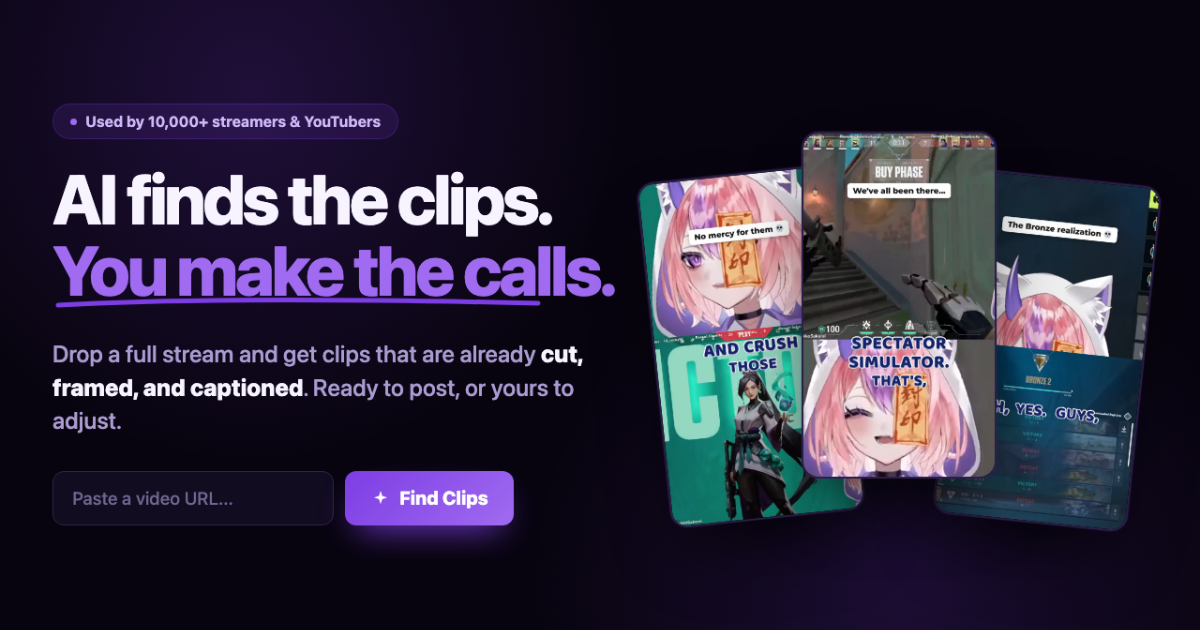
ClipFinder is a web tool that converts long livestreams and video-on-demand files into short vertical clips and finished long-form YouTube videos. Streamers routinely leave hours of footage unwatched because selecting moments, reframing them to portrait, adding captions and exporting each clip by hand takes more time than the stream itself. ClipFinder automates that grunt work: it analyzes a Twitch or Kick VOD, a Google Drive file or a direct upload, identifies the moments worth posting, and packages them as shorts or as complete videos.
The service runs its video analysis on Google Gemini, which reads the source end to end — up to five hours per job — and anchors every suggested highlight to verbatim transcript quotes rather than guessed timestamps. It offers two main modes: Shorts mode reframes, captions and publishes vertical clips to YouTube Shorts, TikTok and Instagram Reels, while Long-form mode turns one stream into 4 to 6 finished 16:9 videos, each with its own title, thumbnail and cut. Nothing publishes automatically; the creator approves every export.
Key Features
Pricing & Fees
- Pricing: A free tier covers 1 hour of shorts per month plus one one-time long-form stream (watermarked). Starter is $15/mo, Pro is $29/mo ($14.50/mo billed yearly), and Studio is $59/mo ($49/mo billed yearly), all cancelable anytime.
- Plan differences: Pro includes unlimited shorts hours under fair use, 4 long-form streams a month and priority processing; Studio raises long-form to 12 streams a month and 4 concurrent jobs.
- Long VOD support: Analysis windows run up to 5 hours, compared with the 2–3 hour ceilings of many competing tools.
- No generated footage: Every frame in an export comes from the creator's own video; ClipFinder states it does not generate video content.
Who It's For
ClipFinder is aimed at Twitch and Kick streamers who want their VODs recycled into shorts and YouTube videos without an editor, and at part-time or full-time YouTube creators who upload long recordings and need multiple cuts from each one. The showcase examples span gaming, vlogging, piano improv, Reddit-story readings and science content in several languages, so it suits any talking-heavy or gameplay channel. Creators who already have editing software can still use it just to find and download moments; those without one can finish clips entirely inside the browser.
FAQ
What is ClipFinder?ClipFinder is an AI tool that turns Twitch or Kick VODs, or uploaded files, into captioned vertical shorts for YouTube Shorts, TikTok and Reels, and into 4 to 6 finished long-form YouTube videos per stream.
Is there a free plan?Yes. The free tier allows shorts from 1 hour of stream per month, one one-time long-form stream, and free editing and downloading of Twitch and Kick clips, though exports carry a watermark.
Which platforms does it support?It accepts Twitch and Kick VODs, Google Drive files and direct uploads, and publishes to YouTube, TikTok and Instagram Reels directly from the app.
How long can a video be?Analysis windows go up to 5 hours on Pro and Studio (2 hours on Starter, 1 hour on Free), and any window inside a longer source can be selected; long-form output runs 2 to 20 minutes per video.
Does ClipFinder generate video with AI?No. The company states that every frame comes from the creator's own footage; AI is used to watch, cut, caption, title and thumbnail the content, and nothing publishes without the creator's approval.
Related Tutorials
View all →
Related Tools
View all → Invideo AI Invideo AI is an AI-driven video creation tool that turns your ideas into professional videos quickly.
  SkyReels - AI Video Generation SkyReels is an AI-powered video generation tool that helps you create stunning videos from text or images in minutes.
  Klap Klap is an AI video clipping tool that turns long videos, podcasts and webinars into ready-to-post TikToks, Reels and YouTube Shorts with captions and auto reframing.
  Recapo Recapo is an AI video editing and commentary platform that turns long footage into recap videos, highlight shorts, scripts, voiceovers and subtitles.
  Vizard.ai Vizard.ai is an AI video editing and clipping tool that turns long-form recordings into short, captioned clips formatted for TikTok, Instagram Reels, YouTube Shorts and other social platforms.