
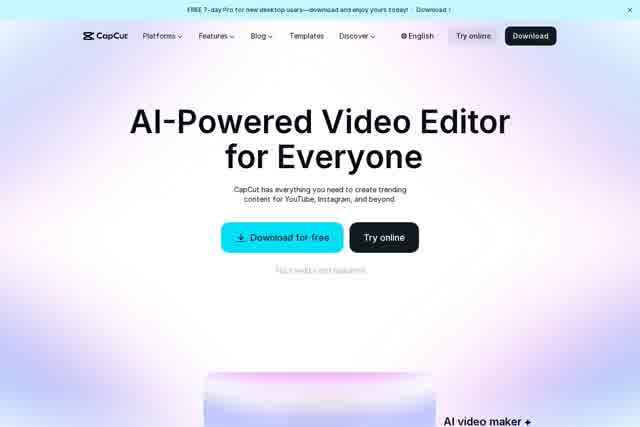
CapCut is an AI-powered photo and video editing platform that helps creators, marketers, and small businesses produce social media content across web, desktop, and mobile.
About
CapCut is an AI-assisted creative platform for video editing, photo editing, and graphic design, built for people making content for YouTube, Instagram, TikTok, and other social channels. It bundles editing, generation, and enhancement tools in one place so users can cut footage, generate visuals, clean up audio, and add captions without switching between multiple applications.
The platform runs in three main forms: a browser-based online editor, desktop software for Mac and PC, and mobile apps, alongside a creative suite that adds cloud storage, team collaboration, and review features. CapCut is developed by ByteDance, the company best known for TikTok, and many of its templates and workflows are shaped around short-form social video. AI features handle tasks such as background removal, text-to-speech narration, auto captions, and turning text or images into video.
Key Features
Pricing & Fees
- Pricing: A free plan covers basic editing tools and free templates; Pro is listed at USD 19.99/month, Ultra at USD 79/month, and Teams at USD 12.49/month per seat, each including AI credits (1,200 monthly for Pro, 8,645 for Ultra) and 1 TB of storage. The site notes displayed prices are for reference and final pricing appears after sign-in.
- Free tier: CapCut can be started online for free with no credit card required, and many web tools are advertised as free without watermarks.
- Platform availability: Available as a web editor, desktop application, mobile app, and tablet (Pad) version, plus a creative suite with cloud collaboration.
- AI generation limits: Paid AI video generation is metered per second, for example Seedance 2.0 Mini at 480p from $0.007/second on Pro during the first month.
Who It's For
CapCut fits social media creators and short-form video producers who need fast turnaround on TikTok, Reels, and YouTube content. It also suits content marketers and small businesses producing product videos, ads, and promotional graphics, podcasters who need transcription and voiceover tools, and casual users editing photos or making memes. The template library and AI generation features lower the barrier for people without professional editing experience, while the Teams plan and creative suite serve small groups collaborating on brand content.
FAQ
What is CapCut?CapCut is an AI-powered photo and video editing platform from ByteDance that offers editing, generation, and design tools across web, desktop, and mobile for creating social media content.
Is CapCut free to use?Yes, CapCut offers a free plan with basic editing tools and free templates, and many online tools are available at no cost without watermarks; paid Pro, Ultra, and Teams plans add AI credits and premium features.
What platforms does CapCut run on?CapCut runs in a web browser, as desktop software for Mac and PC, and as mobile and tablet apps, with cloud storage syncing work across devices.
How much does CapCut Pro cost?Pro is listed at USD 19.99 per month, Ultra at USD 79 per month, and Teams at USD 12.49 per month per seat, though the site states final pricing is shown after signing in.
Does CapCut require an internet connection?The online editor and AI generation features run in the browser and need a connection, while the desktop and mobile apps support offline editing of local footage.
Related Tutorials
View all →

Related Tools
View all → LightX LightX is a web-based AI photo editor, AI image generator, and video editing suite from AndOr Communications, offering background removal, retouching, headshots, and design templates for creators and businesses.
 AIFreeForever A community-funded platform offering free AI tools for chat, image generation, text-to-speech, transcription, and photo restoration, with no signup or login required.
 Nova A.I. Nova A.I. is a browser-based video editing platform that adds automatic subtitles, translation into 75 languages, text-to-speech, and clip tools for creators.
 MindVideo AI MindVideo AI is an AI-powered video generation tool that creates videos from text or images, offering a seamless and creative video production experience.
 AI Content Generator An AI-powered content generator that produces high-quality text for various purposes. It leverages AIGC to create engaging articles, posts, and more.