Cmux - Terminal Built for Multitasking
A terminal built for multitasking, integrating with Ghostty, macOS, Claude Code, Codex, and CLI tools via Socket API.
Introduction
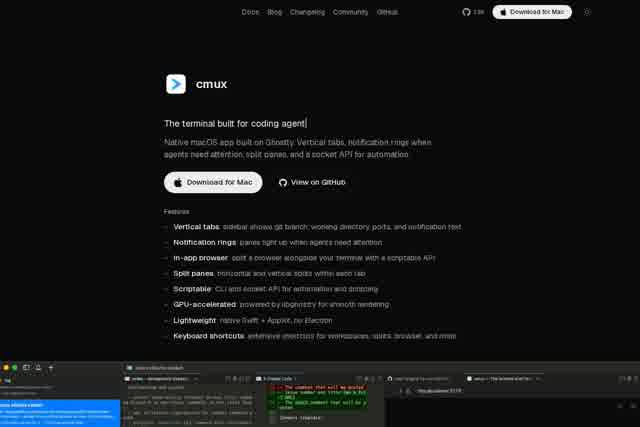
cmux is a native multitasking terminal built specifically for macOS, powered by the high-performance Ghostty engine. It goes beyond being just a terminal emulator—it's a workflow management tool designed for modern developers. With deep integration for Claude Code, Codex, and other popular CLI tools, cmux lets you manage multiple tasks in a single window using vertical tabs, a notification ring, split-screen panels, and a Socket API. Say goodbye to constant window switching and keep everything in one place.
Key Features
- Vertical Tabs: Create multiple vertically stacked tabs within the terminal window, each running its own command or session for quick visual scanning.
- Notification Ring: A non-intrusive circular notification alerts you when background tasks finish or need attention, so you don't have to keep your eyes glued to the screen.
- Split-Screen Panels: Split a single tab horizontally or vertically to run tasks side by side—for example, compiling code while watching logs.
- Socket API: A programming interface that lets scripts or external tools dynamically control cmux tabs, panels, and notifications for deep automation.
- Claude Code & Codex Integration: Native support for AI coding assistants, allowing you to invoke Claude Code or Codex directly in the terminal for code generation, review, and debugging.
Highlights
- Blazing-Fast Performance: Built on the Ghostty engine with extremely low rendering and input latency, staying smooth even under heavy load.
- Native macOS Experience: Seamlessly adapts to macOS window management, gestures, and system notifications for a polished, integrated feel.
- Zero-Config Setup: Install and go—defaults are already optimized for multitasking, while advanced users can fine-tune via configuration files.
- Low Resource Usage: Compared to Electron-based terminals, cmux consumes far less memory and CPU, making it ideal for long-running sessions.
Who It's For
cmux is built for full-stack developers juggling frontend builds, backend services, database queries, and Git operations—where split panels and vertical tabs make a real difference. It's also a great fit for AI-assisted coders who rely on Claude Code or Codex and want smoother integration, plus DevOps engineers managing multiple servers or monitoring log streams without missing critical alerts. And if you're a macOS user who simply wants fewer window switches and more focused command-line work, cmux is designed with you in mind.