Desktop Commander - AI That Executes
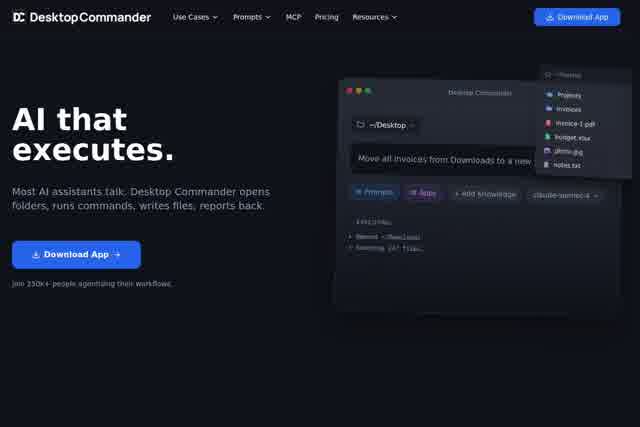
Desktop Commander reads your files, runs commands, and automates workflows - all in natural language.
Introduction
In today's increasingly complex digital workplace, tedious file operations, repetitive command inputs, and multi-step workflows often consume significant time and energy. Desktop Commander was built to solve exactly this problem—it is a revolutionary desktop automation tool that lets you control your computer using natural language, without writing a single line of script. Whether you need to read local files, execute system commands, or orchestrate automated workflows, Desktop Commander accurately understands your intent and executes immediately, delivering a true "say it and it's done" intelligent desktop management experience.
Key Features
- Natural Language File Operations: Perform file reading, searching, copying, moving, and renaming through conversational commands—for example, "find all PDF files I modified last week."
- Smart Command Execution: Convert natural language into system commands, supporting terminal instructions, application launches, and system setting adjustments without memorizing complex syntax.
- Automated Workflow Orchestration: Execute multi-step tasks automatically through continuous conversation or preset rules, such as "back up my desktop files and send a report every morning at 9 AM."
- Cross-Platform Compatibility: Supports Windows, macOS, and major Linux distributions, seamlessly integrating into your daily work environment.
Highlights
- Zero Learning Curve: No programming background required—simply issue commands in the language you already use every day and start immediately.
- Efficient and Accurate: Powered by advanced AI models with high semantic understanding accuracy, reducing the risk of misoperation.
- Secure and Controllable: All operations run locally with no sensitive data leaving your machine, plus permission tiers and operation confirmation mechanisms.
- Highly Extensible: Supports custom plugins and API interfaces to meet the personalized needs of advanced users.
Who It's For
Office workers can quickly organize documents, batch-process spreadsheets, and automate email replies to boost daily productivity. Developers and tech enthusiasts can rapidly execute test commands, manage code repositories, and automate deployment pipelines to cut down on repetitive work. Designers and content creators can batch-convert file formats, auto-organize asset libraries, and publish content with one click—freeing up time for creative work. Everyday computer users can easily handle system maintenance, file archiving, and software installation without wading through endless menu clicks.