Coplay - AI Assistant for Unity Game Development
Elevate your Unity game development with Coplay, a fully collaborative AI partner designed to amplify developer impact. Install today and supercharge your workflow.
Introduction
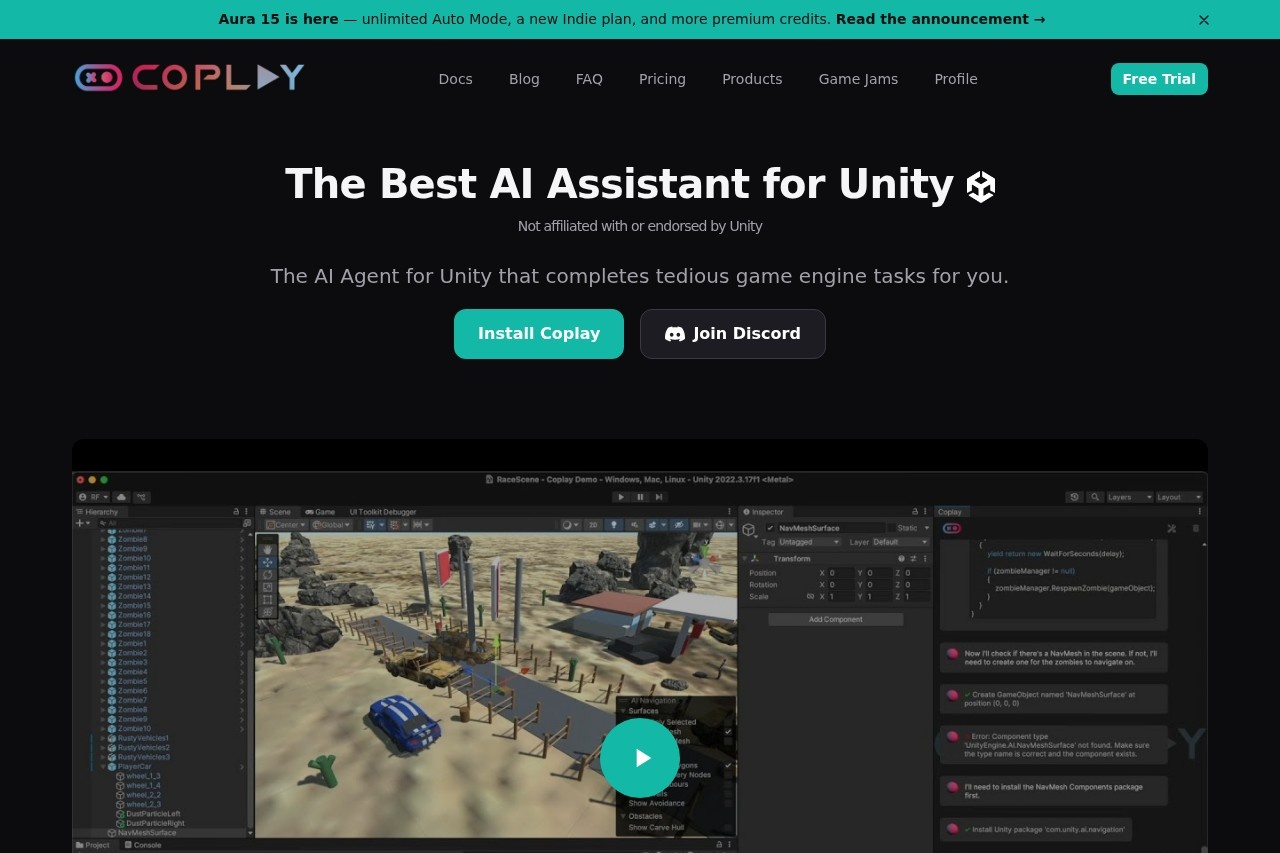
Coplay is a fully collaborative AI assistant built specifically for Unity game development. It goes far beyond simple code completion, acting as a true intelligent partner that helps developers break through bottlenecks and boost productivity. Coplay deeply understands how the Unity engine works, standing by your side through script writing, scene setup, debugging, and optimization. Whether you are an indie developer or part of a larger team, installing Coplay delivers a level of development flow you have never experienced before, freeing up more of your energy for creative design and core gameplay refinement.
Key Features
- Intelligent Code Generation & Completion: Automatically generates C# scripts based on context, supporting common Unity patterns such as MonoBehaviour, coroutines, and physics collisions, significantly reducing repetitive coding work.
- Scene & Component Collaboration: Quickly create or adjust GameObjects, component properties, and prefabs through natural language commands, enabling an interactive "describe and build" development workflow.
- Real-Time Debugging & Optimization Suggestions: Analyzes performance bottlenecks in your code (such as GC allocations and Update loop overhead) and provides targeted fixes along with best practices.
- Instant Documentation & API Lookup: Access Unity official documentation, common plugin interface references, and code examples without ever leaving the editor, shortening the learning curve.
- Project Structure Navigation: Helps developers quickly locate assets, map out dependencies, and automatically generate project structure summaries, improving management efficiency on large-scale projects.
Highlights
- Deep Unity Integration: Seamlessly connects with the Unity Editor, supporting 2019 LTS and newer versions with a simple installation process and no complex configuration required.
- Context-Aware: Unlike generic AI tools, Coplay understands the script you currently have open, the objects you have selected, and your project settings, delivering highly relevant suggestions.
- Collaboration, Not Replacement: Coplay is designed to enhance developer capabilities, keeping you in full control of your project's logic while automatically handling tedious details.
- Continuous Learning: The model iterates alongside Unity version updates, ensuring ongoing compatibility with the latest engine features and API changes.
- Privacy-First: Sensitive code snippets are processed locally, safeguarding your project's intellectual property.
Who It's For
Coplay is built for indie game developers who are a one-person team and need help with coding, debugging, and documentation so they can focus on creative execution. It also serves small and mid-sized studios looking to accelerate prototyping, reduce communication overhead, and let programmers, designers, and planners collaborate efficiently within a unified tool. Unity beginners will benefit from instant examples and explanations that make engine mechanics easier to grasp and lower the barrier to learning. And for seasoned technical artists and programmers, Coplay handles repetitive tasks so you can invest your energy in architecture design, performance optimization, and innovative gameplay development.