PhotoScissors - 在线图片背景处理
Photoscissors:专业在线图片背景处理工具
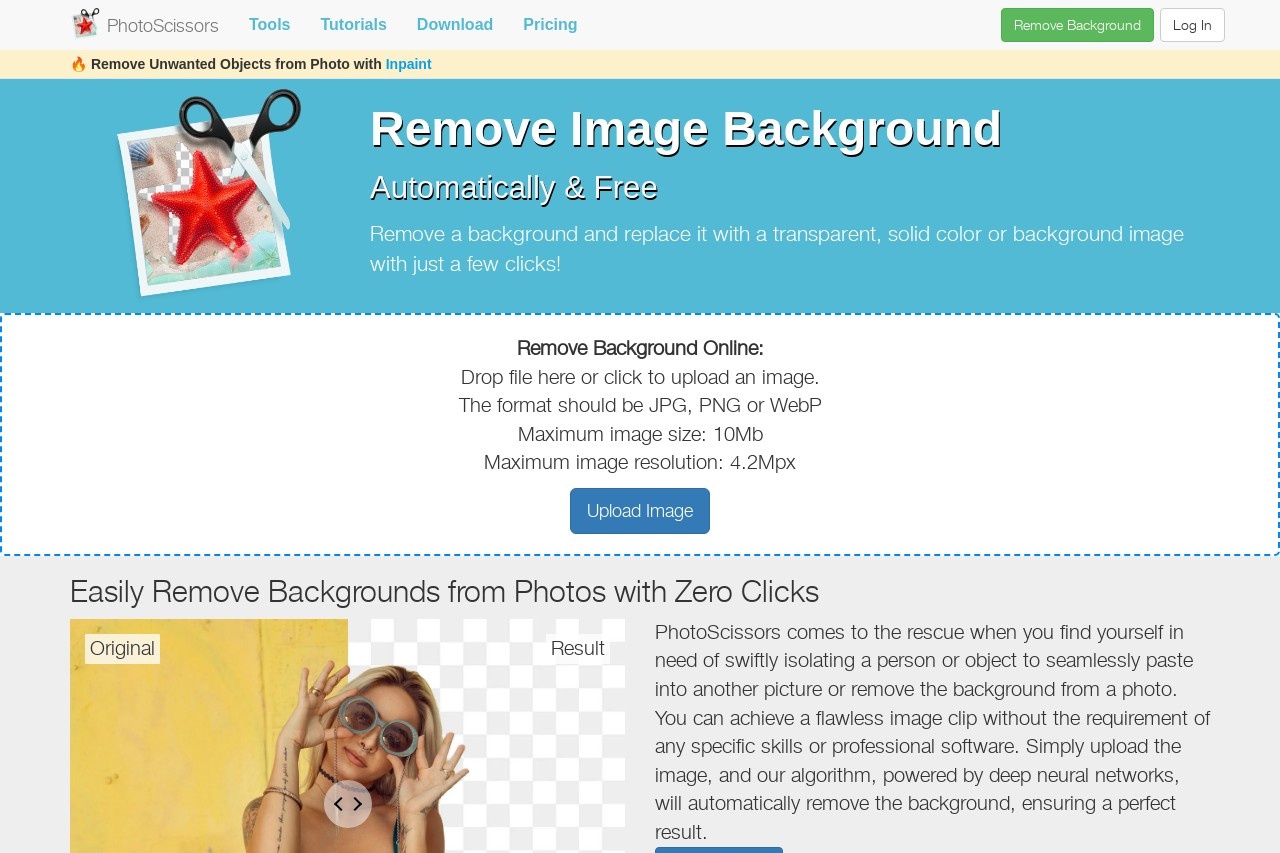
Photoscissors是一款简单易用的在线图片处理工具,专注于帮助用户快速去除图片背景并替换为透明、纯色或自定义背景。无需复杂的Photoshop技能,一键即可实现专业级效果,是电商、设计师和普通用户的理想选择。
主要功能
- 智能背景移除:AI自动识别主体与背景,精准分离
- 背景替换:支持透明背景、纯色背景或自定义图片背景
- 细节优化:手动调整边缘,处理复杂发丝等细节
- 批量处理:支持同时上传多张图片进行处理
- 多种格式导出:PNG、JPG等常见图片格式
特色优势
与其他图片处理工具相比,Photoscissors具有以下显著优势:
- 操作简单:三步完成背景去除,无需专业技能
- 处理速度快:AI算法优化,几秒内完成处理
- 高精度识别:即使是复杂边缘也能完美保留
- 无需下载安装:纯在线工具,不占用电脑资源
- 免费基础功能:满足大部分用户的基本需求
适用人群
Photoscissors适用于各类需要处理图片背景的用户:
- 电商卖家:快速制作商品白底图或场景图
- 平面设计师:提高工作效率,专注创意设计
- 社交媒体运营:制作吸引人的内容图片
- 摄影爱好者:简单处理人像或产品照片
- 普通用户:轻松编辑个人照片
常见问题
- Q:处理图片是否收费?
A:基础功能免费,高级功能需要付费 - Q:支持多大的图片文件?
A:最大支持10MB的图片文件 - Q:处理后的图片质量会降低吗?
A:采用无损算法,保持原始画质 - Q:是否需要注册账号?
A:简单处理无需注册,批量处理建议登录 - Q:支持哪些浏览器?
A:支持Chrome、Firefox、Edge等主流浏览器
English
Photoscissors: Professional Online Image Background Removal Tool
Photoscissors is an easy-to-use online image editing tool focused on helping users quickly remove image backgrounds and replace them with transparent, solid color, or custom backgrounds. No complex Photoshop skills are required — achieve professional-grade results with one click. It is an ideal choice for e-commerce sellers, designers, and everyday users.
Key Features
- Smart Background Removal: AI automatically identifies the subject and background, separating them with precision
- Background Replacement: Supports transparent backgrounds, solid color backgrounds, or custom image backgrounds
- Detail Refinement: Manually adjust edges to handle complex details like hair strands
- Batch Processing: Upload and process multiple images simultaneously
- Multiple Export Formats: PNG, JPG, and other common image formats
Highlights
Compared to other image editing tools, Photoscissors offers the following notable advantages:
- Simple Operation: Remove backgrounds in three steps — no professional skills required
- Fast Processing: Optimized AI algorithms complete processing in seconds
- High-Precision Recognition: Even complex edges are perfectly preserved
- No Download or Installation: Purely online tool that doesn't consume computer resources
- Free Basic Features: Meets the basic needs of most users
Who It's For
Photoscissors suits a wide range of users who need to edit image backgrounds:
- E-commerce sellers: Quickly create product white-background images or scene images
- Graphic designers: Boost work efficiency and focus on creative design
- Social media operators: Create eye-catching content images
- Photography enthusiasts: Easily edit portraits or product photos
- Everyday users: Effortlessly edit personal photos
FAQ
- Q: Is image processing free?
A: Basic features are free; advanced features require payment - Q: What image file sizes are supported?
A: The maximum supported file size is 10MB - Q: Will the image quality be reduced after processing?
A: Lossless algorithms are used to maintain original image quality - Q: Do I need to register an account?
A: Simple processing requires no registration; logging in is recommended for batch processing - Q: Which browsers are supported?
A: Supports mainstream browsers including Chrome, Firefox, and Edge