Magnific AI - 图像放大与增强工具
Magnific AI:重新定义图像增强的智能工具
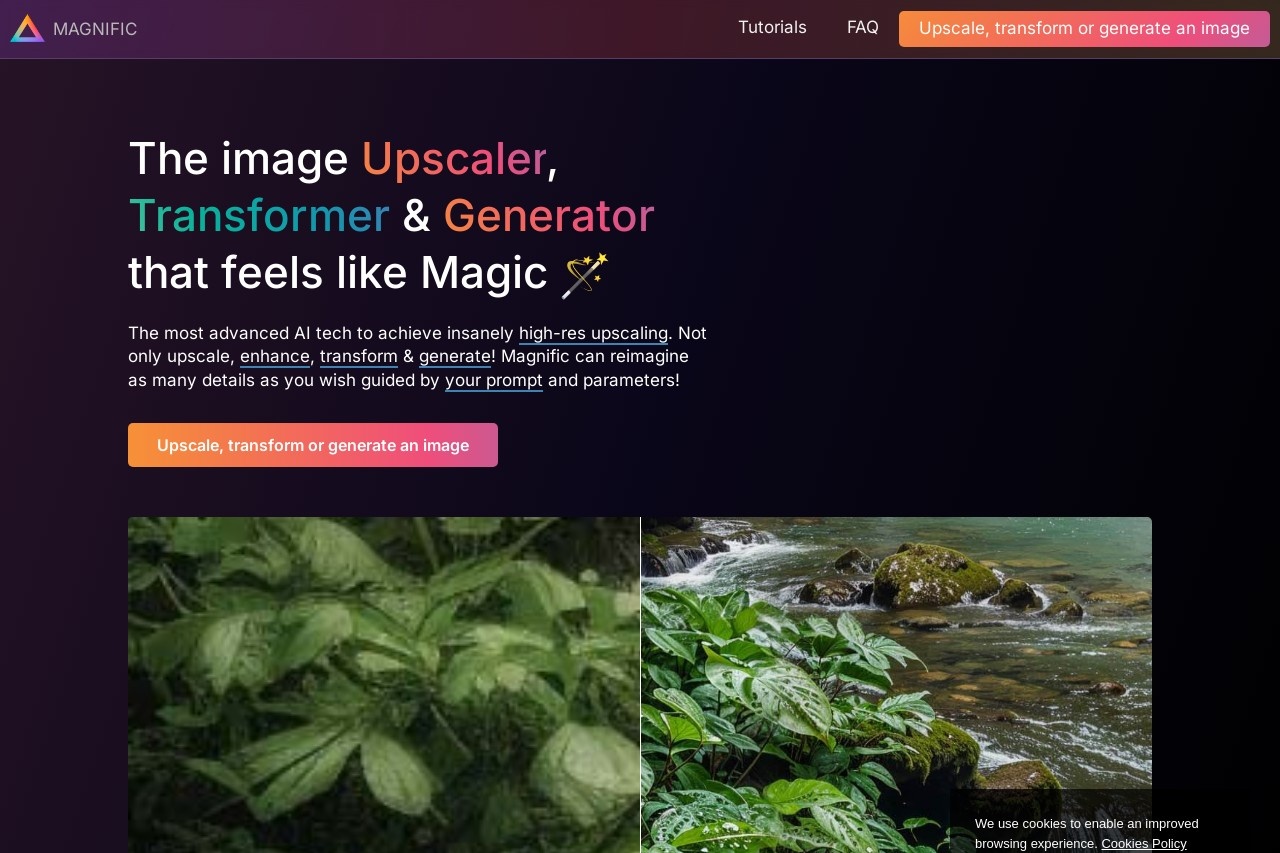
Magnific AI 是一款革命性的图像放大与增强工具,通过先进的算法和人工智能技术,能够根据用户提示和自定义参数重新构想图像细节。无论是模糊的老照片、低分辨率的网络图片,还是需要创意优化的设计素材,Magnific AI 都能将其转化为高清、生动的视觉作品。
主要功能
- 智能图像放大:最高可将图像放大至16倍,同时修复模糊和锯齿
- 细节增强:AI自动补充合理细节,使图像更加清晰自然
- 参数自定义:可调节创造力、细节强度等参数,精准控制输出效果
- 提示词引导:通过文字描述指导AI如何优化和重新构想图像
- 批量处理:支持同时处理多张图片,提高工作效率
特色优势
Magnific AI 区别于传统图像放大软件的最大特点在于其"重新构想"能力。它不仅仅是简单地插值放大,而是能够理解图像内容,智能补充符合场景的细节。无论是恢复老照片中的面部特征,还是为数字艺术作品添加精致的纹理,Magnific AI 都能提供专业级的效果。
此外,其直观的操作界面和灵活的调节选项,使得从普通用户到专业设计师都能轻松上手,根据需求获得理想的结果。
适用人群
- 摄影师:修复和增强老照片、低光拍摄作品
- 设计师:为项目素材提升分辨率质量
- 内容创作者:优化社交媒体图片和视频缩略图
- 档案工作者:数字化保存和修复历史影像
- AI艺术爱好者:进一步优化和放大AI生成图像
常见问题
Q: Magnific AI 支持哪些图像格式?
A: 支持JPG、PNG、WEBP等常见格式,输出可选择多种质量设置。
Q: 处理一张图片需要多长时间?
A: 处理时间取决于图像大小和参数设置,通常在几秒到几分钟不等。
Q: 是否需要专业的图像处理经验?
A: 不需要。Magnific AI 设计简洁直观,预设参数即可获得良好效果,同时也为专业人士提供高级调节选项。
Q: 是否有试用版本?
A: 提供有限功能的免费试用,完整功能需要订阅专业版。
English
Magnific AI: A Smart Tool That Redefines Image Enhancement
Magnific AI is a revolutionary image upscaling and enhancement tool that leverages advanced algorithms and artificial intelligence to reimagine image details based on user prompts and custom parameters. Whether it's blurry old photos, low-resolution web images, or design assets in need of creative optimization, Magnific AI transforms them into high-definition, vivid visual works.
Key Features
- Smart Image Upscaling: Upscales images by up to 16x while fixing blur and jagged edges
- Detail Enhancement: AI automatically adds plausible details to make images sharper and more natural
- Customizable Parameters: Adjust creativity, detail strength, and other parameters for precise output control
- Prompt Guidance: Use text descriptions to guide AI on how to optimize and reimagine images
- Batch Processing: Process multiple images simultaneously to boost workflow efficiency
Highlights
What sets Magnific AI apart from traditional image upscaling software is its "reimagination" capability. Rather than simply interpolating and enlarging, it understands image content and intelligently fills in details that match the scene. Whether restoring facial features in old photos or adding exquisite textures to digital artwork, Magnific AI delivers professional-grade results.
Moreover, its intuitive interface and flexible adjustment options make it easy for everyone—from casual users to professional designers—to achieve the desired results based on their needs.
Who It's For
- Photographers: Restore and enhance old photos and low-light shots
- Designers: Improve resolution quality of project assets
- Content Creators: Optimize social media images and video thumbnails
- Archivists: Digitally preserve and restore historical imagery
- AI Art Enthusiasts: Further refine and upscale AI-generated images
FAQ
Q: What image formats does Magnific AI support?
A: It supports common formats such as JPG, PNG, and WEBP, with multiple quality settings available for output.
Q: How long does it take to process an image?
A: Processing time depends on image size and parameter settings, typically ranging from a few seconds to a few minutes.
Q: Do I need professional image processing experience?
A: No. Magnific AI features a clean, intuitive design—preset parameters deliver great results, while advanced adjustment options are available for professionals.
Q: Is there a trial version available?
A: A free trial with limited functionality is available; full features require a Pro subscription.